

Për klientët Një situatë reale
Your estimate arrived. Book the option you want.
Open the estimate link, compare the options, and book the one you choose at the quoted price.
Regjistruar në një hapësirë pune demo. Me shpjegim me zë dhe titra të aktivizuara.
Ky regjistrim nuk është ende i disponueshëm në gjuhën tuaj, prandaj luhet në anglisht.
Open your estimate
The link opens your estimate in the business's own style, with who it was prepared for and the date it is valid through.
Situata
Zbatojeni në praktikë.
Your clinic sent you a link with two treatment options and their prices. You have decided which one you want and would like to book it.
Çfarë do të mësoni
You know how to read your estimate, choose an option, book it, and what to do if it has expired.
Përpara se të filloni
Open the link from the text or email your clinic sent. You do not need to sign in to see your estimate.
Kini parasysh
An estimate is not a booking. Booking follows the business's usual terms, including any deposit, and prices are only promised until the valid-through date. This walkthrough stops before confirming the booking.
Provoni vendimin
You chose an option and picked a time but have not confirmed. Is the visit booked?
Lexoni udhëzuesin e plotë
1. Open your estimate
The link opens your estimate in the business's own style, with who it was prepared for and the date it is valid through.
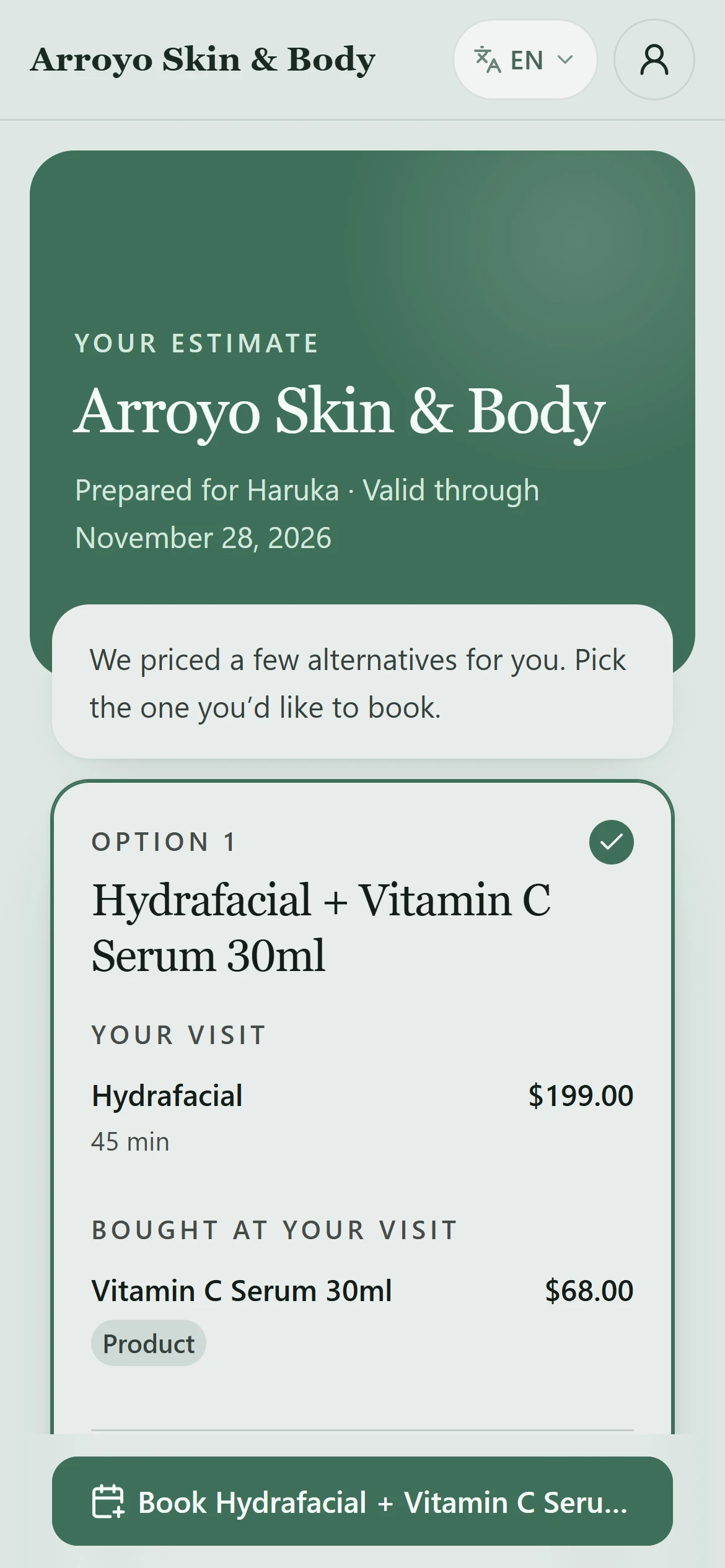
2. Compare the options
Each option lists the visit, anything bought at your visit, tax and the estimated total. If booking needs a card on file, the option says so before you start. Tap the option you want; you can take one.
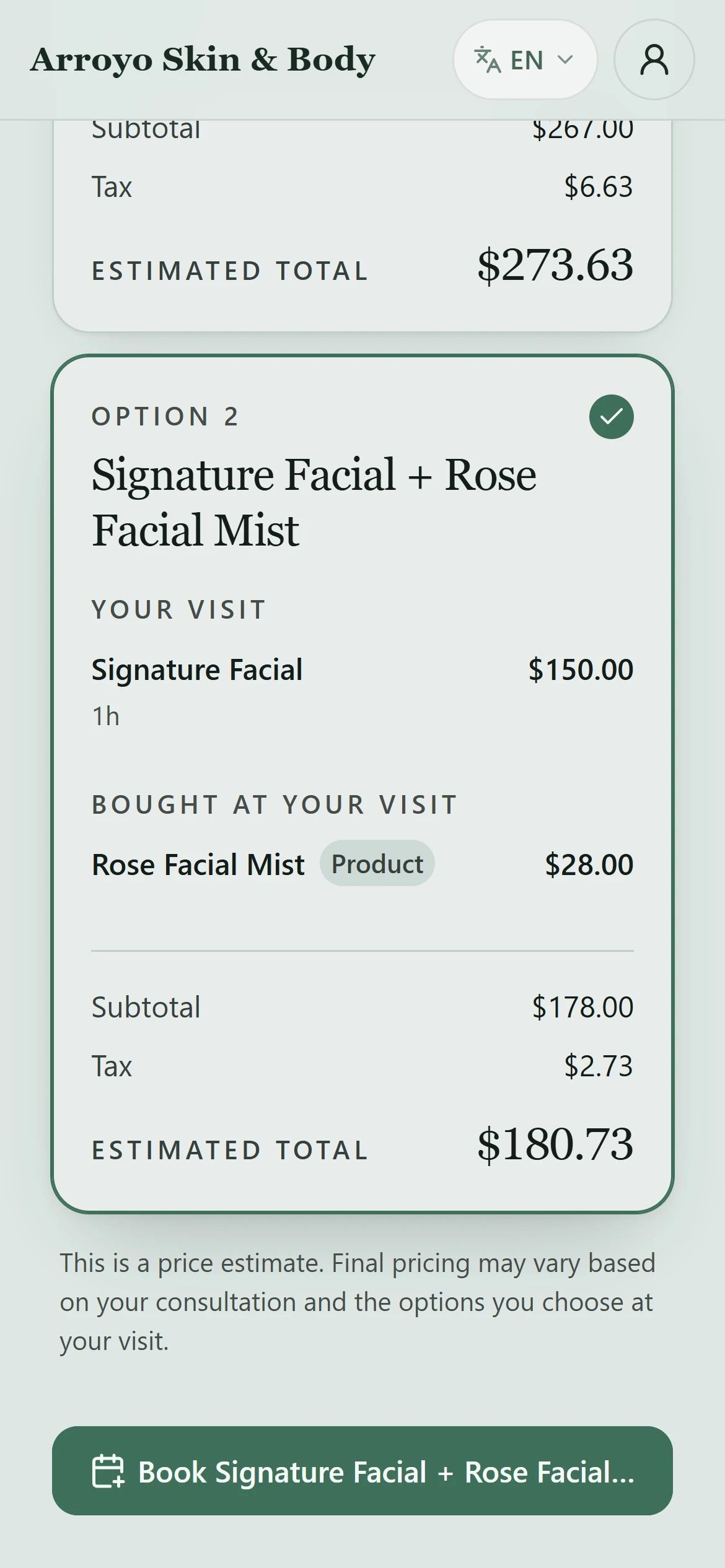
3. Book this visit
The button opens the booking page with that option's treatments already chosen, at the quoted prices. Choose who you would like to see, or Anyone available.
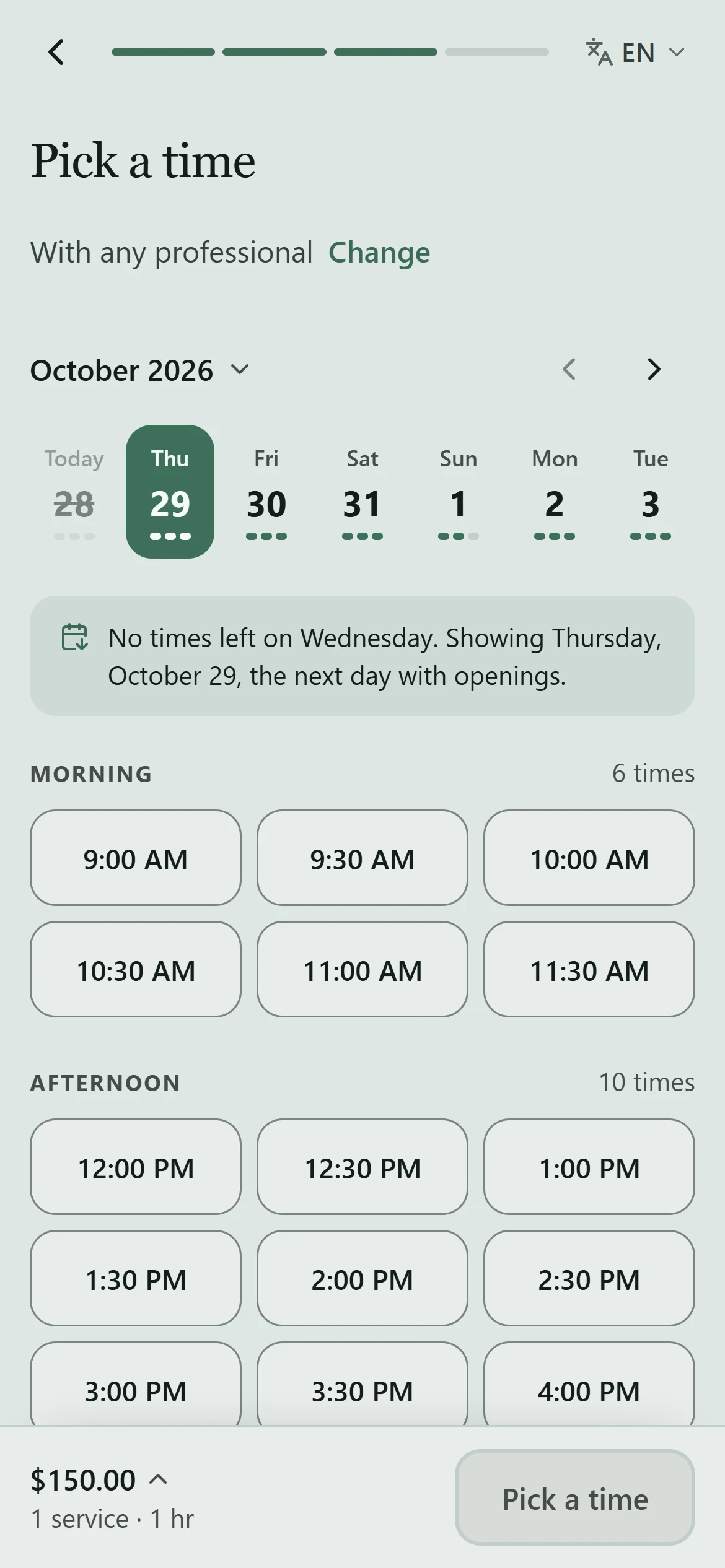
4. Pick a time
Choose a day and a time. The time is held for you for a few minutes while you continue to your details and confirm, as with any online booking. Products in the option are added to your visit. This walkthrough stops before confirming.
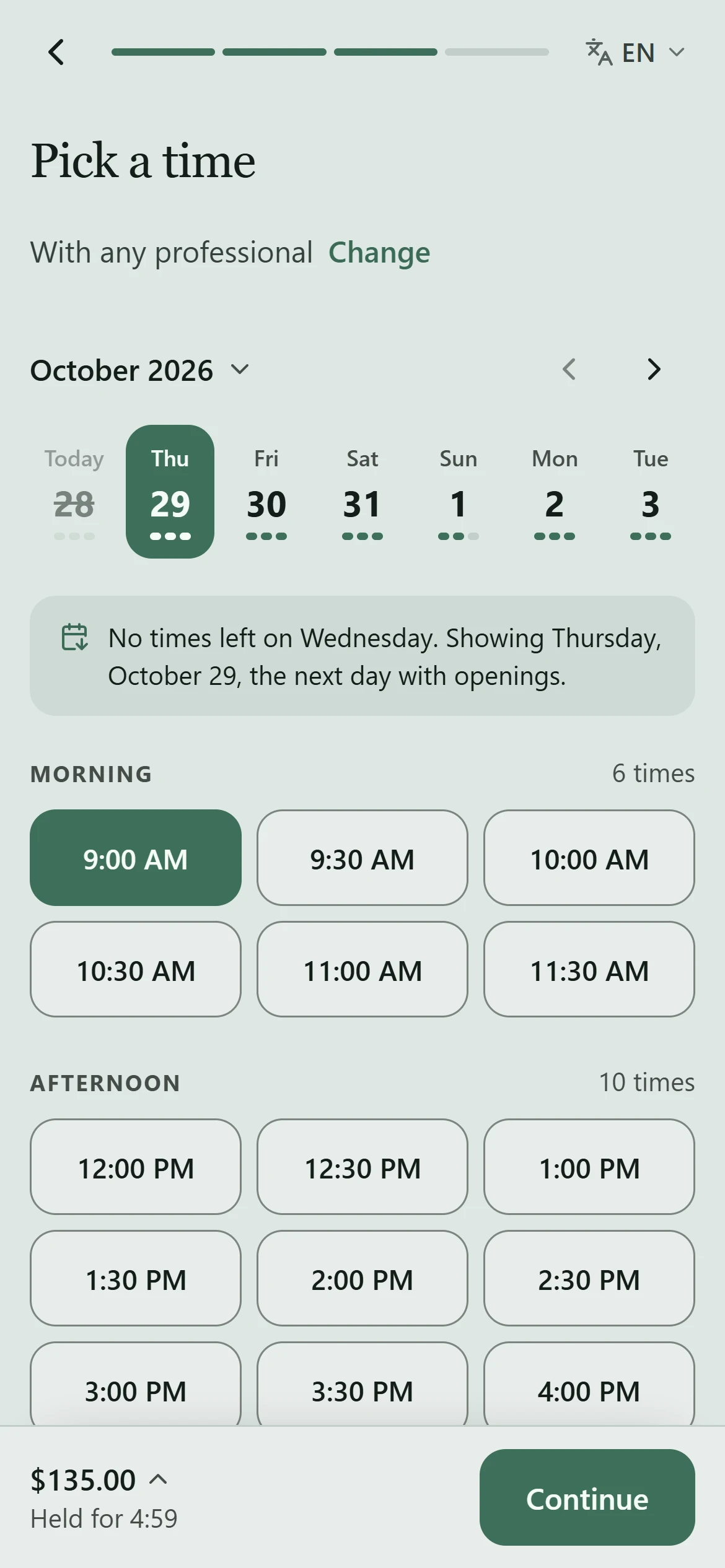
5. If it has expired
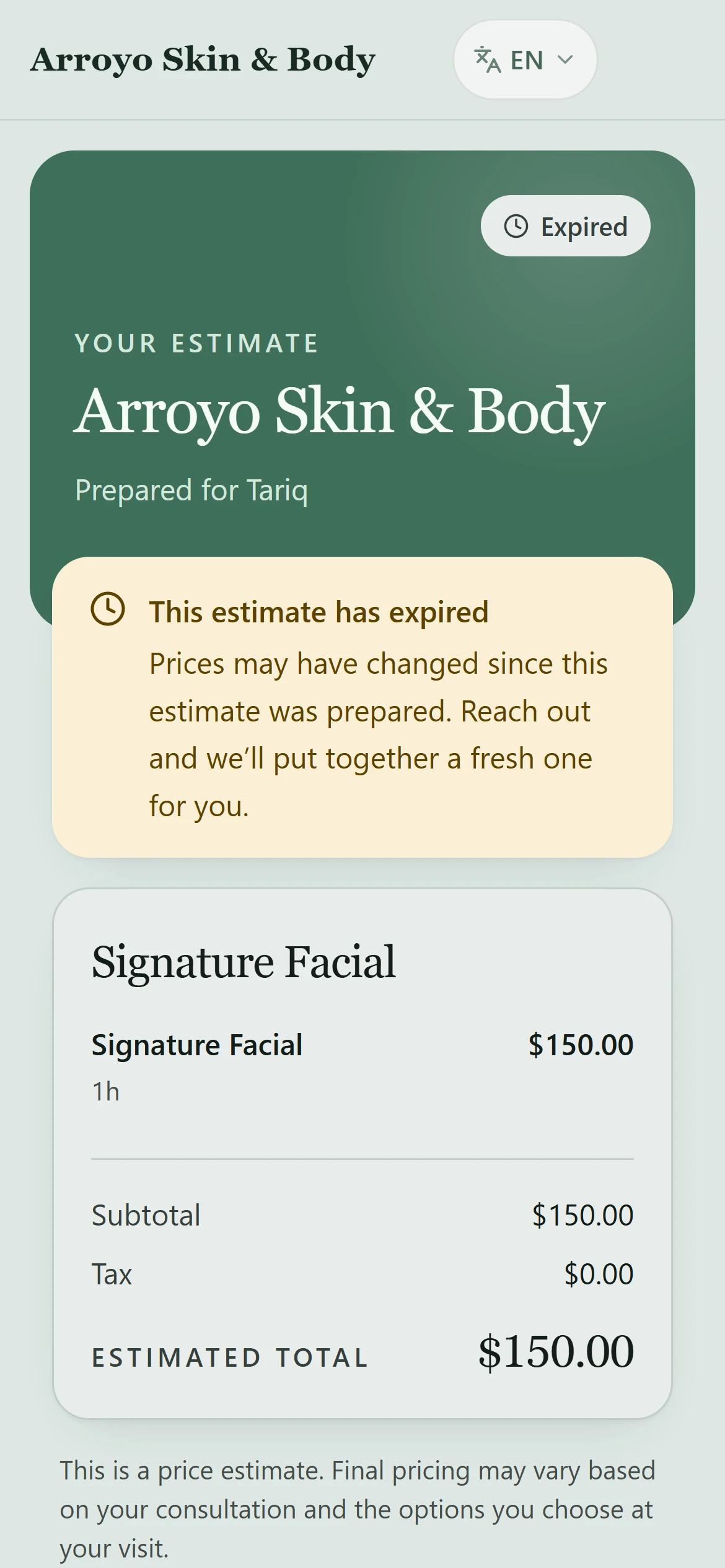
After the valid-through date, an estimate cannot be booked. Contact the business for a fresh one, because prices may have changed.
Mësoni më shumë