

Para parceiros Uma situação real
Send a quote with options, then follow it up.
Price a treatment and a product side by side, send the estimate with consent, and use its status to follow up before it expires.
Gravado em um espaço de trabalho de demonstração. Narrado, com legendas ativadas.
Esta gravação ainda não está disponível no seu idioma, por isso é reproduzida em inglês.
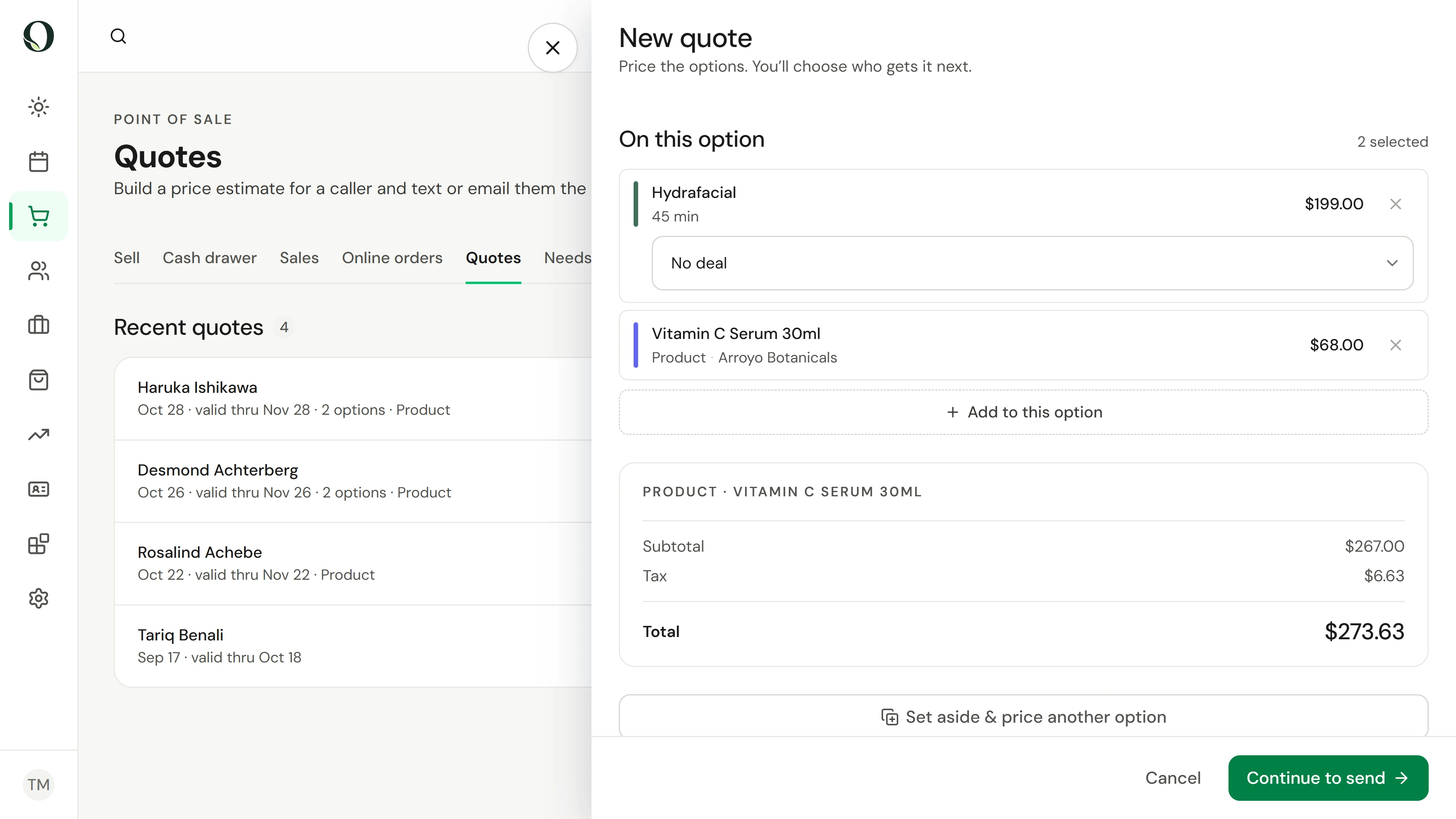
Put a treatment and a product together
In Point of sale, Quotes, choose New quote, then Choose what to quote. Pick the treatment and the product from one grouped list, then Done. The total shows the subtotal, any deal, tax and the total.
A situação
Coloque em prática.
A regular client asks about a facial and the serum to go with it, and wants to compare a lighter option. They will decide after talking it over at home.
O que você vai aprender
A quote with two options ready to send, and a clear view of who opened theirs, who booked and which estimates have expired.
Antes de começar
You need the permission to manage appointments. Choose one location first: a quote is priced for the location it is built at.
Lembre-se
A sent quote cannot be edited, so the price the client saw stays the price. It is valid for 30 days, or until a deal on it ends. Only send it to someone who asked for it. This recording stops before sending.
Tente a decisão
A client opened your quote yesterday but has not booked. What does the Viewed status tell you?
Leia o passo a passo completo
1. Put a treatment and a product together
In Point of sale, Quotes, choose New quote, then Choose what to quote. Pick the treatment and the product from one grouped list, then Done. The total shows the subtotal, any deal, tax and the total.
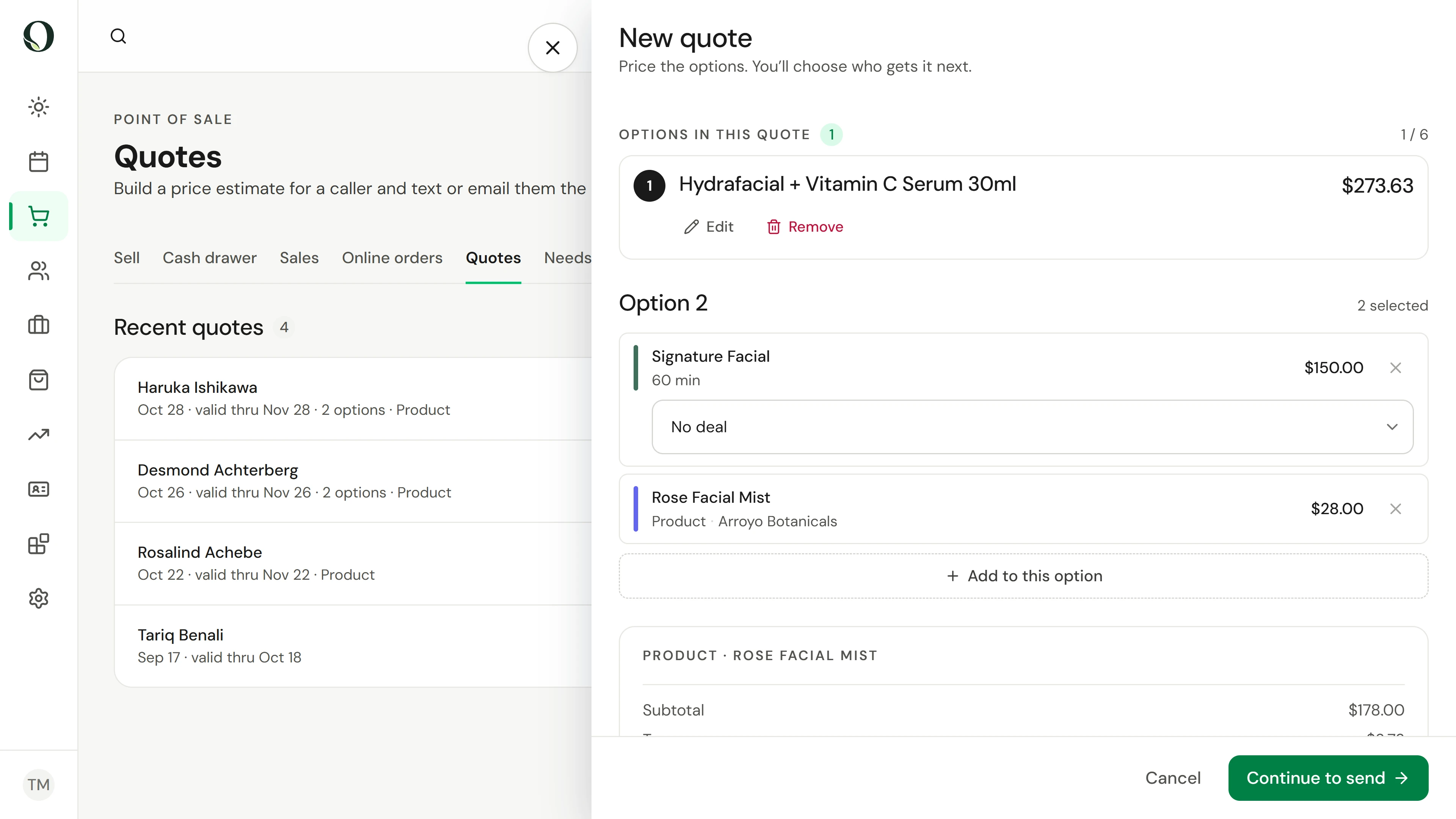
2. Price an alternative
Set aside & price another option keeps this option and starts the next. A quote holds up to six options, and the client takes one.
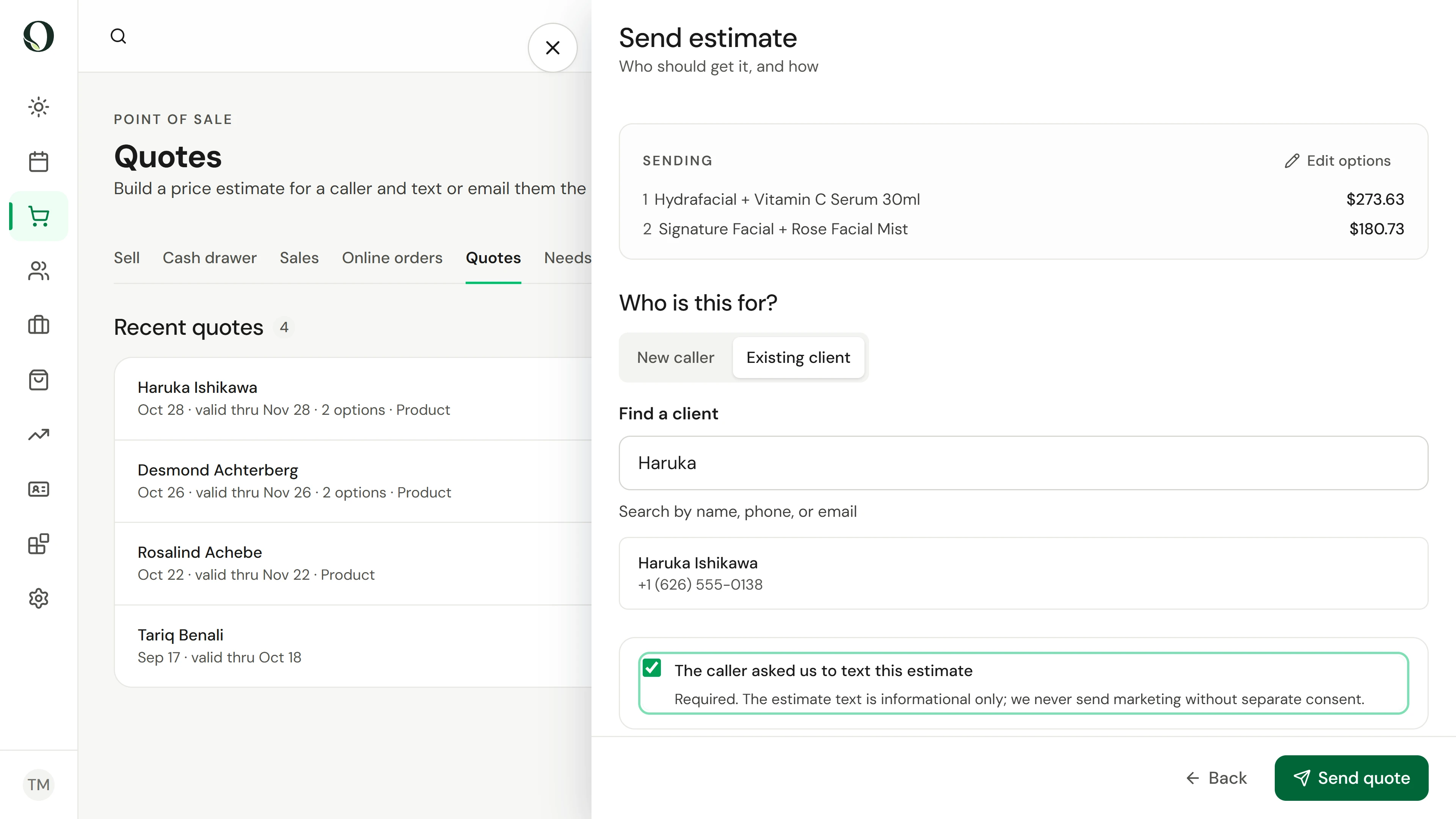
3. Send it with consent
Continue to send and choose the client. Tick that they asked for this estimate; it is required. Send quote texts the link, or emails it if they have opted out of texts.
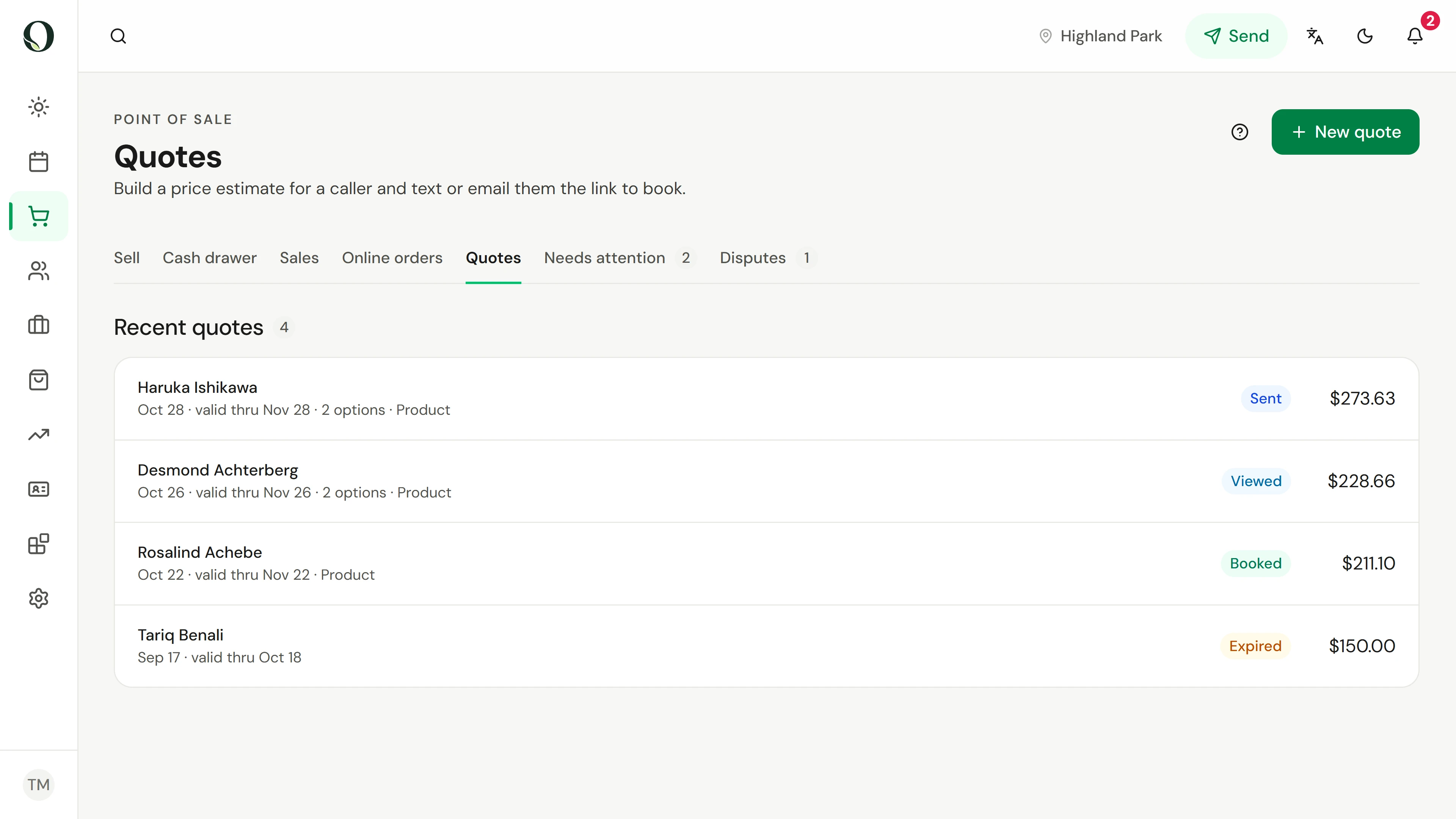
4. Follow up by status
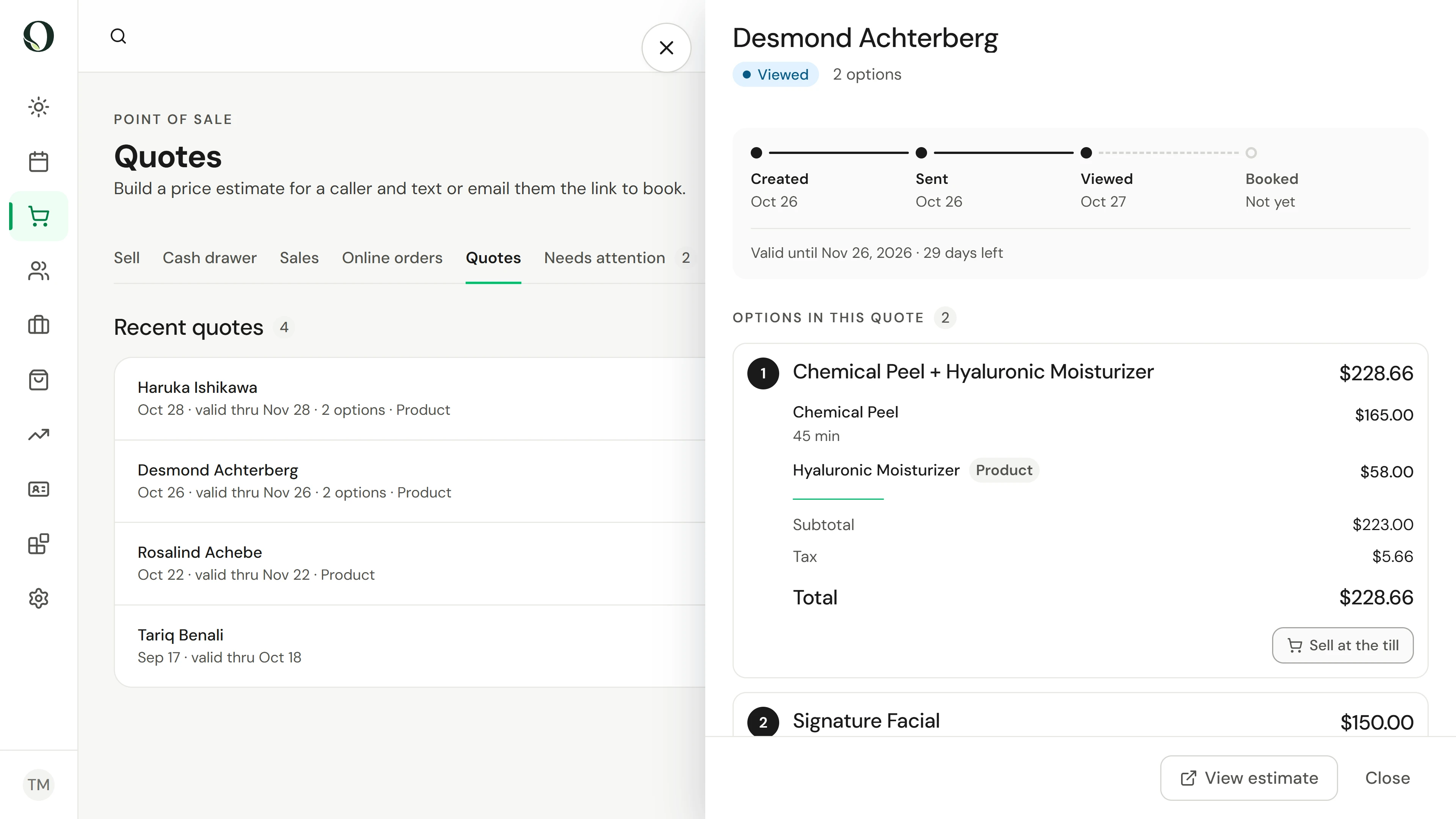
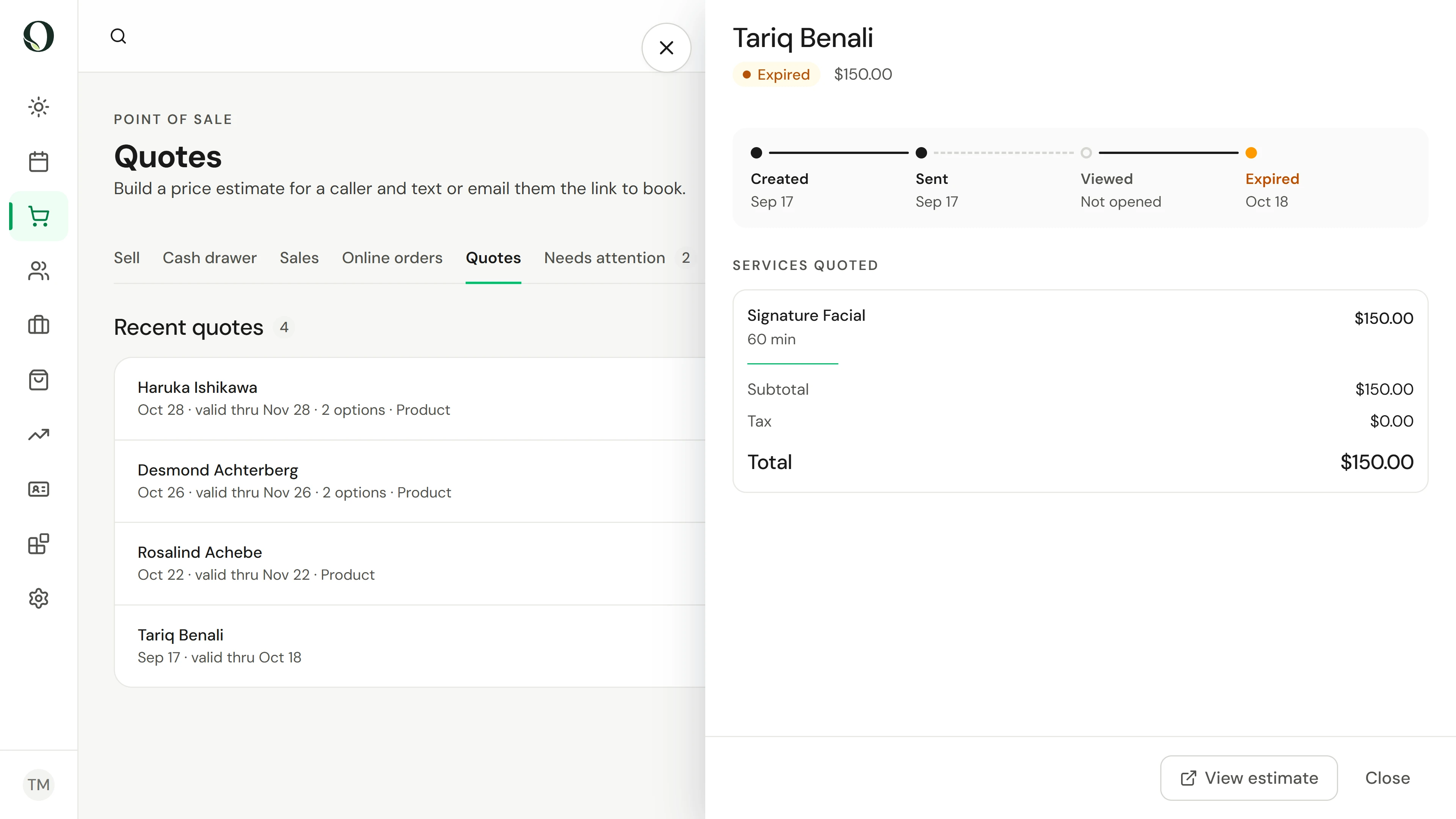
Recent quotes shows where each estimate stands: Sent, Viewed once the client opens the link, Booked or Purchased when they take an option, and Expired after its valid-through date.
5. Open a quote before you call
Select a quote to see when it was created, sent and viewed, the date it is valid through and every option. When the client is with you, Sell at the till puts an option on a sale at the quoted prices.
6. Let expired quotes go
A quote is valid for 30 days, or until a deal on it ends. After that it shows Expired, and the client is asked to get in touch for a fresh estimate. To change a price, build a new quote.
Aprofunde-se