

Para clientes Uma situação real
Check what your membership includes before you book.
Find your plan, review its status and included benefits, and understand where requests are handled.
Gravado em um espaço de trabalho de demonstração. Narrado, com legendas ativadas.
Esta gravação ainda não está disponível no seu idioma, por isso é reproduzida em inglês.
Find the membership entry
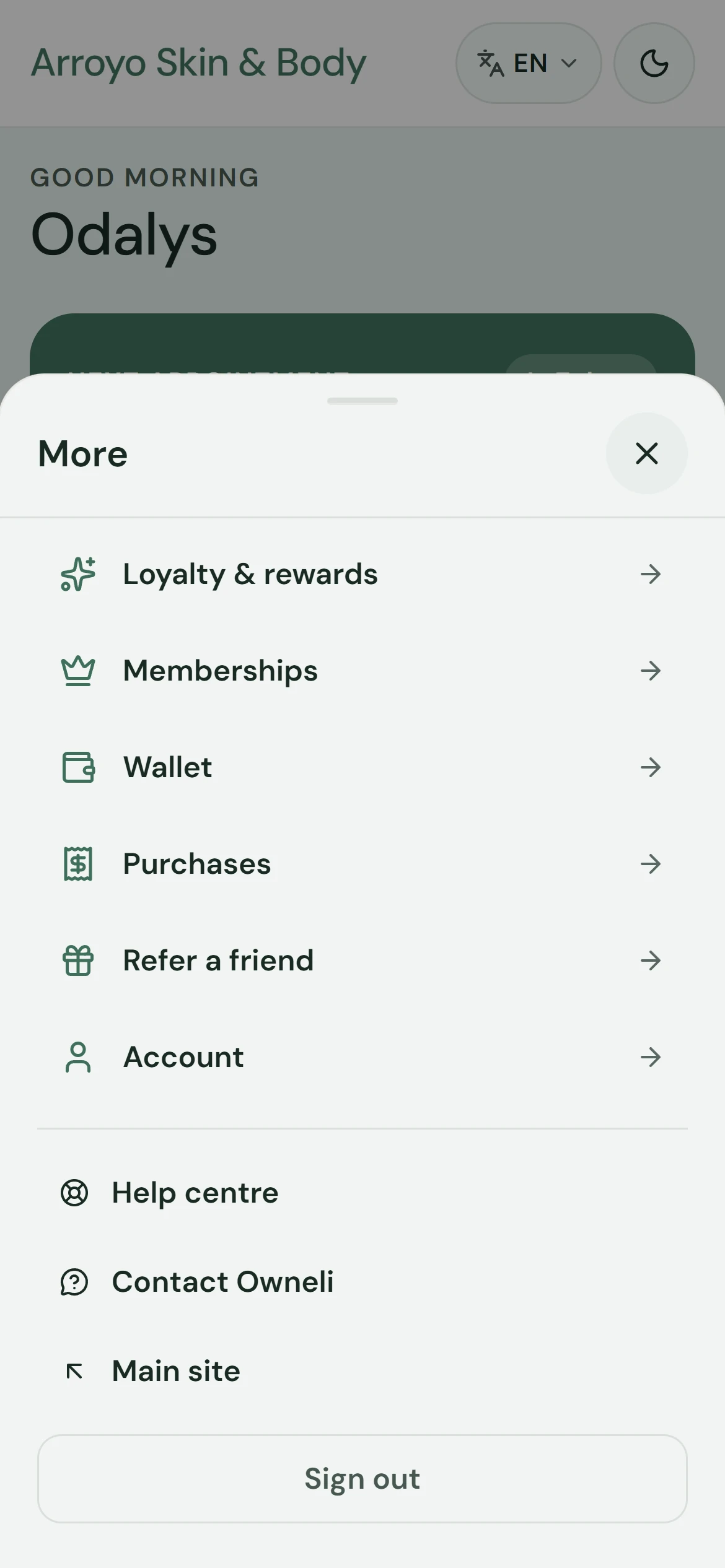
Your portal home shows a membership summary. Open More to find Memberships alongside your wallet, purchases and account.
A situação
Coloque em prática.
You remember buying a membership, but you are not sure what you can use on your next visit. Check the plan attached to your account first.
O que você vai aprender
You can find your membership and the details the business makes available for it.
Antes de começar
Sign in to the account associated with the membership. A membership belongs to the business that issued it, and its rules can differ from another business.
Lembre-se
Benefits, expiry, pauses and cancellation follow the terms of your plan. Some changes are self-service; others require a request. Read the confirmation and plan status before assuming a change has taken effect or billing has stopped.
Tente a decisão
The screen says your pause request was sent to the business. Is the plan already paused?
Leia o passo a passo completo
1. Find the membership entry
Your portal home shows a membership summary. Open More to find Memberships alongside your wallet, purchases and account.
2. Open your memberships
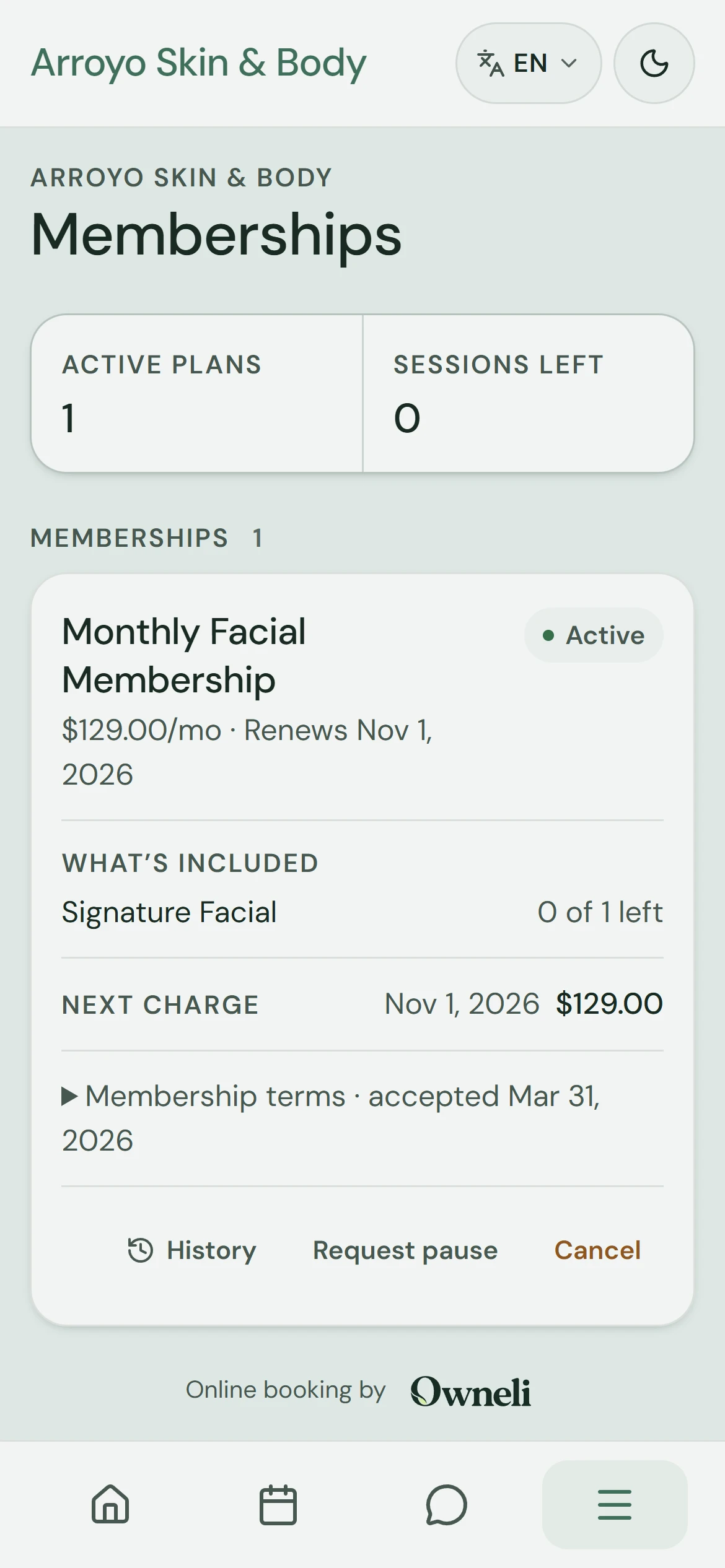
Open Memberships to see the plans and packages linked to your account, with their status and what is left to use.
3. Read the plan details
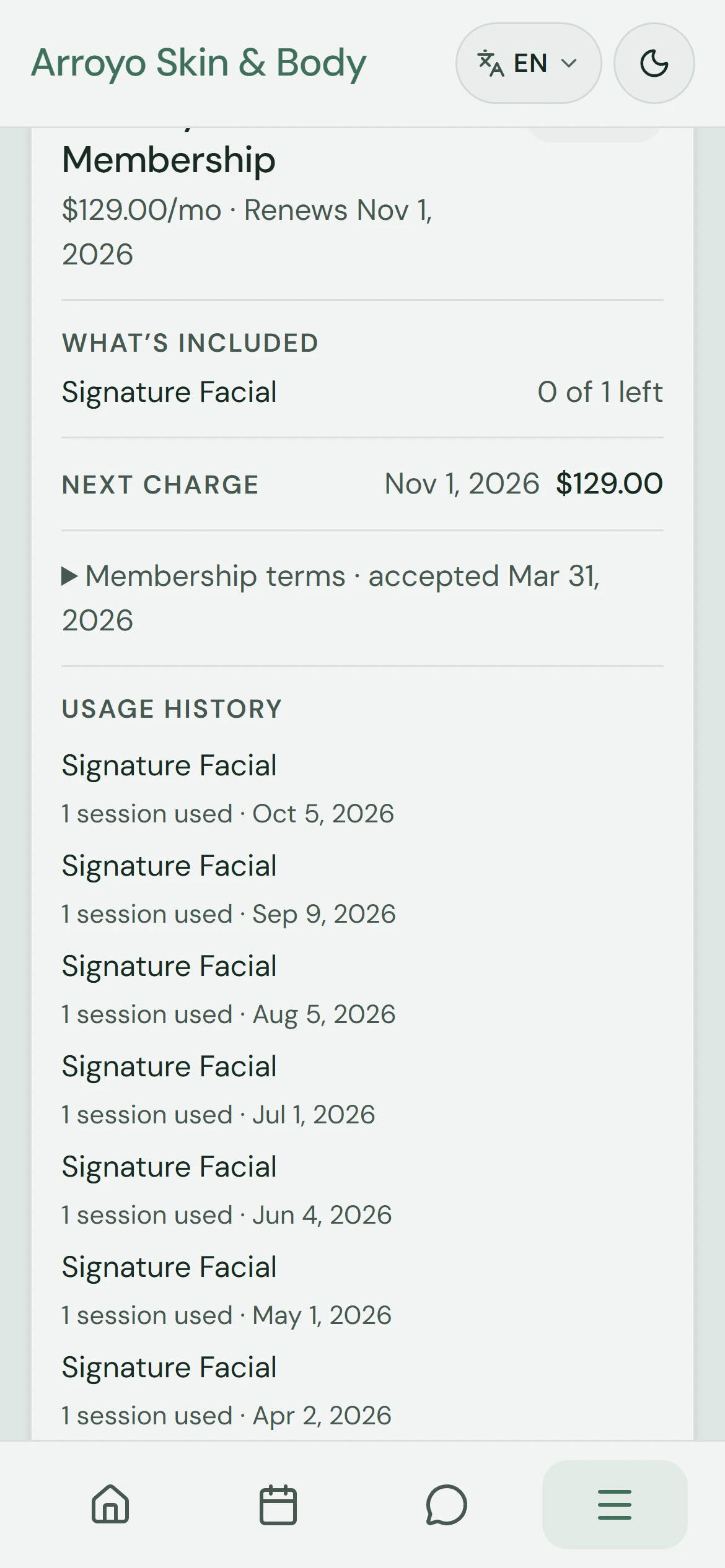
Review what the plan includes, when access ends and its usage history. Use its management actions or contact the business for a change. No request is submitted in this walkthrough.
Aprofunde-se