

Para parceiros Uma situação real
A client needs another time. Prepare a waitlist request.
Record the client’s preferred times and service in an unsaved waitlist request, then review the handover.
Gravado em um espaço de trabalho de demonstração. Narrado, com legendas ativadas.
Esta gravação ainda não está disponível no seu idioma, por isso é reproduzida em inglês.
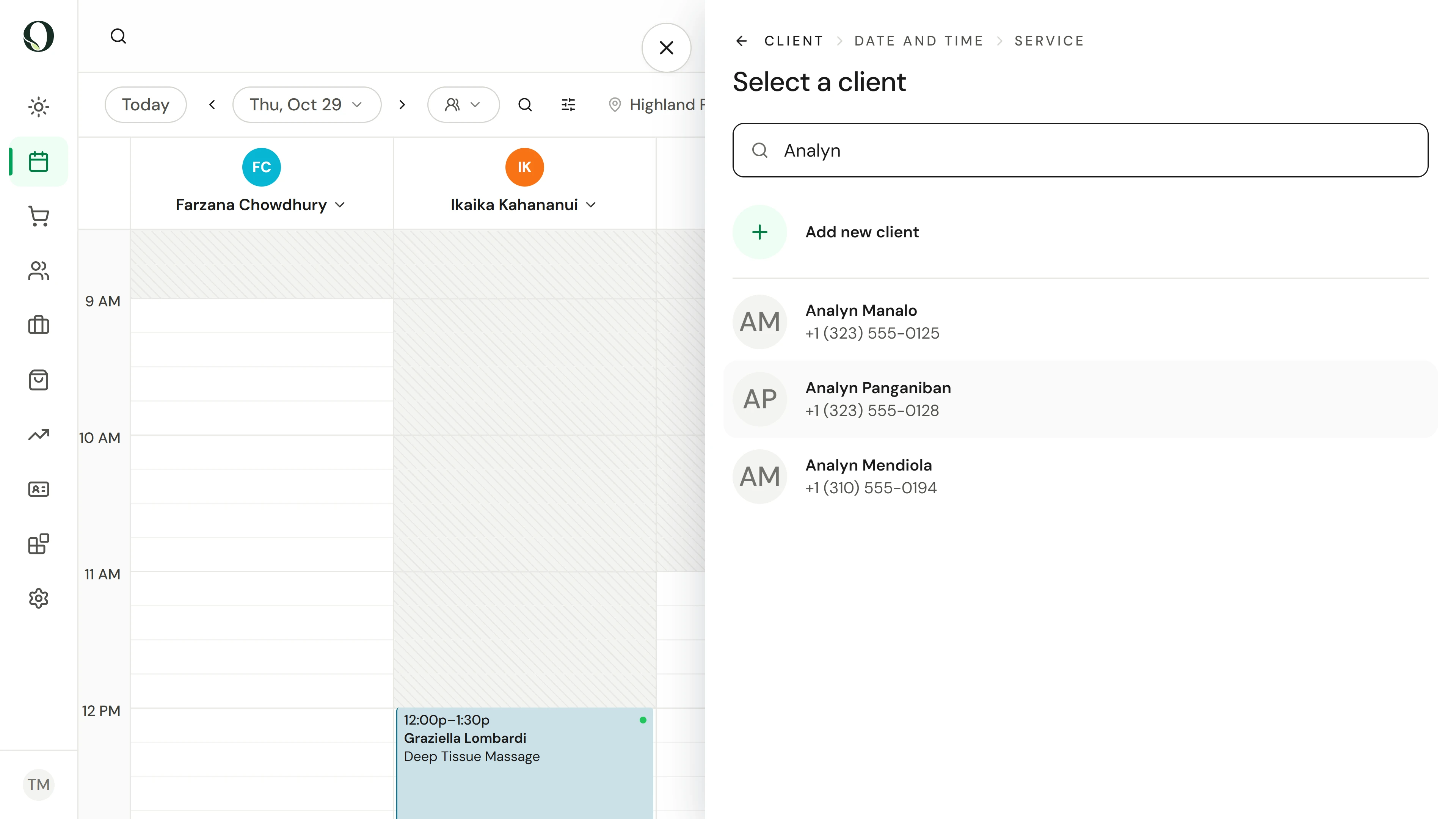
Start with the right client
Open the calendar waitlist, choose Add to waitlist and search for the client. Check the identity before continuing. Do not create a duplicate client for an existing customer.
A situação
Coloque em prática.
The client wants a visit, but the available times do not fit. Capture useful preferences so the team can assess a later opening.
O que você vai aprender
An unsaved waitlist request with a client, preferred time and service, ready for a final review.
Antes de começar
You need appointment management access. Confirm the location, the client’s preferred times and the service they want. Use the business’s agreed approach to offers and communication.
Lembre-se
A waitlist request is not an appointment. An offer is not a confirmed booking. This recording stops before Save, so it creates no waitlist entry and sends no offer.
Tente a decisão
You prepared a waitlist request. Is the client booked?
Leia o passo a passo completo
1. Start with the right client
Open the calendar waitlist, choose Add to waitlist and search for the client. Check the identity before continuing. Do not create a duplicate client for an existing customer.
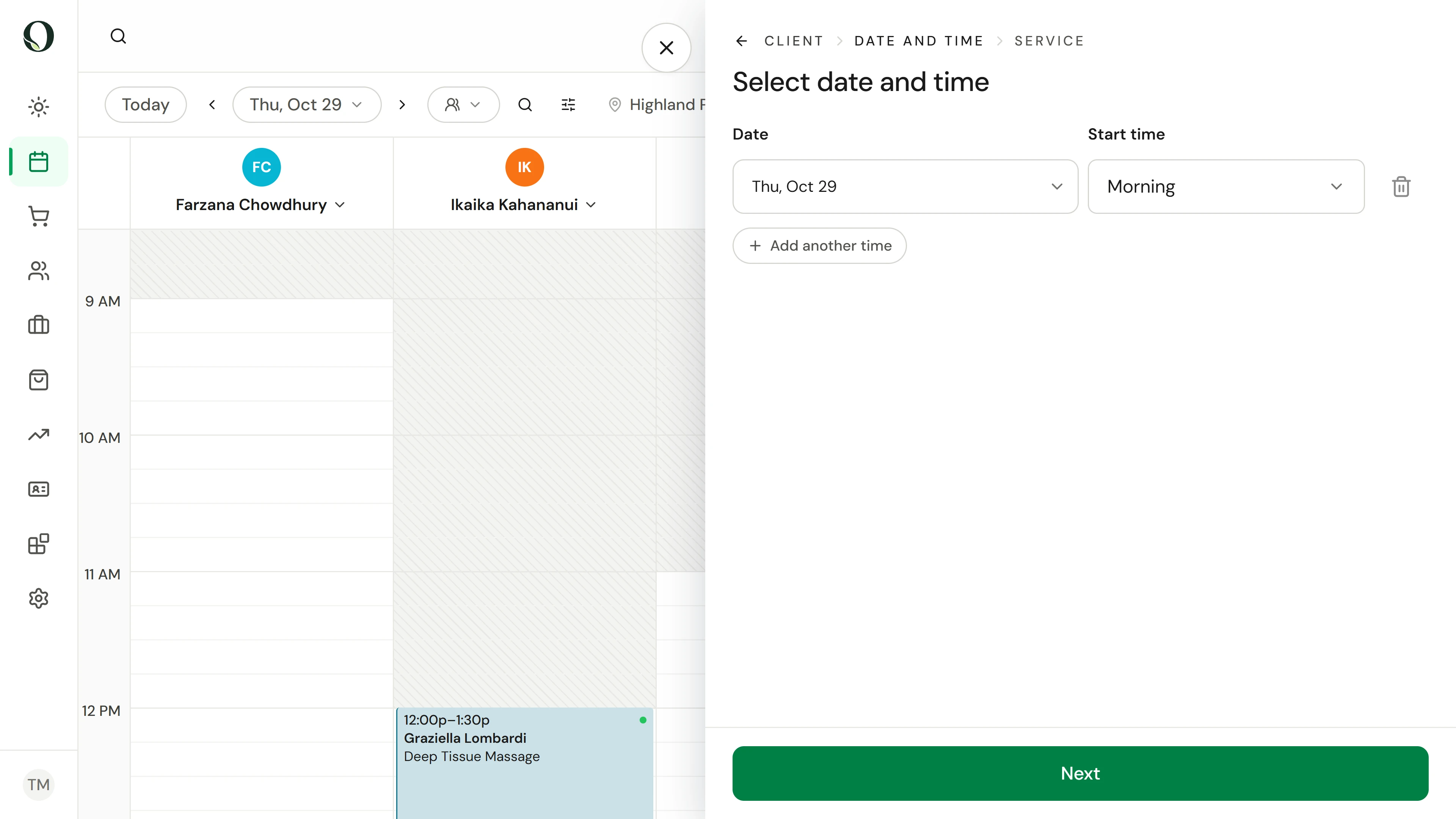
2. Capture a useful time preference
Review Date and time with the client. Choose a date and preferred start time; add another time only if it reflects an actual preference. These are matching preferences, not a held appointment.
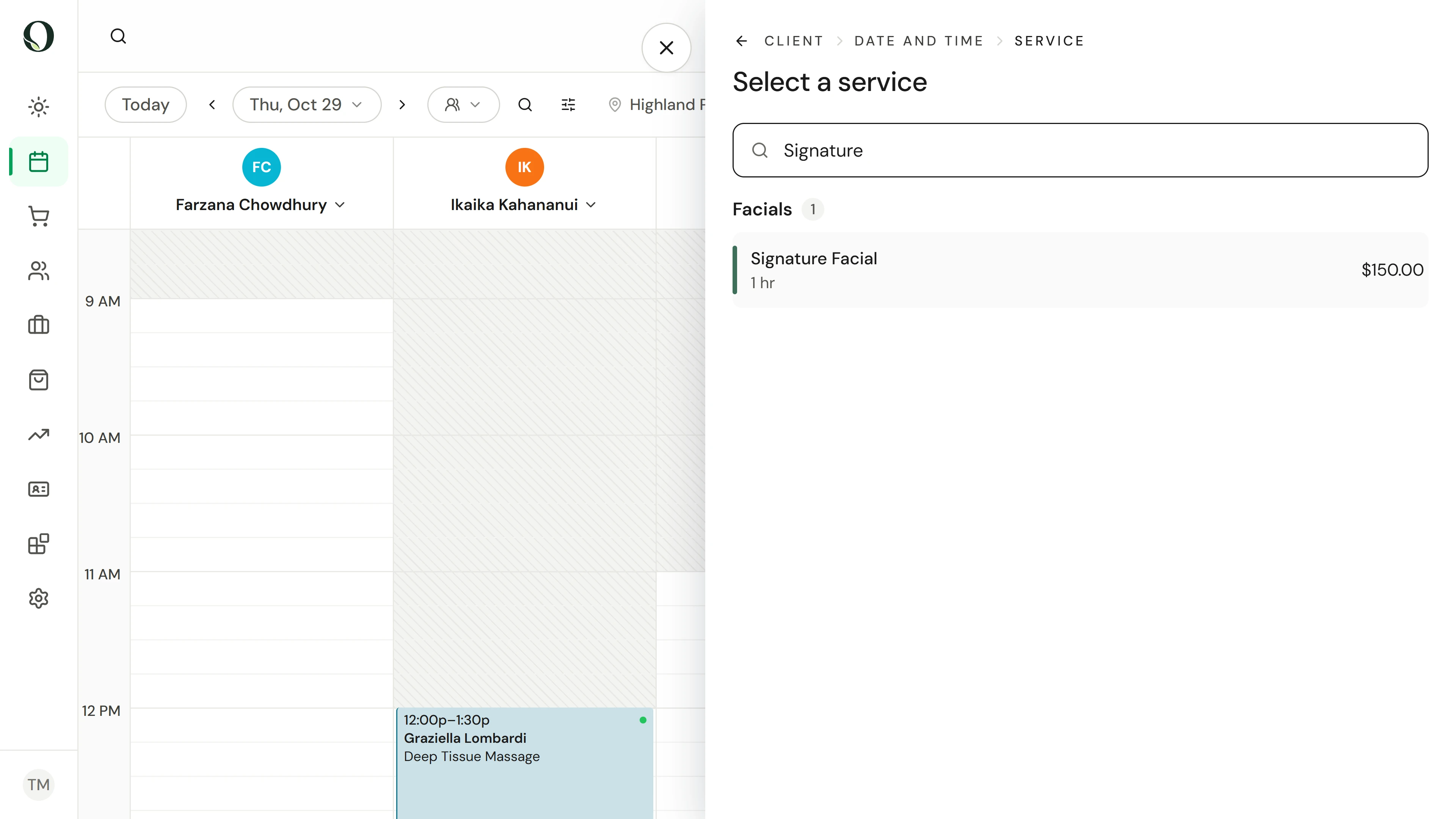
3. Find the requested service
Continue to Service and find the service the client requested. Check its duration before selecting it, so a later opening can accommodate the visit.
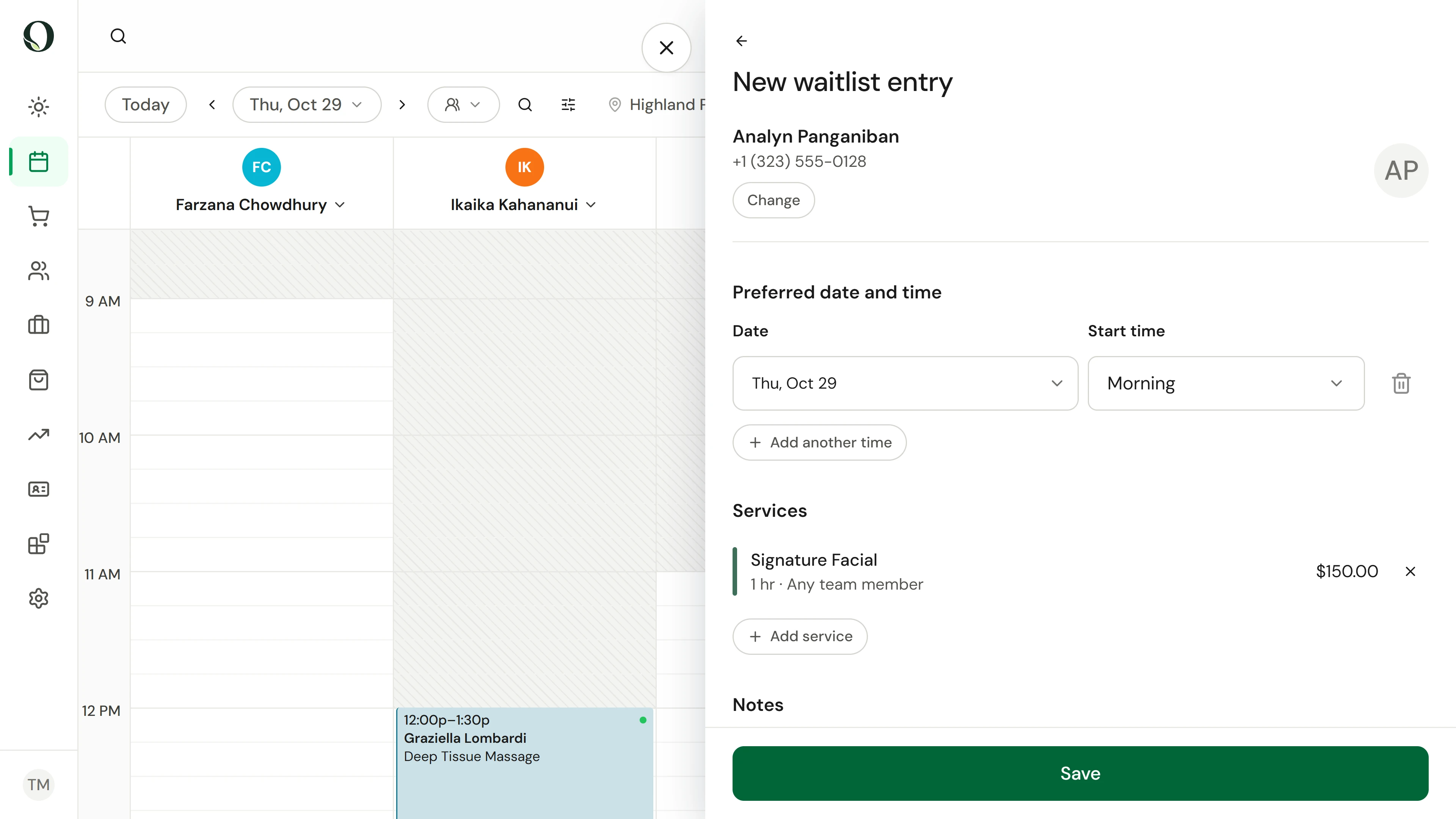
4. Review the request before saving
Select the service to open the summary. Check the client, preferred times and selected service together. Confirm any notes and contact approach before saving a real request. The recording ends on this summary without saving or sending.
Aprofunde-se