

Para parceiros Uma situação real
Sales and cash differ. Read the right report.
Use sales and payment reports to separate sales, money collected and value still owed to clients.
Gravado em um espaço de trabalho de demonstração. Narrado, com legendas ativadas.
Esta gravação ainda não está disponível no seu idioma, por isso é reproduzida em inglês.
Start with the question
Open Reports, then Sales. Decide whether you are reviewing what was sold, money collected or value owed to clients. Use that question to choose the report.
A situação
Coloque em prática.
Sales look healthy, but the money received does not match. A deposit, a later payment or a gift card can put the events in different periods.
O que você vai aprender
You can choose the report that answers your question and check the same period and location before comparing totals.
Antes de começar
You need permission to view finance reports. Choose the period and location you are reviewing. Use the detailed finance guide and your accountant for accounting decisions.
Lembre-se
Sales, payments and liabilities answer different questions. A completed visit does not prove payment, and collecting money for a future visit does not mean the service has been delivered.
Tente a decisão
A client pays a deposit today for a visit next week. Which question does today’s payment answer?
Leia o passo a passo completo
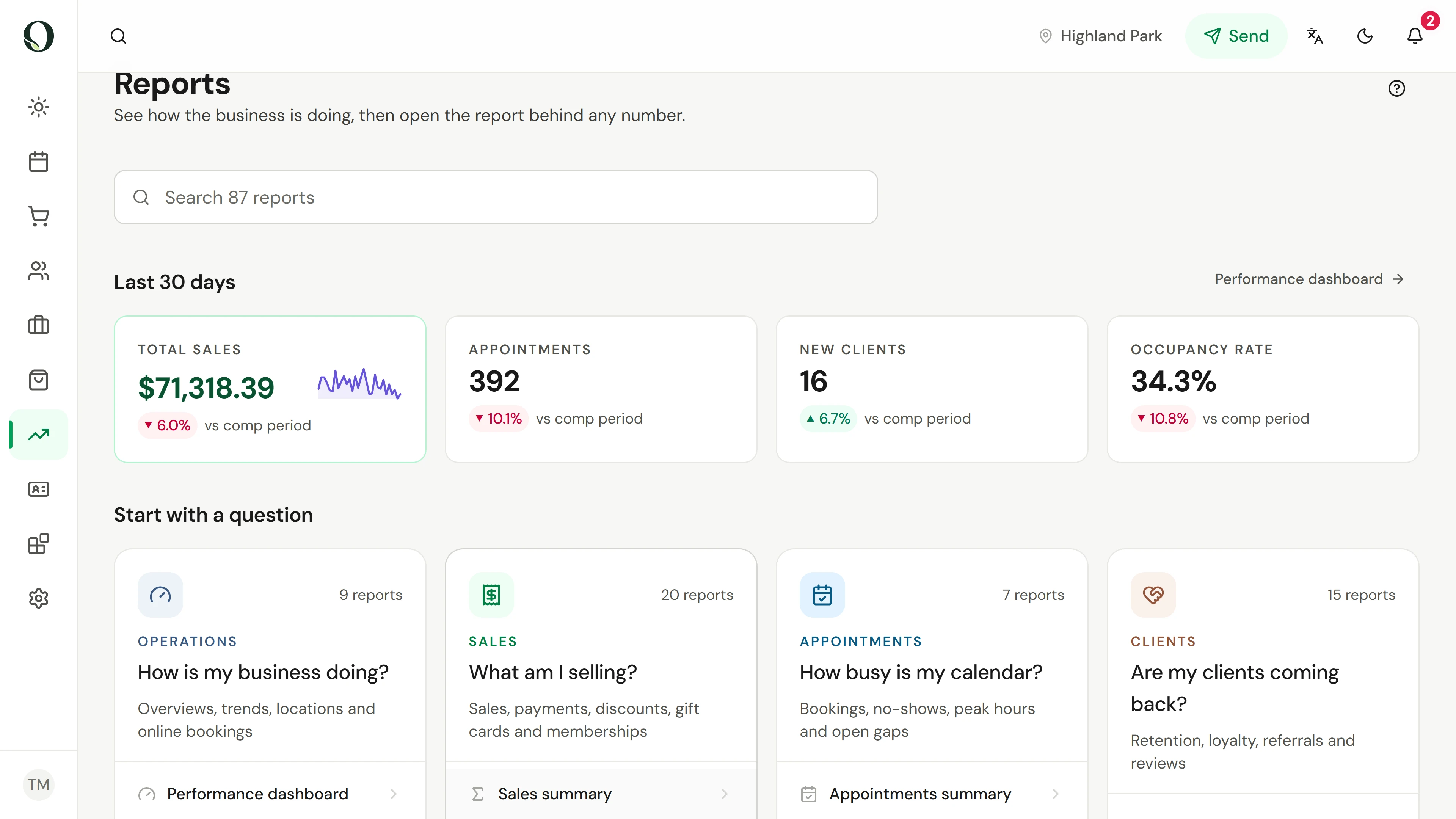
1. Start with the question
Open Reports, then Sales. Decide whether you are reviewing what was sold, money collected or value owed to clients. Use that question to choose the report.
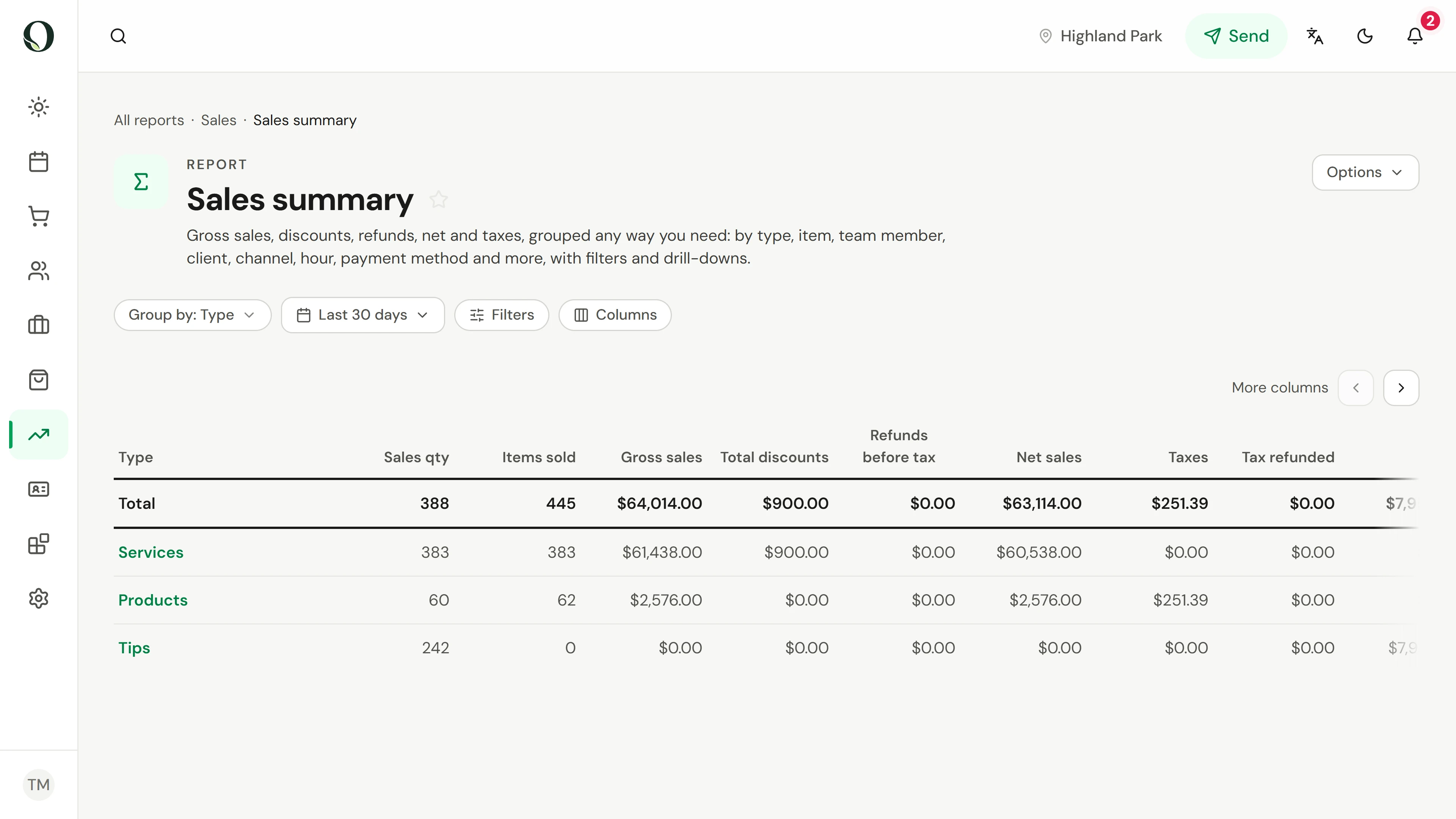
2. Read what was sold
Open Sales summary and check its date range and location. Review the sales measures using the report definitions. This is a sales view, not a bank deposit total.
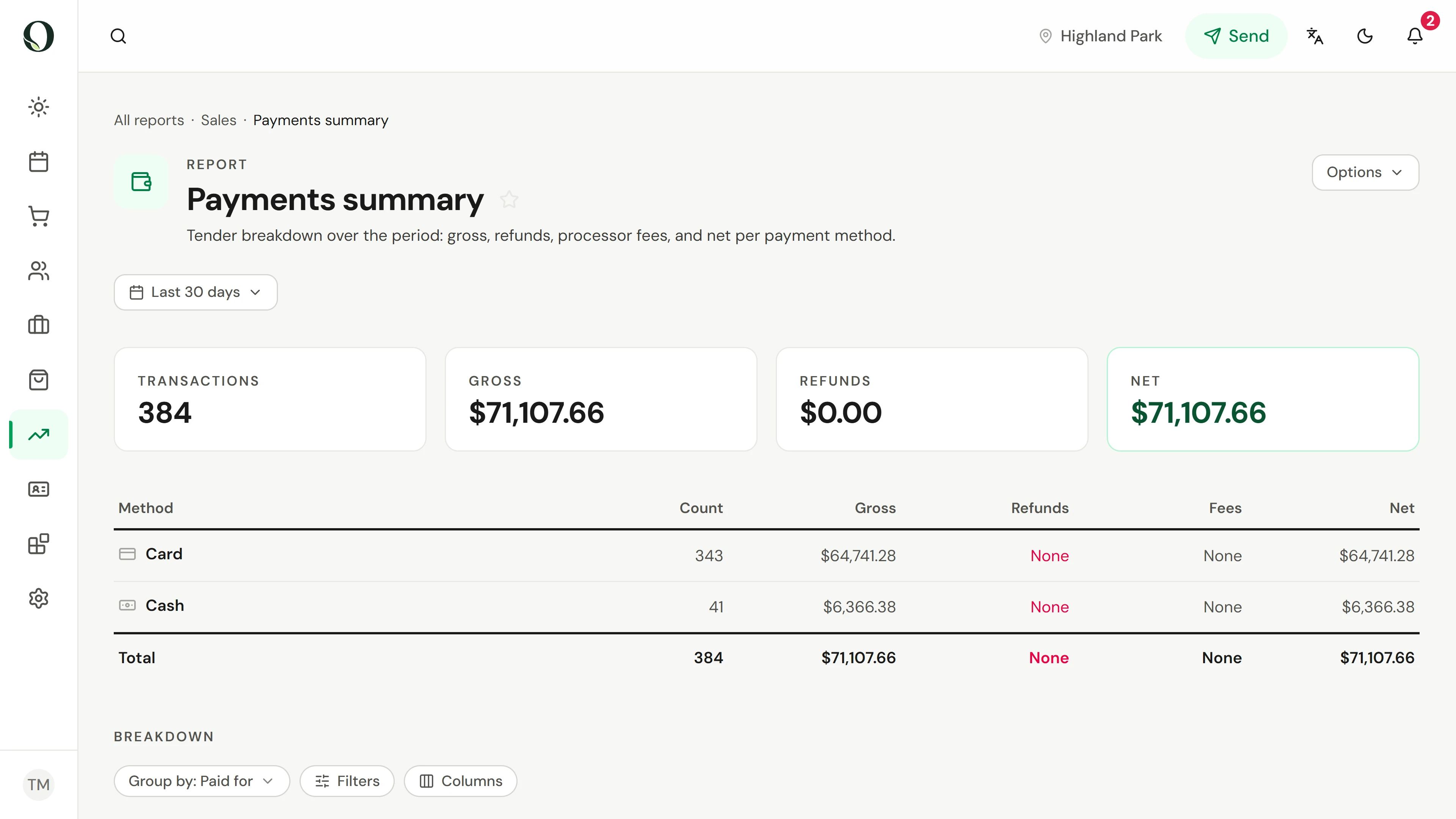
3. Read the money collected
Return to Sales, open Payments summary and use a matching reporting scope. Review money collected by payment method and refunds. Deposits, later payments and settlement timing can explain a difference from sales.
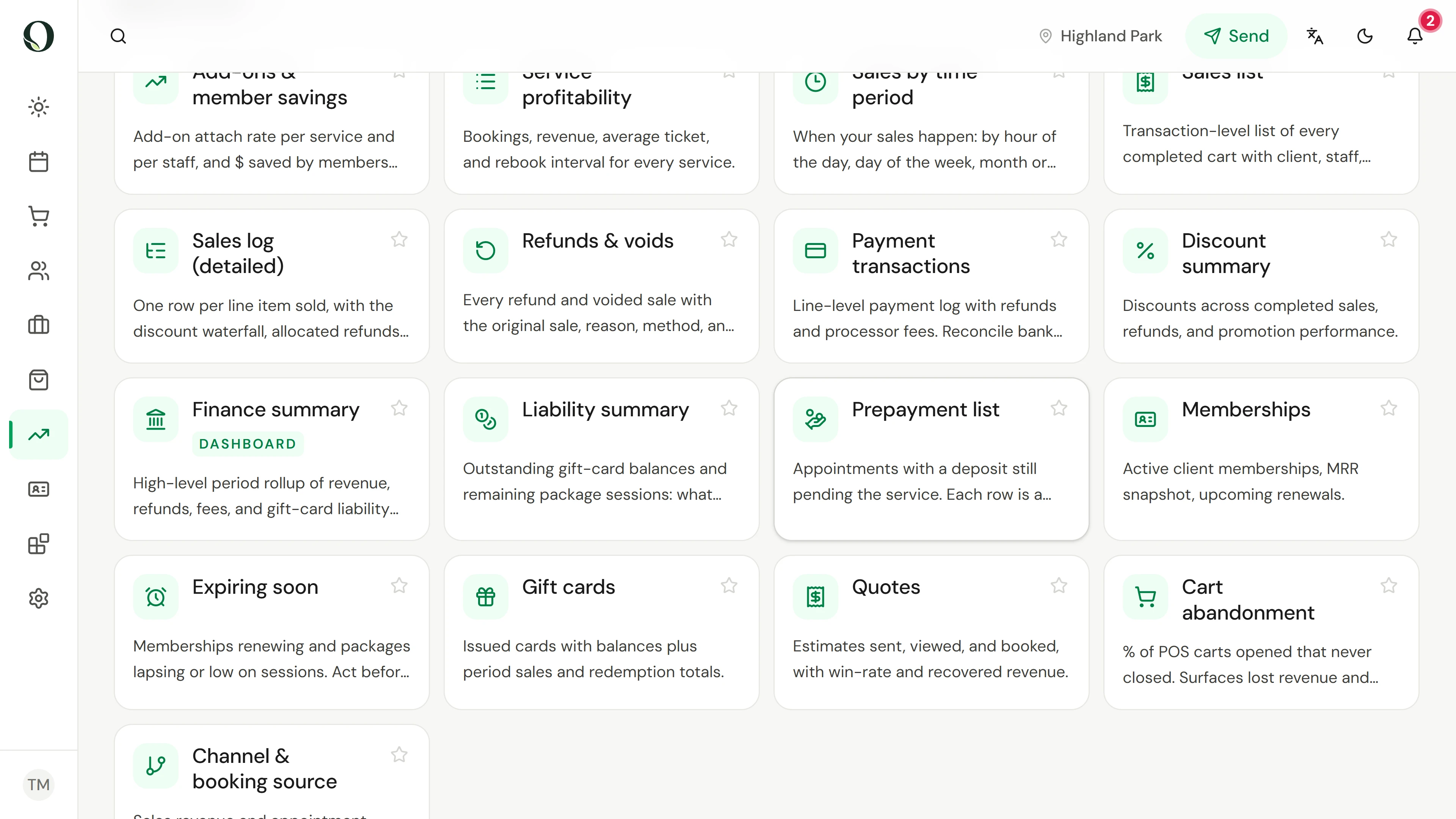
4. Check value still owed
Return to Sales and find Liability summary and Prepayment list. These help explain prepaid value still owed to clients. Use the detailed guide when reconciling the reports; this recording changes and exports nothing.
Aprofunde-se