

Për klientët Një situatë reale
Check what your membership includes before you book.
Find your plan, review its status and included benefits, and understand where requests are handled.
Regjistruar në një hapësirë pune demo. Me shpjegim me zë dhe titra të aktivizuara.
Ky regjistrim nuk është ende i disponueshëm në gjuhën tuaj, prandaj luhet në anglisht.
Find the membership entry
Your portal home shows a membership summary. Open More to find Memberships alongside your wallet, purchases and account.
Situata
Zbatojeni në praktikë.
You remember buying a membership, but you are not sure what you can use on your next visit. Check the plan attached to your account first.
Çfarë do të mësoni
You can find your membership and the details the business makes available for it.
Përpara se të filloni
Sign in to the account associated with the membership. A membership belongs to the business that issued it, and its rules can differ from another business.
Kini parasysh
Benefits, expiry, pauses and cancellation follow the terms of your plan. Some changes are self-service; others require a request. Read the confirmation and plan status before assuming a change has taken effect or billing has stopped.
Provoni vendimin
The screen says your pause request was sent to the business. Is the plan already paused?
Lexoni udhëzuesin e plotë
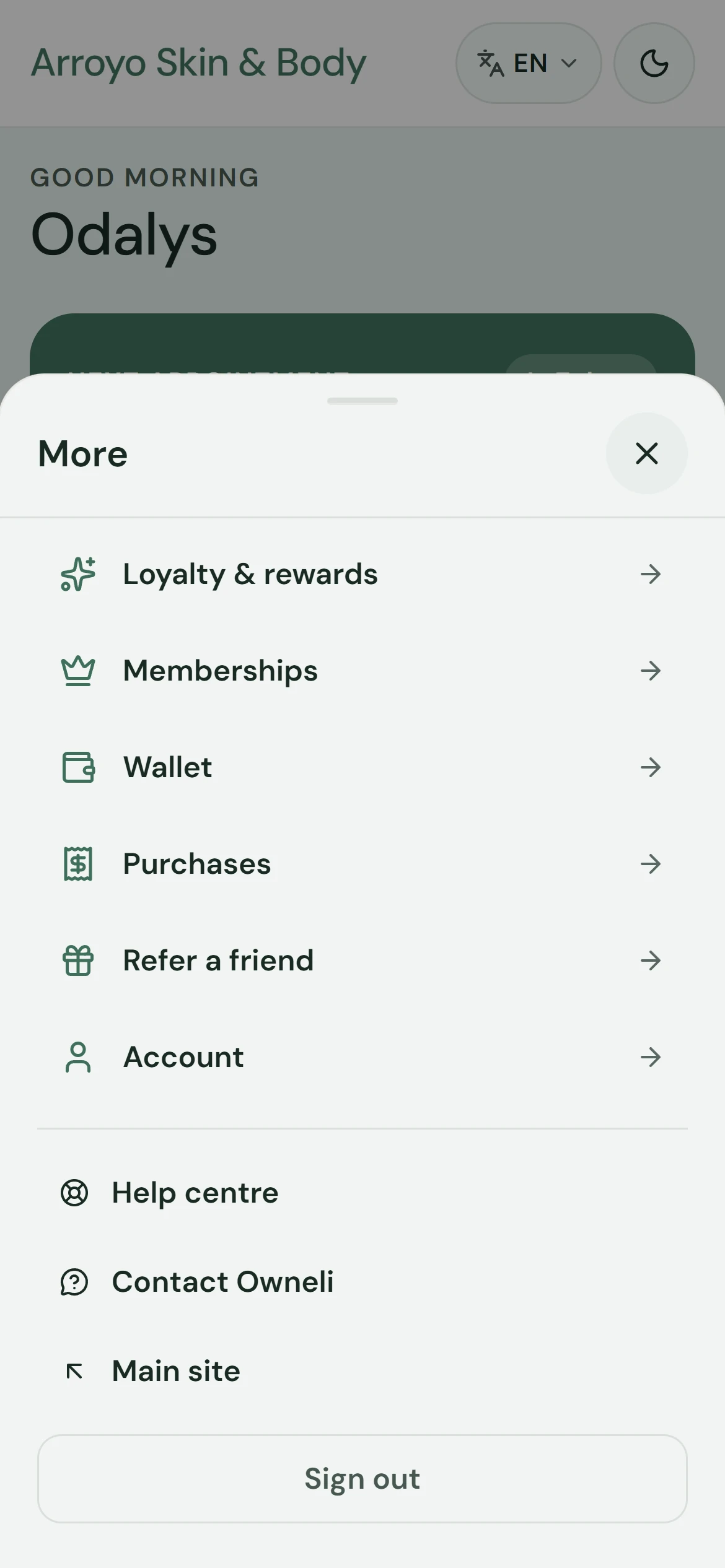
1. Find the membership entry
Your portal home shows a membership summary. Open More to find Memberships alongside your wallet, purchases and account.
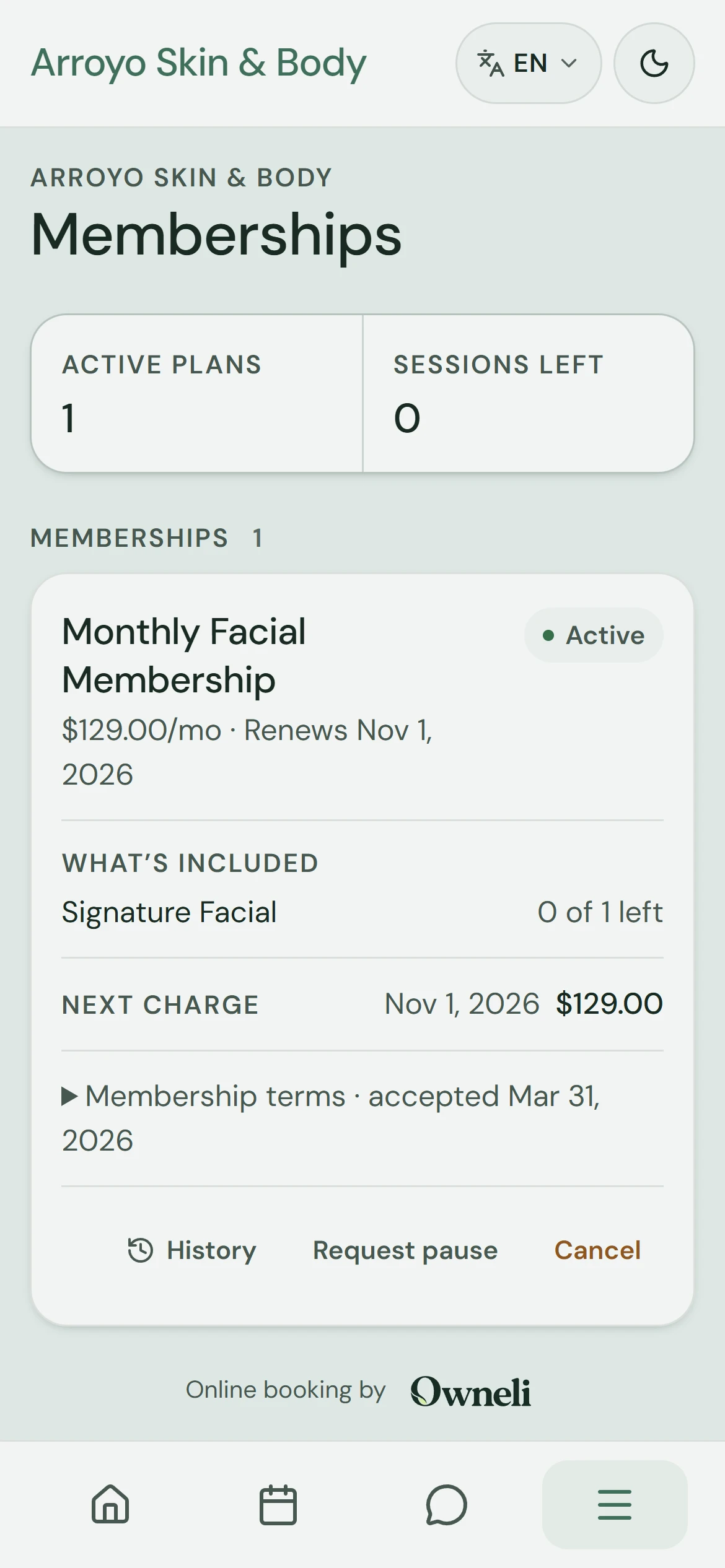
2. Open your memberships
Open Memberships to see the plans and packages linked to your account, with their status and what is left to use.
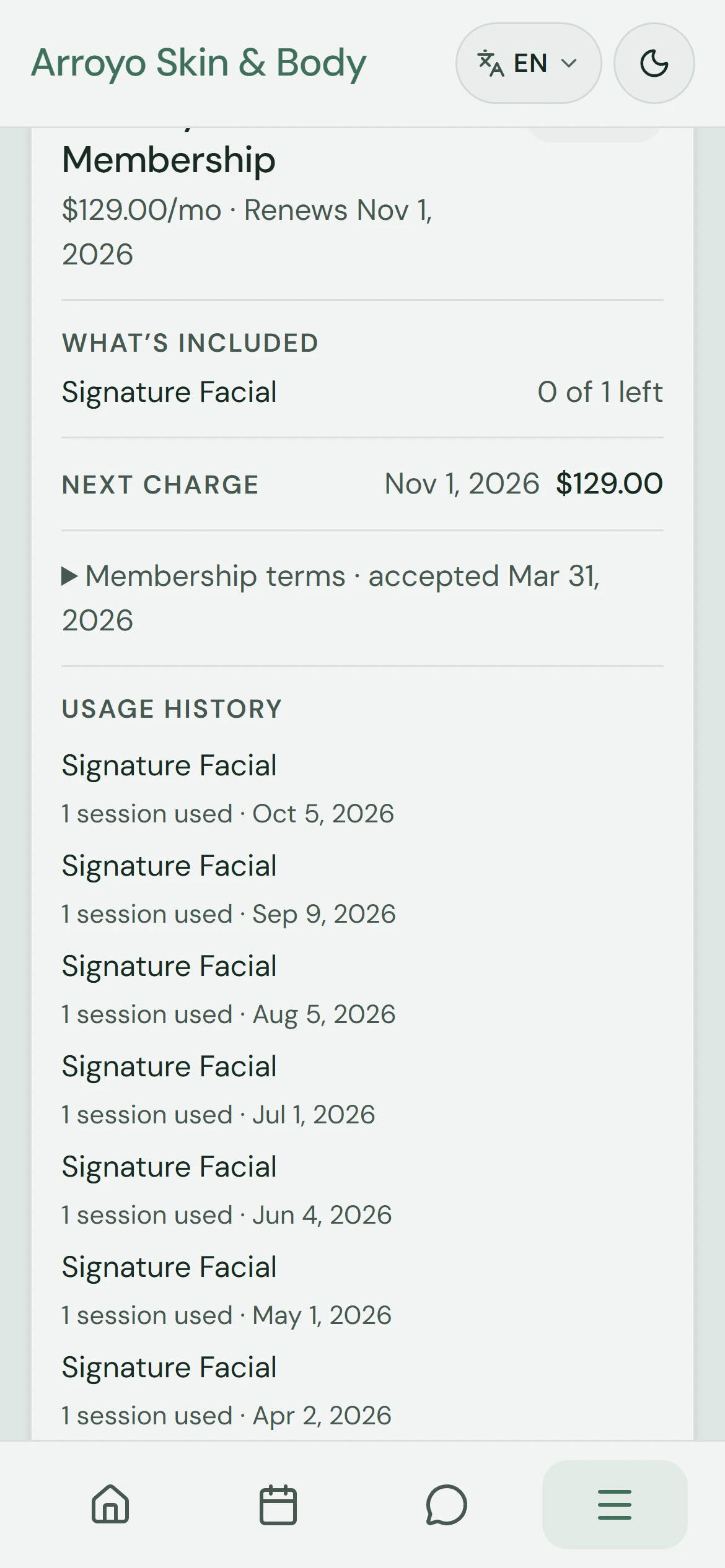
3. Read the plan details
Review what the plan includes, when access ends and its usage history. Use its management actions or contact the business for a change. No request is submitted in this walkthrough.
Mësoni më shumë