

For partners A real situation
A client disputed a card charge. Find it before the deadline.
See where a chargeback shows up, what each stage means, how long you have to answer and what is held from your payouts.
Recorded in a demo workspace. Narrated, with captions on.
Spot it on Today
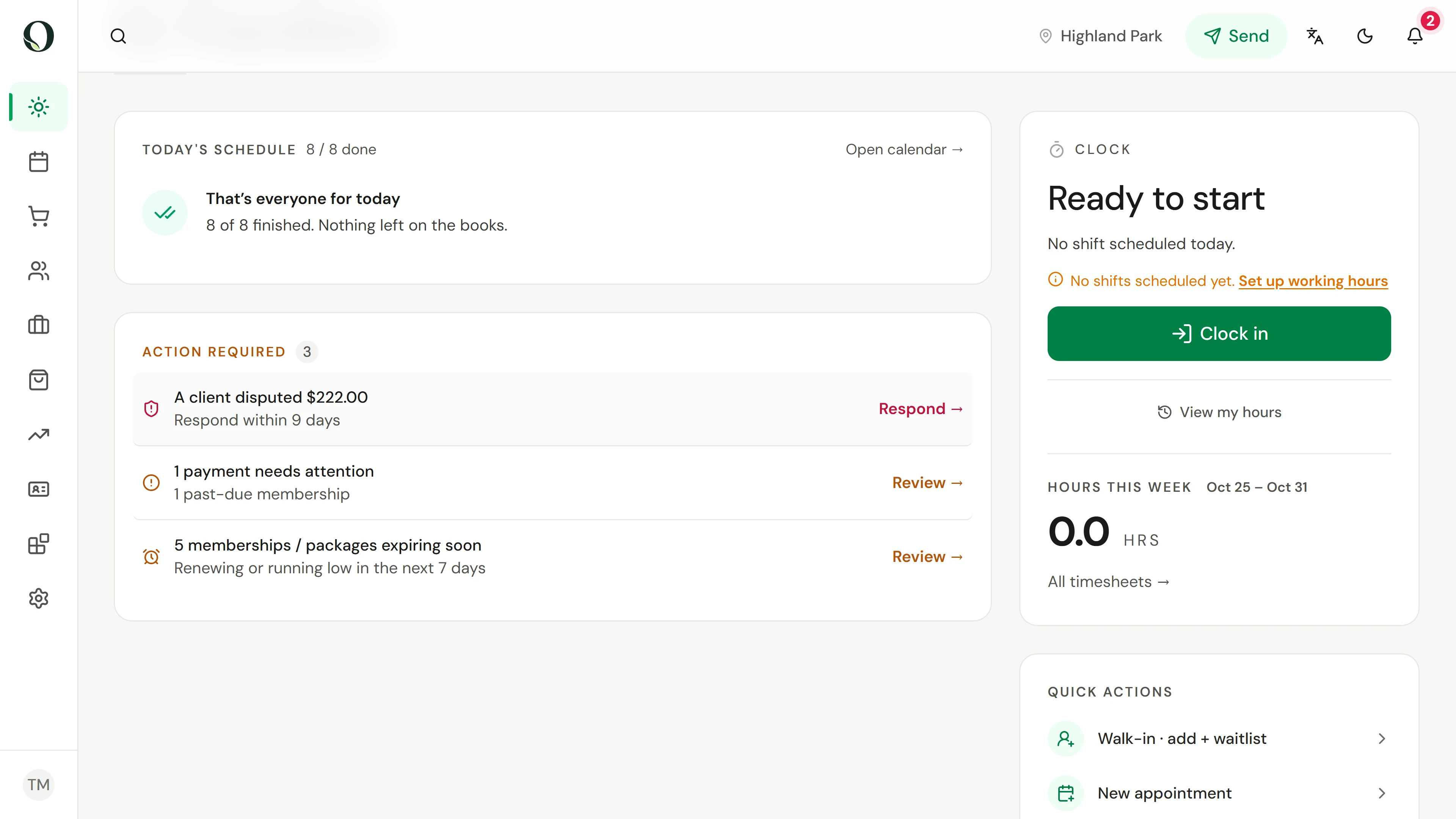
A new dispute goes to the top of Action required on Today, with the amount and the days left to answer. Respond opens it.
The situation
Put it into practice.
A client has asked their bank to reverse a card payment for a treatment. The bank has already taken the money back, and the clock is running on your answer.
What you will take away
You can find a dispute from Today, the notification or Point of sale, and read its stage, deadline and the money held.
Before you start
Disputes appear for anyone whose role can issue refunds. Answering one decides whether the money goes back, so it uses the same permission.
Keep in mind
A dispute is not a refund you chose: the bank holds the money until it decides. If nobody answers by the deadline, the bank decides without your side. Owneli support sees every dispute and can help when a deadline is close.
Try the decision
A dispute says Needs a response and the deadline is in five days. What happens if nobody answers?
Read the full walkthrough
1. Spot it on Today
A new dispute goes to the top of Action required on Today, with the amount and the days left to answer. Respond opens it.
2. Read the notification
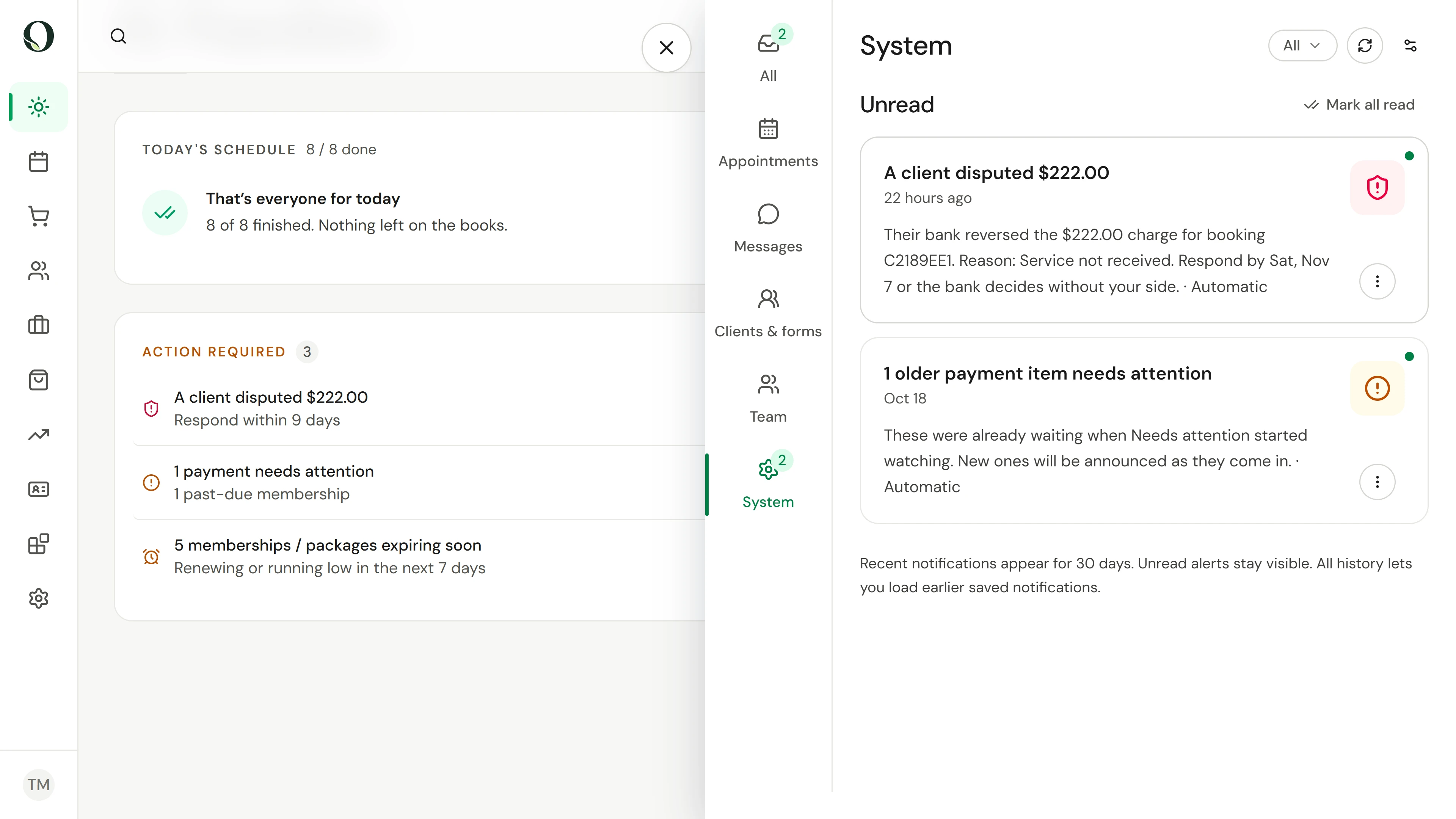
Everyone who can issue refunds gets a notification and an email. Reminders follow five, two and one day before the deadline until someone answers.
3. Open the Disputes tab
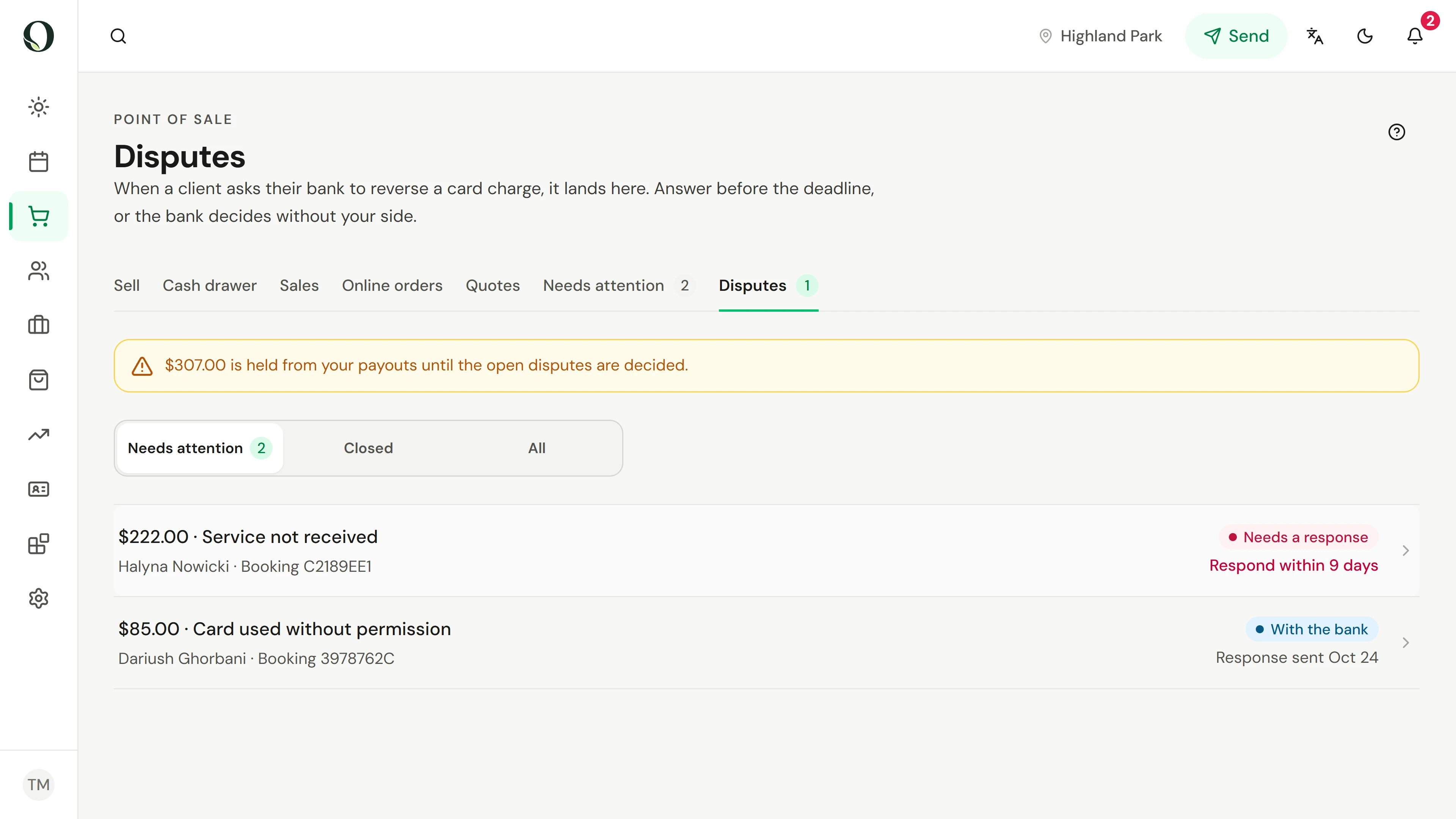
In Point of sale, Disputes lists every dispute with its stage and deadline, and the tab shows how many are waiting. The banner shows the amount held from your payouts while disputes are open.
4. Check Needs attention
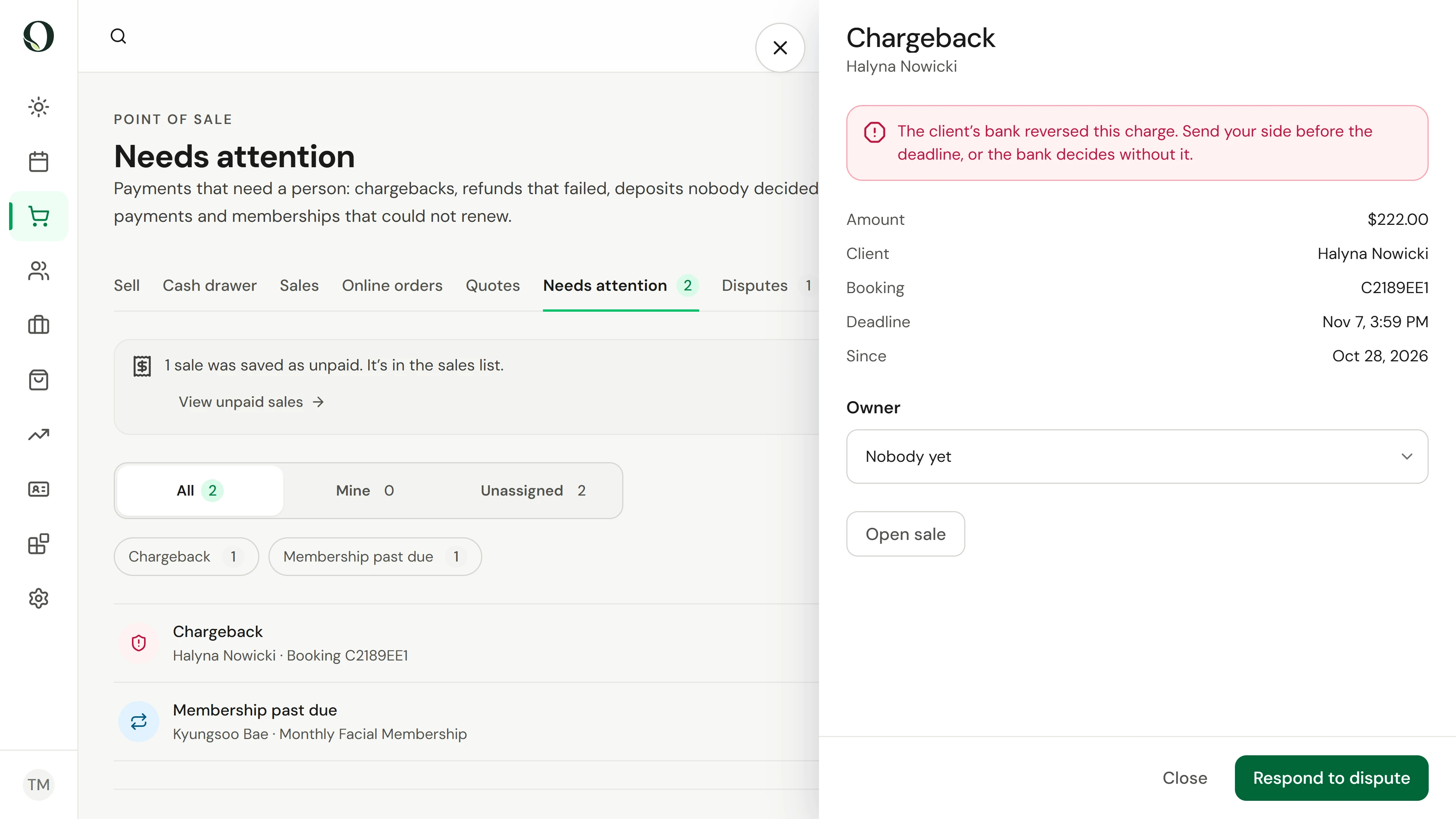
The dispute also appears in Needs attention, the queue of payments that need a person. Respond opens the same dispute from either place.
5. Read the stage and deadline
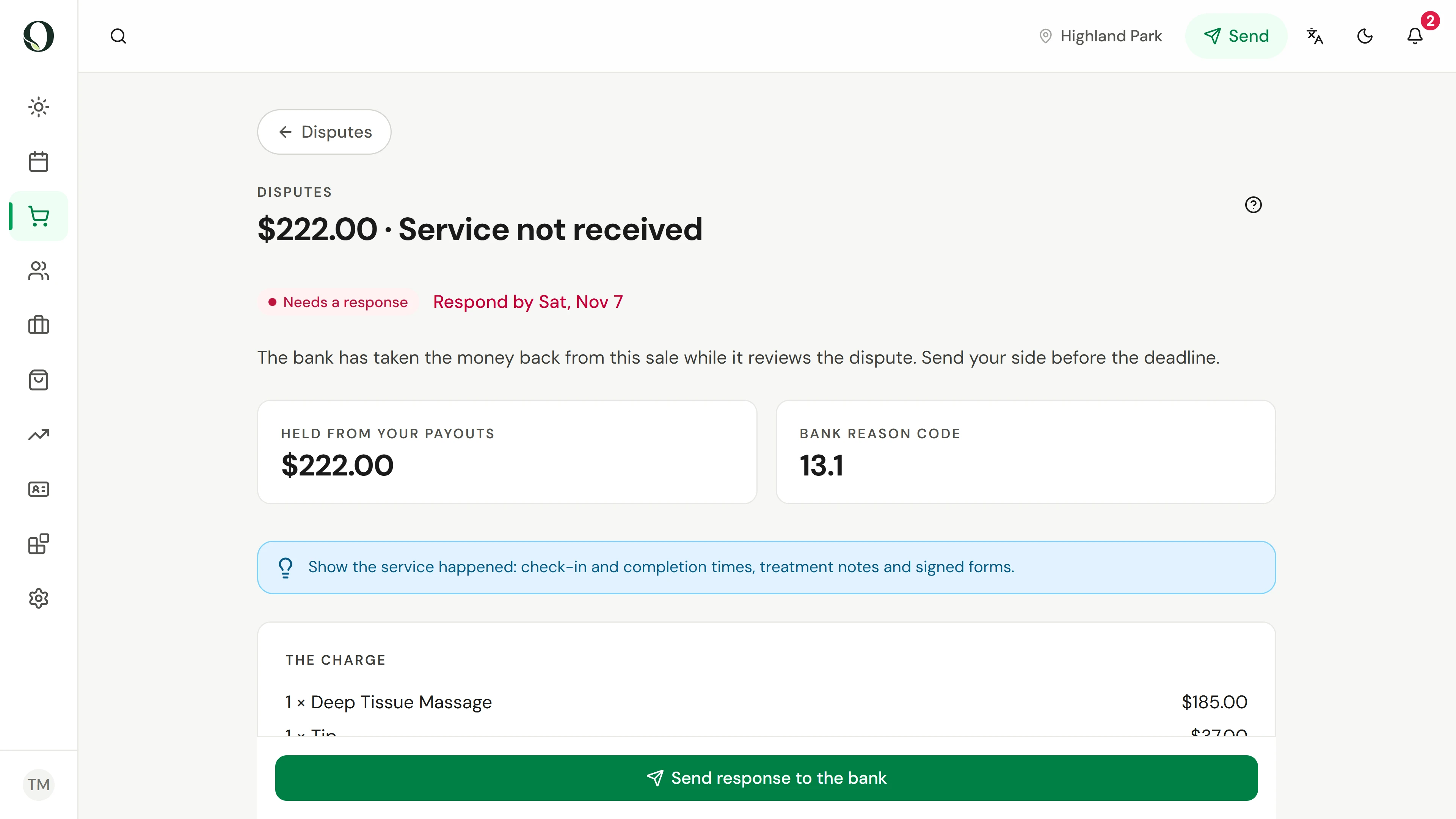
The stage says what is needed now and the deadline says when. The tiles show the amount held and the bank's reason code. After you answer, the stage moves to With the bank, then Won or Lost.
Go deeper