

WHAT OWNELI DOES
Every feature, with the guide that shows it.
Owneli is booking, payments and client management software for clinics, medical spas, spas and salons. This page lists what it does today, links the help guide for each feature, and says what it does not do yet.
At a glance
- What it is
- Booking, payments and client management software for clinics, medical spas, spas, salons and independent practitioners.
- Countries
- Open to businesses in 20 countries, each working in its own currency, time zone and date formats. Card payments depend on Stripe supporting the business’s country.
- Languages
- English, French and Spanish, for the team and for clients.
- Availability
- Open for sign-up. Businesses create an account on the Owneli website or book a demo; prices are not published yet.
- Devices
- Runs in the browser on phone, tablet and computer. Owneli for Business and Owneli: Book Appointments are on Google Play; the App Store apps are not published yet.
- Payments
- Card payments through Stripe.
- Switching
- Imports from Fresha, and from CSV or Excel exports of other booking tools such as Square, Vagaro, Boulevard, Mindbody, Acuity, GlossGenius and Booksy.
- Data
- Stored in the United States. Client lists and reports export to spreadsheets.
Booking and the calendar
Online booking with no client account
Clients choose services, a professional and a time on your booking page in a few taps. They need no account and no app.
Read the guide: Online booking with no client accountBooking from your website and Google
Embed a booking button on your own website, and add your booking link and QR code to your Google Business Profile so clients book from Search and Maps.
Read the guide: Booking from your website and GoogleA calendar for the whole team
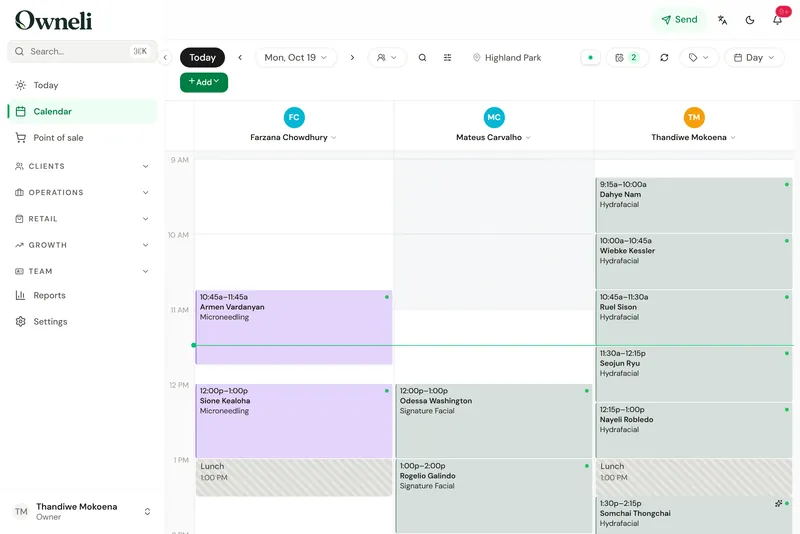
Six calendar views, drag to move and resize, recurring series, group bookings and several services in one visit, each with its own provider if needed.
Read the guide: A calendar for the whole teamRooms and equipment
Link rooms and machines to the services that need them, so every booking reserves a free one and two clients never share one laser.
Read the guide: Rooms and equipmentDeposits, cards on file and no-show fees
Ask for a deposit or a card at booking, and charge late-cancellation and no-show fees under the policy the client agreed to.
Read the guide: Deposits, cards on file and no-show feesWaitlist
Keep a waitlist of clients who want an earlier time and send them an offer to claim when a slot opens.
Read the guide: WaitlistAutomatic reminders
Up to three reminders before each visit (48 hours, 24 hours and a few hours ahead) by email, with text and app notifications as options.
Read the guide: Automatic remindersClients reschedule and cancel themselves
The confirmation carries a private link to reschedule or cancel, with any fee shown before the client confirms. You decide whether guests may do either.
Read the guide: Clients reschedule and cancel themselves
Clients, forms and records
One profile per client
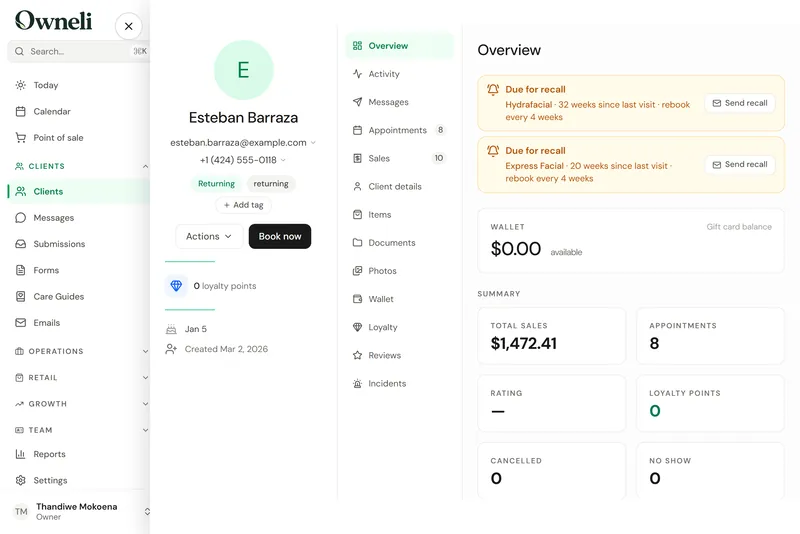
Visits, purchases, forms, photos, notes, tags and marketing consent on one profile. Duplicates merge without losing history.
Read the guide: One profile per clientIntake and consent forms
Build intake, consent and survey forms with conditions, scores and signatures, send them before a visit, and make a form required before a service can be paid for.
Read the guide: Intake and consent formsClinician sign-off and PDFs
Read a client’s answers and signature, sign the form off as a clinician, and download it as a PDF.
Read the guide: Clinician sign-off and PDFsTreatment charts
Providers fill in treatment charts on appointments once clinical charting is switched on. It is off until you turn it on, and every chart view is recorded in the audit log.
Read the guide: Treatment chartsBefore and after photos
Add before, after and progress photos to a client’s profile, compare two side by side, and choose who on the team can see them.
Read the guide: Before and after photosCheck-in kiosk
A lobby tablet where clients check themselves in, fill in forms and join the walk-in queue.
Read the guide: Check-in kioskPre-care and aftercare guides
Share pre-care and aftercare instructions by private link, with reusable email templates for everything else.
Read the guide: Pre-care and aftercare guidesQuotes and estimates
Price up to six options, text or email the estimate, and let the client book or buy the one they choose.
Read the guide: Quotes and estimates
Checkout and payments
Point of sale
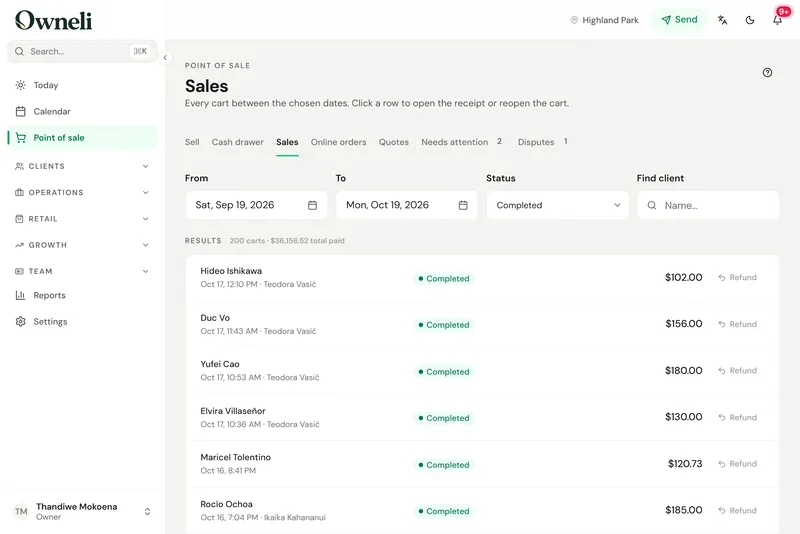
Ring up visits and walk-ins with tips, discounts and split payments, run a cash drawer, refund by item, and email or print receipts.
Read the guide: Point of saleCard payments through Stripe
Connect Stripe to take cards at checkout, deposits at booking, saved cards, payment links and membership billing, paid out to your bank.
Read the guide: Card payments through StripeCards clients enter themselves
The client adds their own card through a secure link. Staff never see or type card numbers.
Read the guide: Cards clients enter themselvesPay by link
Text or email a secure link so the client pays, and tips if they like, on their own phone. The sale closes itself at the till.
Read the guide: Pay by linkTips and tip splits
Clients tip at checkout or by link, and you choose how tips are shared between providers and support staff.
Read the guide: Tips and tip splits
Memberships, packages and retail
Memberships that renew
Monthly, quarterly or annual plans with included sessions or a wallet balance, charged automatically. A declined renewal is retried, and members can ask to pause.
Read the guide: Memberships that renewPackages
Sell a series of sessions, products or discounts with a price and an expiry, and redeem it at checkout.
Read the guide: PackagesGift cards
Sell gift cards at the till and online, email them to the recipient, and track what you owe in a liability ledger.
Read the guide: Gift cardsLoyalty and referrals
Points, tiers and rewards, plus refer-a-friend rewards, used by clients when they pay.
Read the guide: Loyalty and referralsRetail and stock
Sell products by search or barcode, keep stock per location, run stock counts, reorder low items and receive purchase orders.
Read the guide: Retail and stockOnline shop
Sell products online for pickup or delivery. Orders arrive paid, and you mark them ready, collected, shipped or delivered.
Read the guide: Online shopDiscounts and promo codes
Promo codes, flash sales and last-minute offers, with a record of what each one cost.
Read the guide: Discounts and promo codes
Messages and marketing
Campaigns
Send newsletters, offers and win-back messages by email, text or app notification, only to clients who agreed to hear from you.
Read the guide: CampaignsAutomations
Confirmations, reminders, review requests and rules of your own, sent for you, with their results.
Read the guide: AutomationsTwo-way messaging
Reply to clients by text or through their client account from one shared inbox. Texts draw on a prepaid balance.
Read the guide: Two-way messagingReviews
Ask for a review after each visit, reply, choose which reviews show on your booking pages, and invite happy clients to post on Google.
Read the guide: ReviewsClient accounts
Clients can sign in to see their visits, book again, manage a membership, use their wallet and rewards, and message you.
Read the guide: Client accountsAd conversion tracking
Connect Google Analytics, Google Ads and Meta so your ads learn which clicks became real bookings.
Read the guide: Ad conversion trackingMarketing consent on record
Each client has a separate yes or no for marketing emails and marketing texts, recorded with the date. Every marketing email carries an unsubscribe link, and a texted STOP is honoured.
Read the guide: Marketing consent on record
Team and payroll
Shifts, timesheets and time off
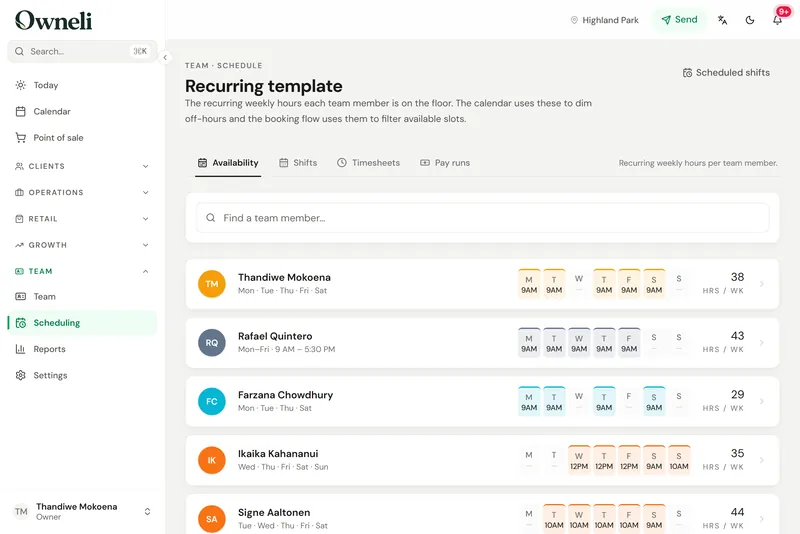
Working hours and weekly shift patterns, clock-in timesheets you approve, and time-off requests.
Read the guide: Shifts, timesheets and time offPayroll preparation
Generate a pay run each period with hours, wages, tips and commission, freeze it, and give your accountant read-only access or send them the figures.
Read the guide: Payroll preparationCommission
Fixed or tiered commission per person, a choice of when packages and memberships pay it (when sold, when redeemed or split), and a record of why each commission was paid.
Read the guide: CommissionMinimum wage for commission staff
Set your minimum wage once and Owneli works out any shortfall for staff paid mostly by commission, week by week.
Read the guide: Minimum wage for commission staffRoles and permissions
Four built-in roles plus your own, deciding who sees client contact details, finances, clinical fields and photos.
Read the guide: Roles and permissionsTeam policies and incident records
Publish policies your team signs, keep a private record of team issues, and log venue incidents with your response.
Read the guide: Team policies and incident records
Reports, security and your data
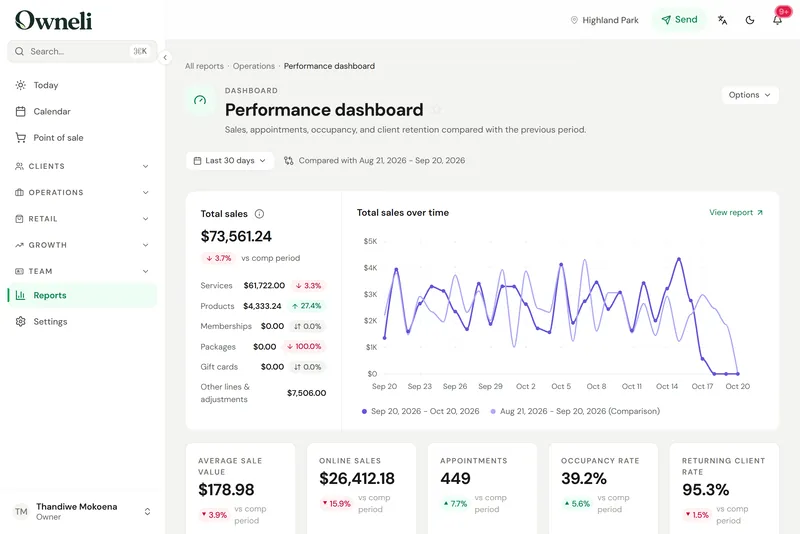
85 reports
Reports on sales, money, the team, clients, appointments and stock, a report builder, and export of any report to CSV, Excel or PDF.
Read the guide: 85 reportsOryx, an AI assistant for owners
Owners and admins ask about their business in plain words and get answers and drafts to review. Oryx cannot charge clients, send messages or change settings, and it does not answer the phone.
Read the guide: Oryx, an AI assistant for ownersAudit log
See who changed what and when, filter by record, person and date, and export the log for a compliance review.
Read the guide: Audit logTwo-factor sign-in
Two-factor authentication with an authenticator app and recovery codes. The owner can require it for everyone.
Read the guide: Two-factor sign-inRetention, legal holds and erasure
Choose how long completed form answers are kept, protect records with a legal hold, and erase a client’s personal data when they ask, after giving them a copy.
Read the guide: Retention, legal holds and erasureImport from Fresha and other systems
Bring clients, services, products, team, memberships, packages, gift cards, loyalty balances, appointments and sales from Fresha, or from CSV and Excel exports of other booking tools, with a dry run first and a one-click undo.
Read the guide: Import from Fresha and other systemsExport your data
Download your whole client list, or a filtered part of it, as a spreadsheet, and any report as CSV, Excel or PDF.
Read the guide: Export your data
Languages, locations and devices
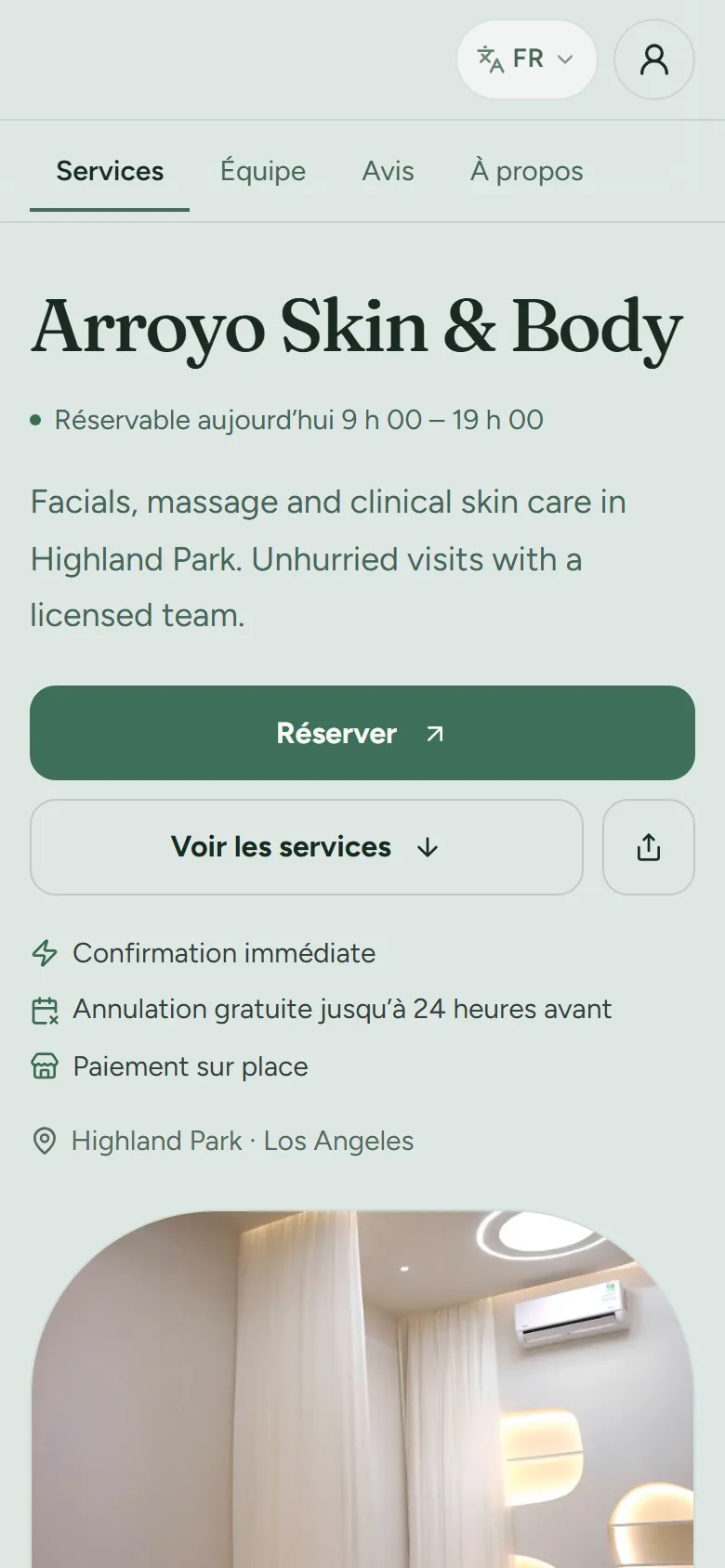
English, French and Spanish
Each team member works in their own language, booking pages switch language, and clients get emails and texts in their preferred language.
Read the guide: English, French and SpanishSeveral locations
Each location keeps its own page, hours, prices and stock, and memberships and packages can be valid across locations.
Read the guide: Several locationsCanadian sales tax
A new Canadian business starts with its province’s sales tax: HST, GST plus PST, GST plus QST in Quebec, or GST alone. Each part shows on its own line on receipts and in reports, and every rate stays editable.
Read the guide: Canadian sales taxYour currency, time zone and formats
Set your country, currency, time zone and date and time formats. The calendar always shows each location’s local time.
Read the guide: Your currency, time zone and formatsPhone, tablet and computer
Owneli runs in the browser and installs to the home screen, where it opens full screen with its own icon.
Read the guide: Phone, tablet and computerYour brand on client pages
Your logo, colours and fonts on booking pages and emails, matched to your website with Brand studio.
Read the guide: Your brand on client pages
What Owneli does not do yet
Worth knowing before you choose.
- Prices are not published yet. Ask the Owneli team about pricing for your business.
- There is no App Store app yet. On an iPhone, Owneli runs in Safari and installs to the home screen; on Android, Owneli for Business and Owneli: Book Appointments are on Google Play.
- Booking pages live on an Owneli web address. Using your own domain for them is planned, not available yet.
- Data is stored in the United States (Amazon Web Services, northern Virginia), whatever country the business is in.
- Owneli prepares payroll but does not pay your team or work out payroll tax.
- There is no AI receptionist. Oryx works for owners and admins inside the app; it does not answer calls or book clients by itself.
- Saved cards, forms, consents and photos do not come across in an import, and a membership’s billing does not resume mid-cycle on its own.
- Card payments run through Stripe. Other card processors are not supported.
- Tax rates apply to the whole business. A separate rate for each location is not available yet.
Questions
Who is Owneli for?
Businesses that run on appointments: clinics and medical spas, day spas, hair and beauty salons, estheticians and other independent practitioners, in their own currency, time zone and language.
How much does Owneli cost?
Prices are not published yet. Ask the Owneli team about pricing for your business, or book a demo to see Owneli first.
Can I bring my data from another system?
Yes. The importer reads Fresha exports and CSV or Excel exports from other booking tools, shows a dry run before anything is written, and can undo an import in one step. Saved cards, forms, consents and photos do not come across.
Does Owneli work in French and Spanish?
Yes. Each team member chooses English, French or Spanish for their own screens, booking pages switch language, and clients get emails and texts in their preferred language.
Is there a mobile app?
Yes. Owneli for Business is available on Google Play for you and your team, and Owneli: Book Appointments is available for your clients. Owneli also runs in a browser on phones, tablets and computers and can be added to the home screen. The iPhone apps are not yet available on the App Store.
See Owneli with your own services and team.
Create your business account today, or book a demo and the Owneli team will show you around.