

FOR SALONS AND SPAS
Running a salon or spa team in one place.
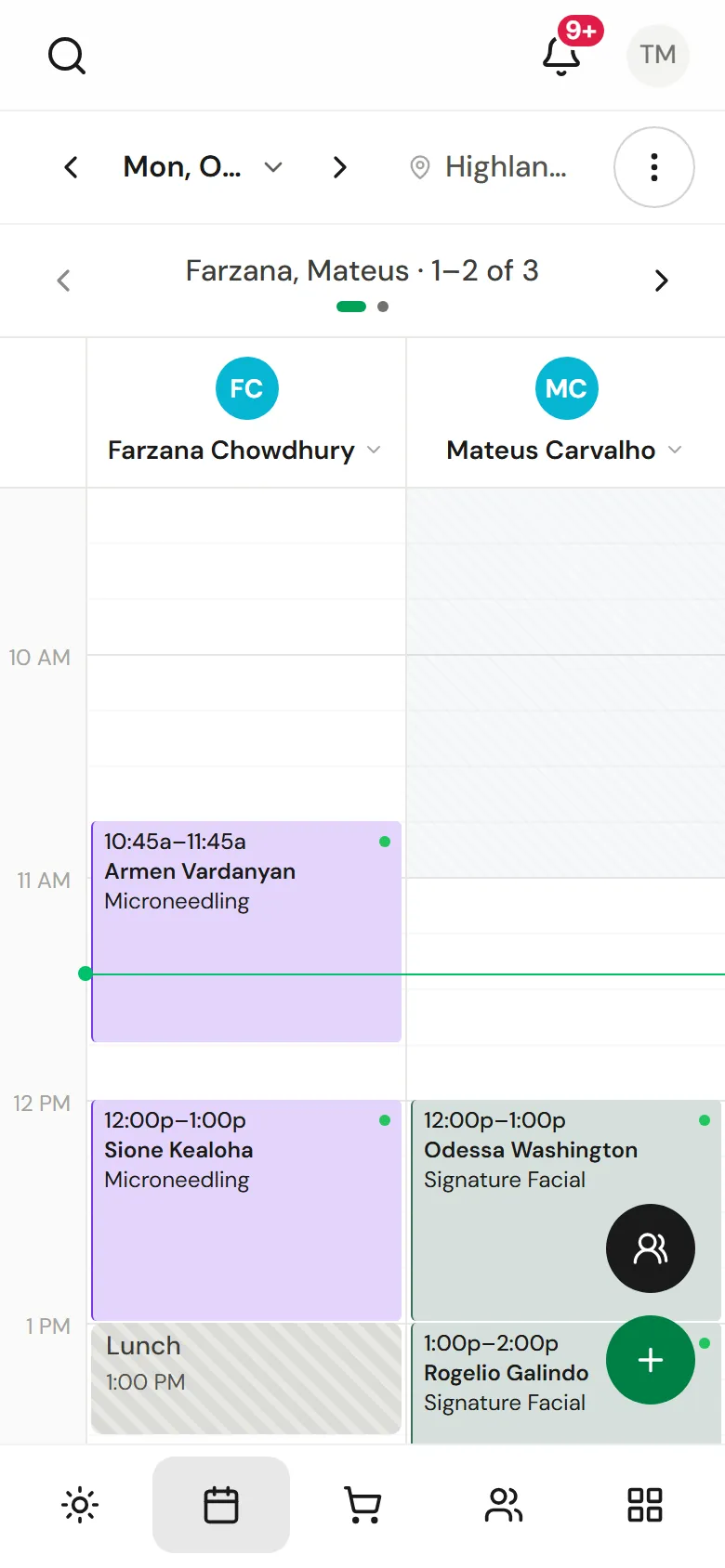
For hair and beauty salons and day spas with a team: one calendar for every provider and room, commission you can trace, payroll ready for your accountant, retail stock, and marketing that only reaches clients who agreed to it.

At a glance
- Made for
- Hair and beauty salons, day spas and studios with several providers, a front desk or more than one location.
- Team
- Shifts, timesheets, time off, commission rules and a pay run for each period.
- Retail
- Products with stock per location, purchase orders, an online shop and gift cards.
- Locations
- Each location keeps its own page, hours, prices and stock.
One calendar for providers and rooms
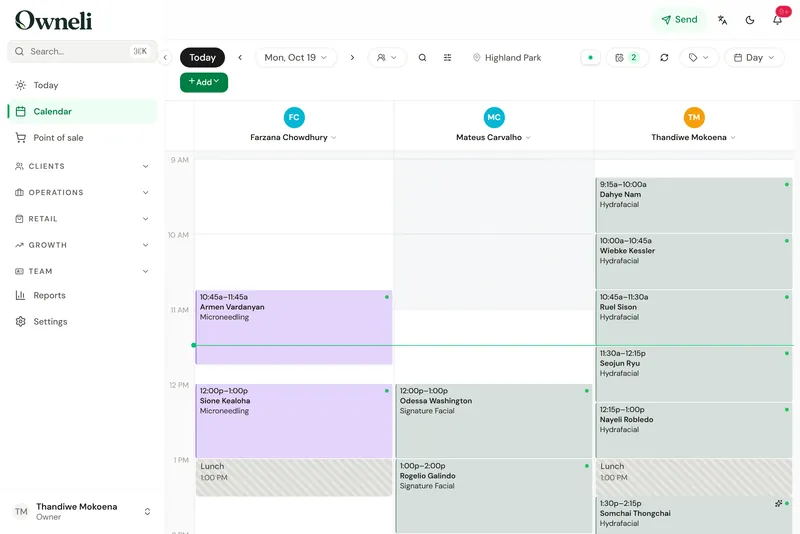
Book several services in one visit, each with its own provider, without double-booking a room.
A calendar for the whole team
Six calendar views, drag to move and resize, recurring series, group bookings and several services in one visit, each with its own provider if needed.
Read the guide: A calendar for the whole teamRooms and equipment
Link rooms and machines to the services that need them, so every booking reserves a free one and two clients never share one laser.
Read the guide: Rooms and equipmentOnline booking with no client account
Clients choose services, a professional and a time on your booking page in a few taps. They need no account and no app.
Read the guide: Online booking with no client accountDeposits, cards on file and no-show fees
Ask for a deposit or a card at booking, and charge late-cancellation and no-show fees under the policy the client agreed to.
Read the guide: Deposits, cards on file and no-show feesWaitlist
Keep a waitlist of clients who want an earlier time and send them an offer to claim when a slot opens.
Read the guide: Waitlist
Commission, tips and payroll preparation
Every commission shows the rule and the calculation behind it, including when packages and memberships pay.

Commission
Fixed or tiered commission per person, a choice of when packages and memberships pay it (when sold, when redeemed or split), and a record of why each commission was paid.
Read the guide: CommissionTips and tip splits
Clients tip at checkout or by link, and you choose how tips are shared between providers and support staff.
Read the guide: Tips and tip splitsPayroll preparation
Generate a pay run each period with hours, wages, tips and commission, freeze it, and give your accountant read-only access or send them the figures.
Read the guide: Payroll preparationMinimum wage for commission staff
Set your minimum wage once and Owneli works out any shortfall for staff paid mostly by commission, week by week.
Read the guide: Minimum wage for commission staffShifts, timesheets and time off
Working hours and weekly shift patterns, clock-in timesheets you approve, and time-off requests.
Read the guide: Shifts, timesheets and time offRoles and permissions
Four built-in roles plus your own, deciding who sees client contact details, finances, clinical fields and photos.
Read the guide: Roles and permissions
Retail, gift cards and the online shop
Retail and stock
Sell products by search or barcode, keep stock per location, run stock counts, reorder low items and receive purchase orders.
Read the guide: Retail and stockOnline shop
Sell products online for pickup or delivery. Orders arrive paid, and you mark them ready, collected, shipped or delivered.
Read the guide: Online shopGift cards
Sell gift cards at the till and online, email them to the recipient, and track what you owe in a liability ledger.
Read the guide: Gift cardsDiscounts and promo codes
Promo codes, flash sales and last-minute offers, with a record of what each one cost.
Read the guide: Discounts and promo codesPoint of sale
Ring up visits and walk-ins with tips, discounts and split payments, run a cash drawer, refund by item, and email or print receipts.
Read the guide: Point of sale
Bringing clients back

Campaigns
Send newsletters, offers and win-back messages by email, text or app notification, only to clients who agreed to hear from you.
Read the guide: CampaignsAutomations
Confirmations, reminders, review requests and rules of your own, sent for you, with their results.
Read the guide: AutomationsReviews
Ask for a review after each visit, reply, choose which reviews show on your booking pages, and invite happy clients to post on Google.
Read the guide: ReviewsLoyalty and referrals
Points, tiers and rewards, plus refer-a-friend rewards, used by clients when they pay.
Read the guide: Loyalty and referralsMemberships that renew
Monthly, quarterly or annual plans with included sessions or a wallet balance, charged automatically. A declined renewal is retried, and members can ask to pause.
Read the guide: Memberships that renew
More than one location
Several locations
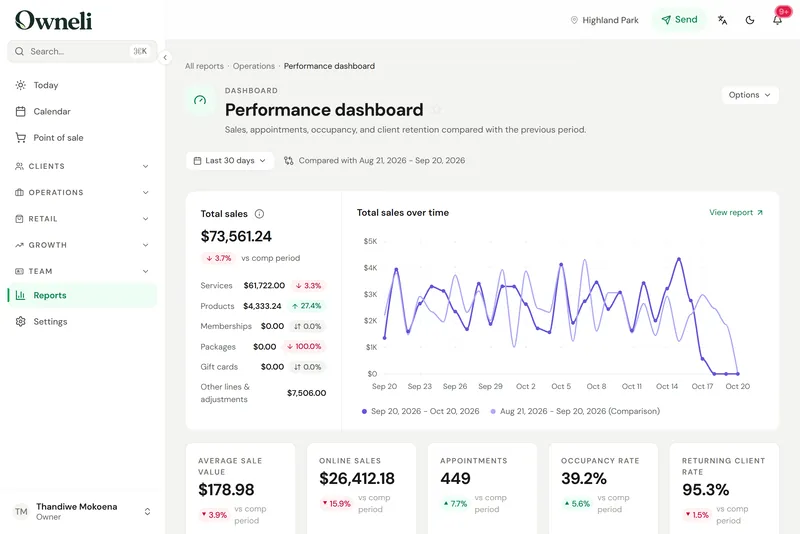
Each location keeps its own page, hours, prices and stock, and memberships and packages can be valid across locations.
Read the guide: Several locations85 reports
Reports on sales, money, the team, clients, appointments and stock, a report builder, and export of any report to CSV, Excel or PDF.
Read the guide: 85 reports
What Owneli does not do yet
Worth knowing before you choose.
- Prices are not published yet. Ask the Owneli team about pricing for your business.
- Owneli prepares payroll but does not pay your team or work out payroll tax.
- Tax rates apply to the whole business. A separate rate for each location is not available yet.
- There is no App Store app yet. On an iPhone, Owneli runs in Safari and installs to the home screen; on Android, Owneli for Business and Owneli: Book Appointments are on Google Play.
Questions
How is commission paid when a membership or package covers a service?
You choose: the seller earns it when the plan is sold, the provider earns it when each session is redeemed, or it is split between the two. Each commission line shows the rule and the calculation behind it.
Does Owneli run payroll?
It prepares it. Each period Owneli builds a pay run with hours, wages, tips and commission; you check and freeze it, pay your team the way you normally do, and give your accountant read-only access or send them the figures.
Can each location have its own prices and stock?
Yes. Services can have a different price at each location, and products keep stock per location, with transfers between them.
Can staff see only their own calendar and sales?
Yes. The built-in Staff role sees its own calendar, clients and sales, and you can create roles of your own, such as Receptionist.
See Owneli with your own services and team.
Create your business account today, or book a demo and the Owneli team will show you around.