

FOR ESTHETICIANS
Booking and client records for estheticians.
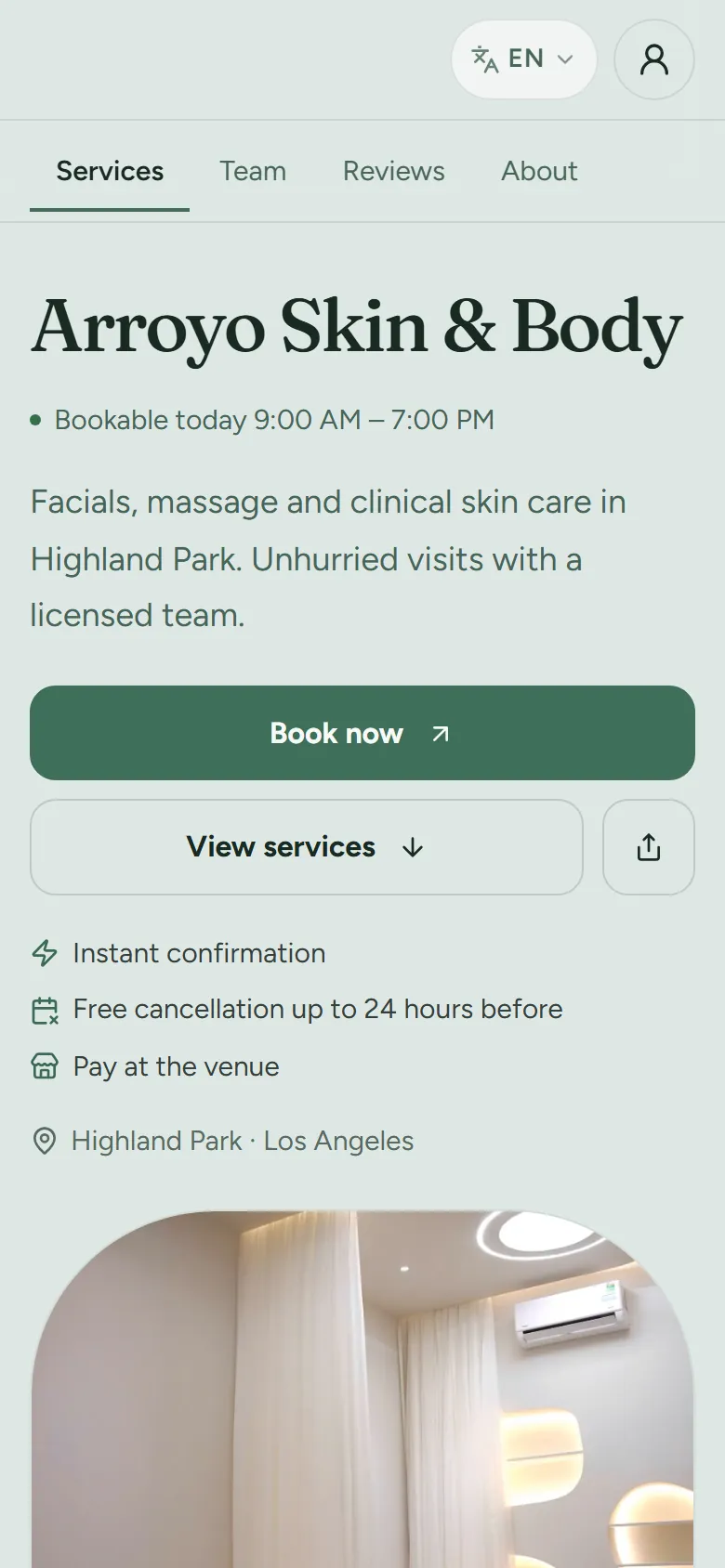
For solo estheticians and small skin studios: online booking a client can finish on a phone, intake and consent forms, deposits and no-show fees, photos on each client, and memberships that renew on their own.

At a glance
- Made for
- Solo estheticians, lash and brow artists, and skin studios with a small team.
- For your clients
- Booking in a few taps with no account or app, and a private link to reschedule or cancel.
- Forms
- Intake and consent forms, which can be required before a service is paid for.
- Getting paid
- Deposits or a card at booking, no-show fees, pay by link and tips.
Booking clients can finish on their phone
Clients book from your link, your website or your Google profile, and the policy they agree to is the one you set.
Online booking with no client account
Clients choose services, a professional and a time on your booking page in a few taps. They need no account and no app.
Read the guide: Online booking with no client accountBooking from your website and Google
Embed a booking button on your own website, and add your booking link and QR code to your Google Business Profile so clients book from Search and Maps.
Read the guide: Booking from your website and GoogleDeposits, cards on file and no-show fees
Ask for a deposit or a card at booking, and charge late-cancellation and no-show fees under the policy the client agreed to.
Read the guide: Deposits, cards on file and no-show feesAutomatic reminders
Up to three reminders before each visit (48 hours, 24 hours and a few hours ahead) by email, with text and app notifications as options.
Read the guide: Automatic remindersWaitlist
Keep a waitlist of clients who want an earlier time and send them an offer to claim when a slot opens.
Read the guide: WaitlistClients reschedule and cancel themselves
The confirmation carries a private link to reschedule or cancel, with any fee shown before the client confirms. You decide whether guests may do either.
Read the guide: Clients reschedule and cancel themselves
Forms, photos and notes on every client
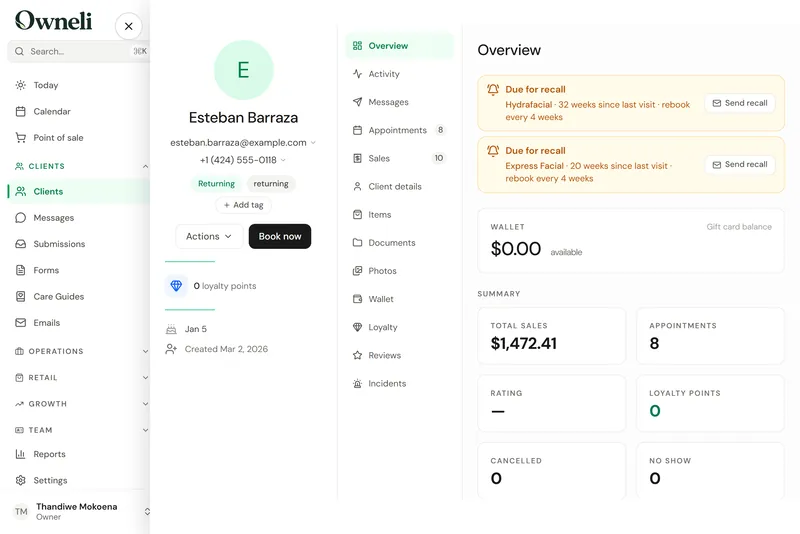
Everything about a client sits on one profile, and you decide who on the team can see photos and clinical fields.
Intake and consent forms
Build intake, consent and survey forms with conditions, scores and signatures, send them before a visit, and make a form required before a service can be paid for.
Read the guide: Intake and consent formsOne profile per client
Visits, purchases, forms, photos, notes, tags and marketing consent on one profile. Duplicates merge without losing history.
Read the guide: One profile per clientBefore and after photos
Add before, after and progress photos to a client’s profile, compare two side by side, and choose who on the team can see them.
Read the guide: Before and after photosPre-care and aftercare guides
Share pre-care and aftercare instructions by private link, with reusable email templates for everything else.
Read the guide: Pre-care and aftercare guidesRoles and permissions
Four built-in roles plus your own, deciding who sees client contact details, finances, clinical fields and photos.
Read the guide: Roles and permissions
Getting paid
Point of sale
Ring up visits and walk-ins with tips, discounts and split payments, run a cash drawer, refund by item, and email or print receipts.
Read the guide: Point of saleCards clients enter themselves
The client adds their own card through a secure link. Staff never see or type card numbers.
Read the guide: Cards clients enter themselvesPay by link
Text or email a secure link so the client pays, and tips if they like, on their own phone. The sale closes itself at the till.
Read the guide: Pay by linkTips and tip splits
Clients tip at checkout or by link, and you choose how tips are shared between providers and support staff.
Read the guide: Tips and tip splits
Memberships, packages and rebooking
Recurring income without chasing it: plans renew on their own, and declined renewals are retried.

Memberships that renew
Monthly, quarterly or annual plans with included sessions or a wallet balance, charged automatically. A declined renewal is retried, and members can ask to pause.
Read the guide: Memberships that renewPackages
Sell a series of sessions, products or discounts with a price and an expiry, and redeem it at checkout.
Read the guide: PackagesGift cards
Sell gift cards at the till and online, email them to the recipient, and track what you owe in a liability ledger.
Read the guide: Gift cardsLoyalty and referrals
Points, tiers and rewards, plus refer-a-friend rewards, used by clients when they pay.
Read the guide: Loyalty and referralsReviews
Ask for a review after each visit, reply, choose which reviews show on your booking pages, and invite happy clients to post on Google.
Read the guide: Reviews
Switching from another booking tool
Import from Fresha and other systems
Bring clients, services, products, team, memberships, packages, gift cards, loyalty balances, appointments and sales from Fresha, or from CSV and Excel exports of other booking tools, with a dry run first and a one-click undo.
Read the guide: Import from Fresha and other systemsExport your data
Download your whole client list, or a filtered part of it, as a spreadsheet, and any report as CSV, Excel or PDF.
Read the guide: Export your data
What Owneli does not do yet
Worth knowing before you choose.
- Prices are not published yet. Ask the Owneli team about pricing for your business.
- Booking pages live on an Owneli web address. Using your own domain for them is planned, not available yet.
- There is no App Store app yet. On an iPhone, Owneli runs in Safari and installs to the home screen; on Android, Owneli for Business and Owneli: Book Appointments are on Google Play.
- Saved cards, forms, consents and photos do not come across in an import, and a membership’s billing does not resume mid-cycle on its own.
- There is no AI receptionist. Oryx works for owners and admins inside the app; it does not answer calls or book clients by itself.
Questions
Do my clients need to download an app or make an account to book?
No. Clients book from your booking page in a browser, with no account and no app. Returning clients can fill in their details with a code sent to their email or phone.
Can I require a consent form before a treatment?
Yes. Mark a form as required on a service and the client is asked to complete it before the visit. If it is still unsigned at checkout, the sale cannot be paid until it is signed, unless an admin records an override.
Can I take deposits and charge no-show fees?
Yes, once Stripe is connected. Choose a deposit, a card on file or nothing at booking, and set late-cancellation and no-show fees that the client agrees to when booking.
Can I move my clients from Vagaro, GlossGenius or Square?
Yes. Upload the CSV or Excel exports from your current tool: the importer maps each column, shows a dry run, and can be undone. Saved cards, forms and photos have to be collected again.
Does Owneli answer my phone with AI?
No. Owneli has no AI receptionist. Its AI assistant, Oryx, helps owners and admins inside the app and never contacts clients.
See Owneli with your own services and team.
Create your business account today, or book a demo and the Owneli team will show you around.