

For partners A real situation
Some payments need a person. Clear them first.
See what lands in Needs attention, take ownership of an item, and go straight to the action that resolves it.
Recorded in a demo workspace. Narrated, with captions on.
See what needs a person
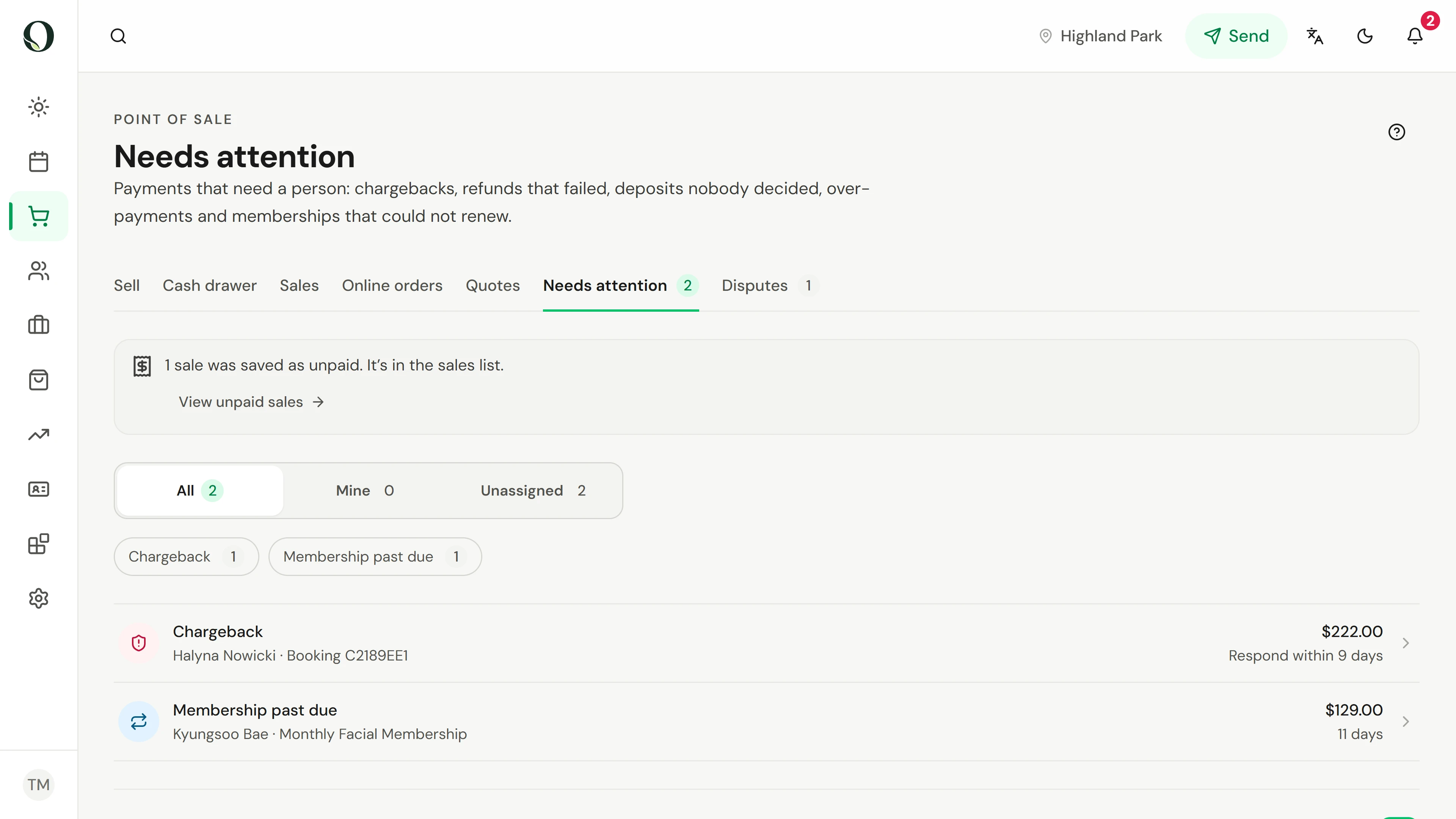
Open Needs attention. Problems are listed with their amount and deadline. Sales saved as unpaid are flagged above the list.
The situation
Put it into practice.
A client's bank has reversed a charge, and the deadline to respond is getting close. See it, own it, and act before the bank decides without you.
What you will take away
You can read the Needs attention list, assign an item, and open the action that resolves it.
Before you start
Needs attention shows payment problems for the location you are viewing. The tab's count tells you how many are waiting.
Keep in mind
Chargebacks, failed refunds, undecided deposits, over-payments and failed membership renewals all land here, and an item leaves the list once it is resolved. A chargeback is answered in Disputes, which has its own lesson and guide.
Try the decision
A chargeback is two days from its deadline and nobody owns it. What comes first?
Read the full walkthrough
1. See what needs a person
Open Needs attention. Problems are listed with their amount and deadline. Sales saved as unpaid are flagged above the list.
2. Open an item
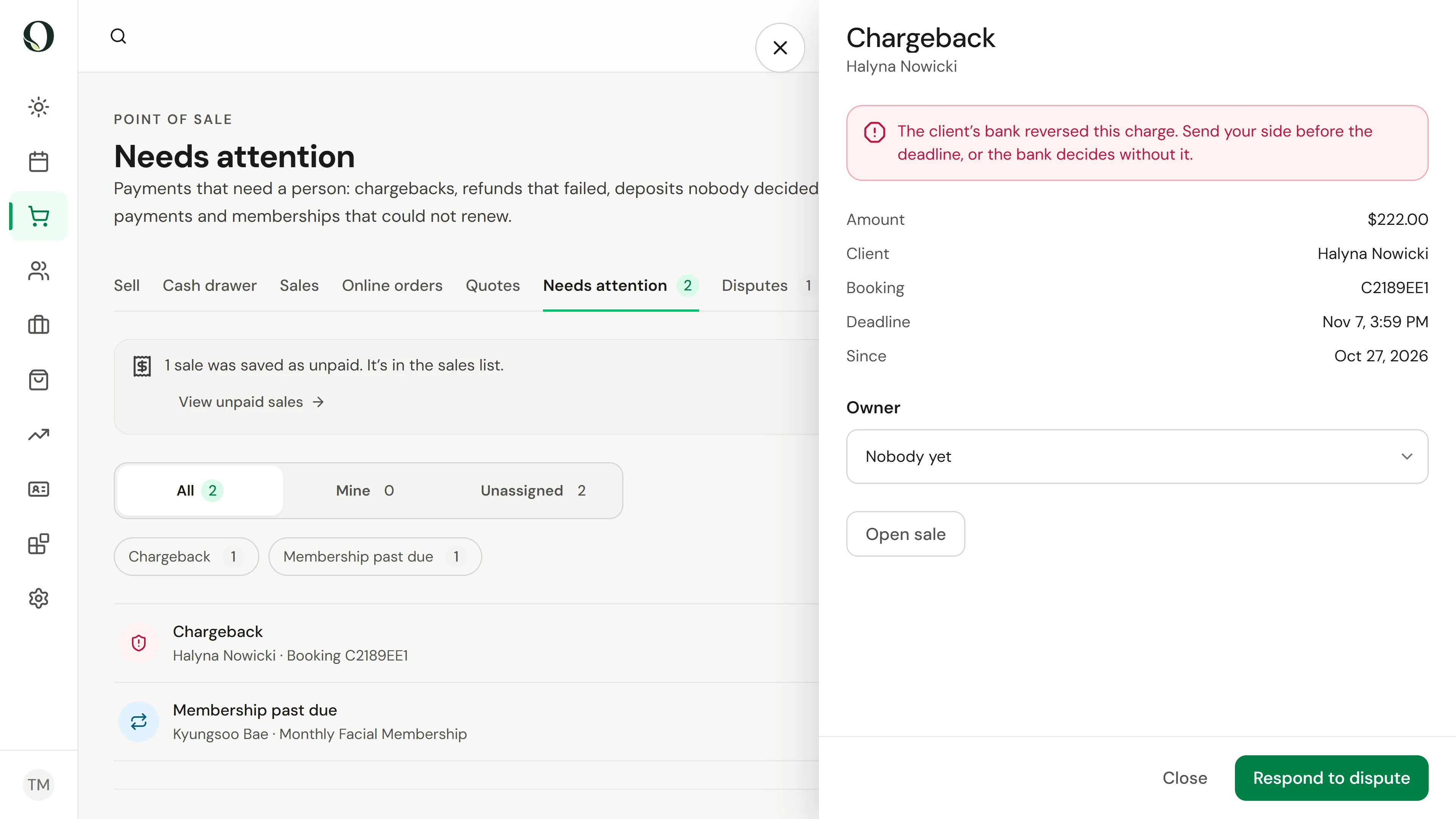
Select an item to see the amount, the client, the booking and the deadline.
3. Take ownership
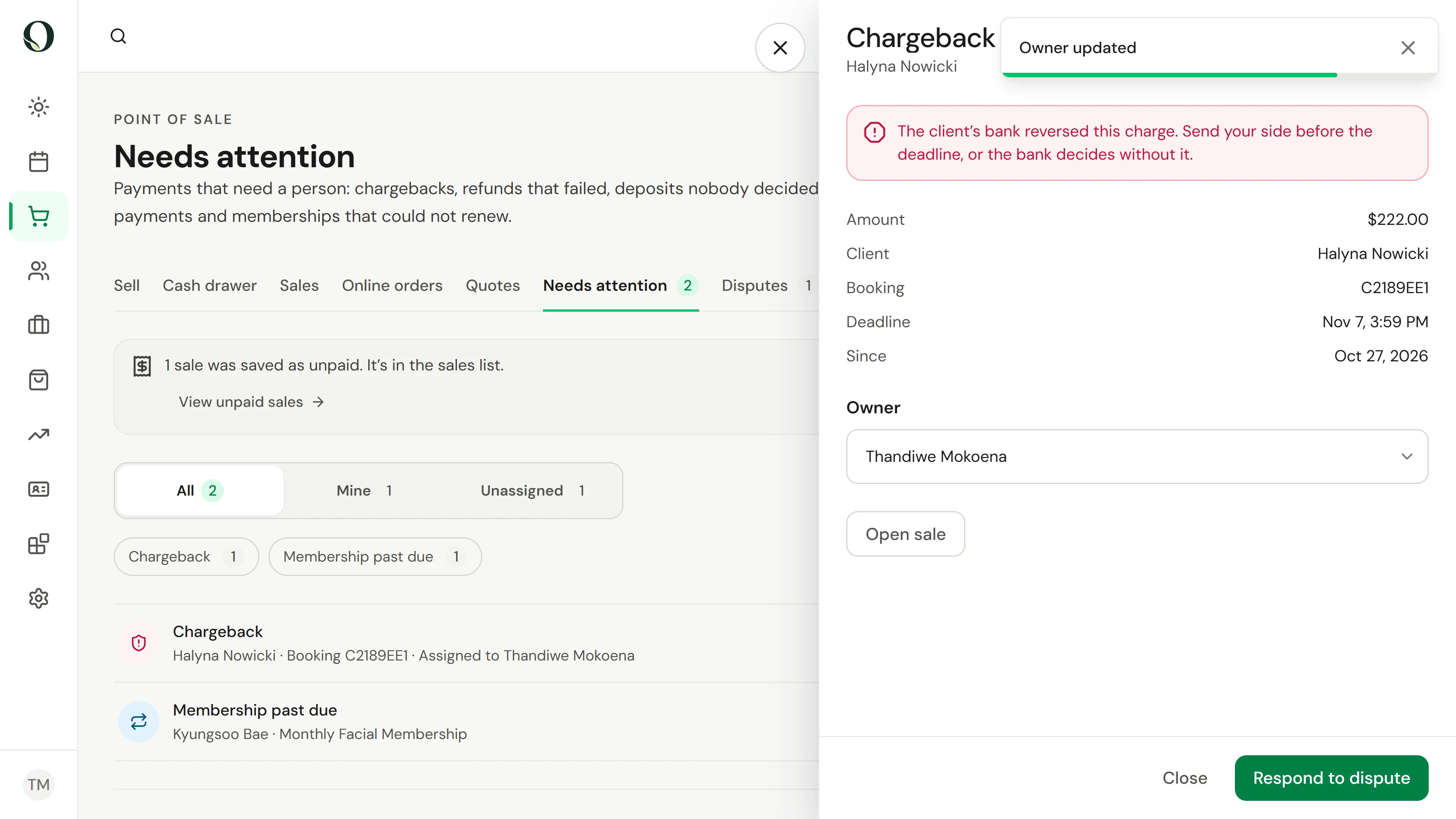
Set Owner to yourself so the team knows who is handling it. Mine lists what you own; Unassigned lists what nobody does.
4. Act on it
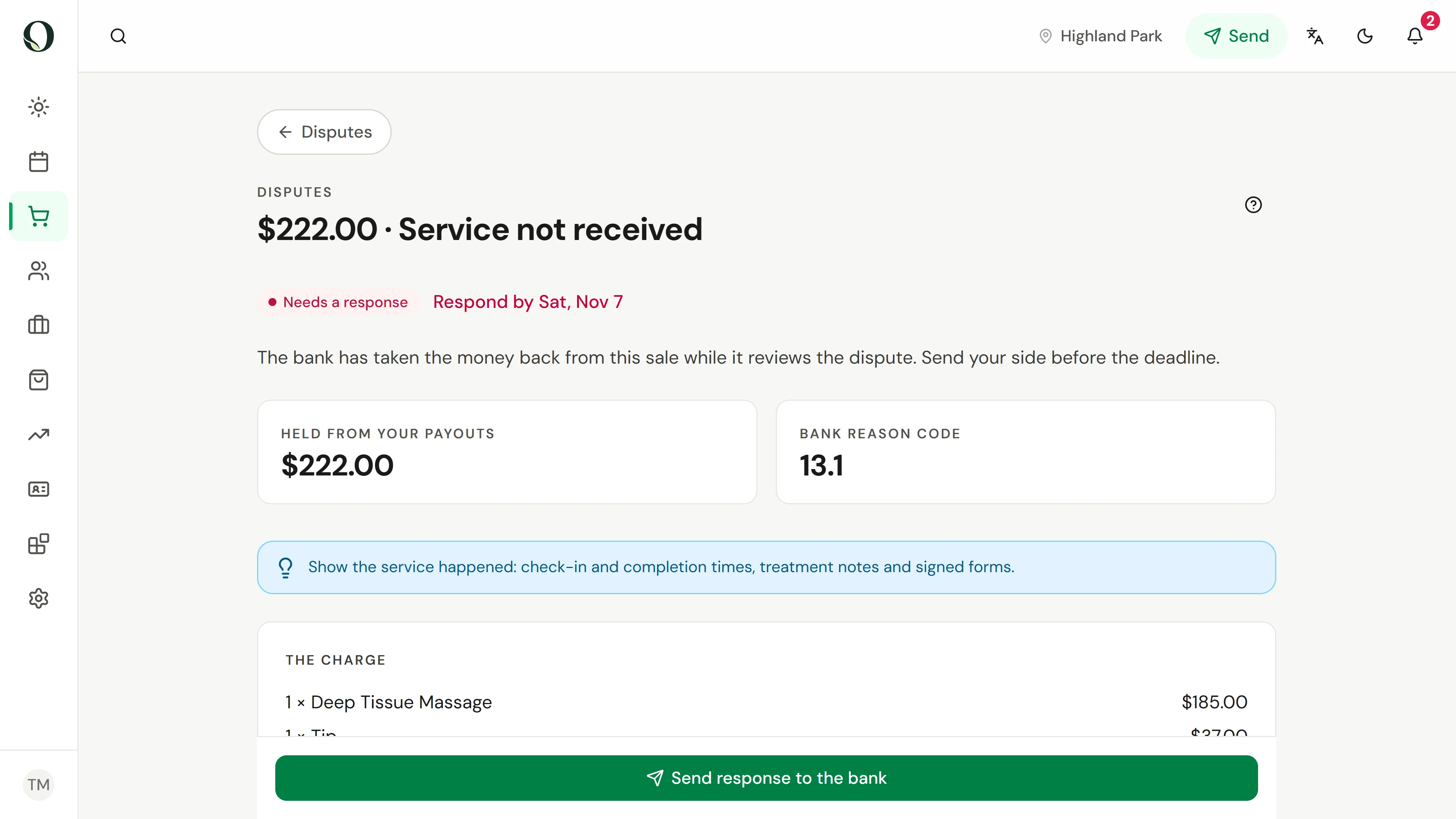
Use the action at the bottom. For a chargeback, Respond to dispute opens the dispute so you can send your evidence; other problems offer their own fix here.
Go deeper