

Para parceiros Uma situação real
Clients mean to return. Make rebooking easier.
Use relevant, well-timed nudges to make the next visit easier to arrange, and measure what happens afterwards.
Gravado em um espaço de trabalho de demonstração. Narrado, com legendas ativadas.
Esta gravação ainda não está disponível no seu idioma, por isso é reproduzida em inglês.
Spot who is due back
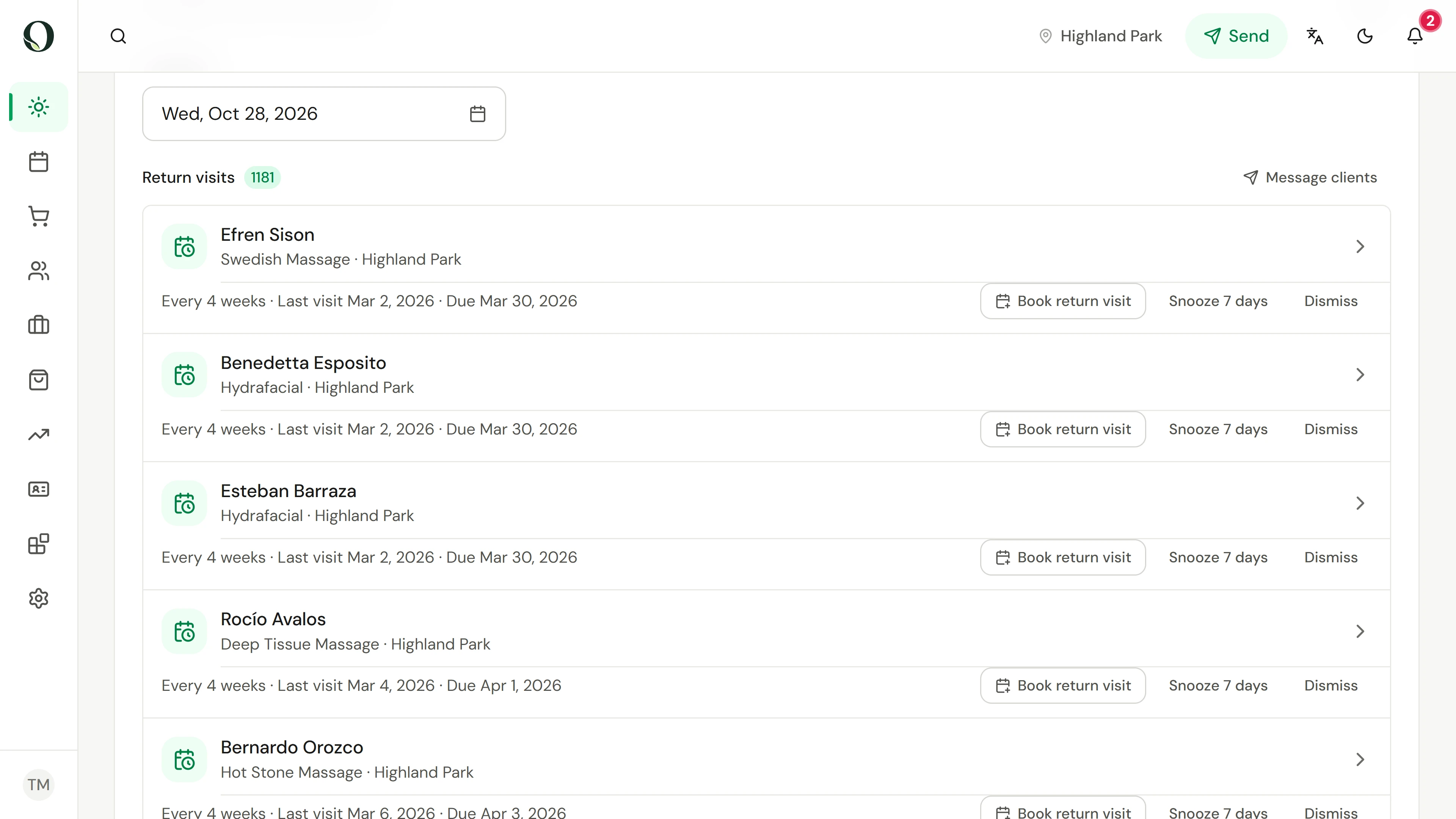
On Today, scroll to Return visits. Each row is a client who is past a service’s return interval with nothing booked. It shows how often the service usually repeats, when they last came and when they were due.
A situação
Coloque em prática.
A client enjoyed their visit and plans to return. Weeks pass, everyday tasks take over, and booking again never reaches the top of their list. A useful nudge gives that intention a clear next step.
O que você vai aprender
A simple rebooking plan with a relevant audience, appropriate timing, an easy action and a way to evaluate return visits.
Antes de começar
Each service needs a return interval, set on the service, before its clients appear as due. You need permission to manage clients and to see reports. A marketing interval is not a clinical recommendation for treatment frequency.
Lembre-se
A nudge is an invitation, not a booking or a promise of results. A booking after a message is associated with that message; it does not prove the message caused it. Review attendance as well as bookings.
Tente a decisão
A client is due for a rebooking nudge, but already has a future booking for the same service. What is the useful next step?
Leia o passo a passo completo
1. Spot who is due back
On Today, scroll to Return visits. Each row is a client who is past a service’s return interval with nothing booked. It shows how often the service usually repeats, when they last came and when they were due.
2. Open the client first
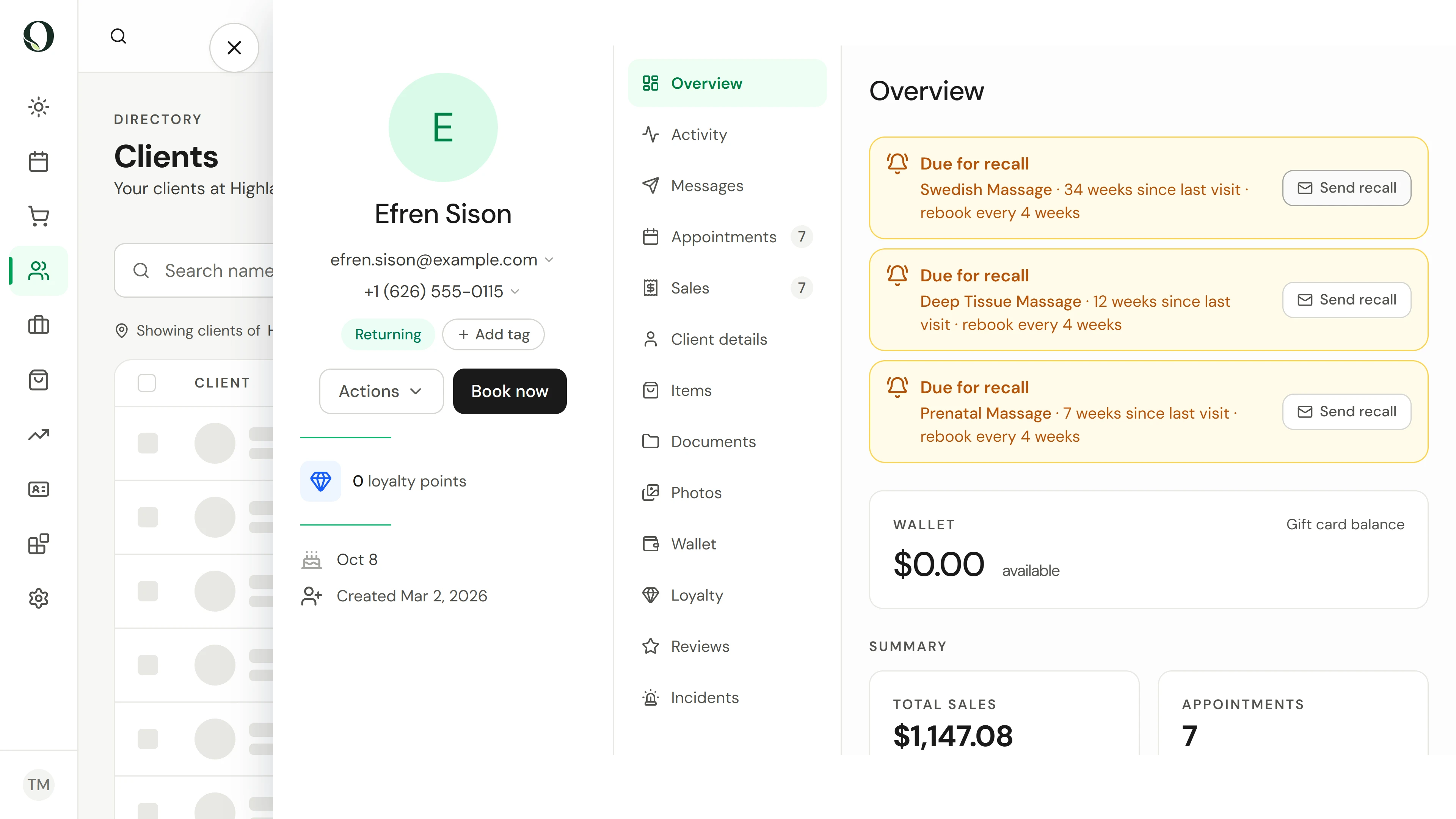
Open the client before you contact them. Due for recall names the service, the weeks since their last visit and how often it usually repeats. Check their upcoming bookings and contact preferences. Send recall emails them one reminder straight away, so only use it once you know they should hear from you.
3. Pick the moment from real visits
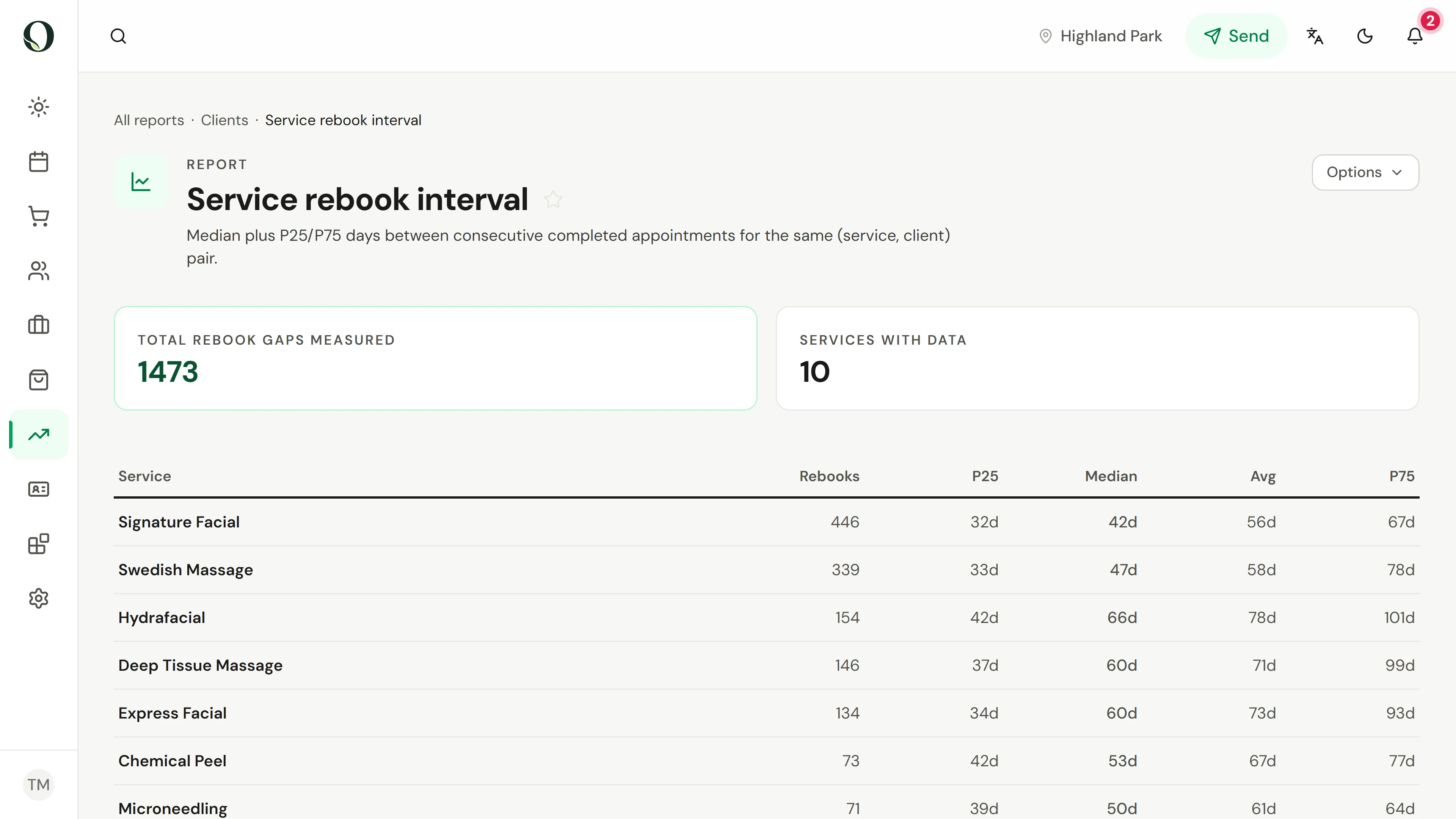
In Reports, search for rebook and open Service rebook interval. Median is the usual number of days between two visits of the same service by the same client. Compare it with the return interval set on each service, one service at a time.
4. Send one clear invitation
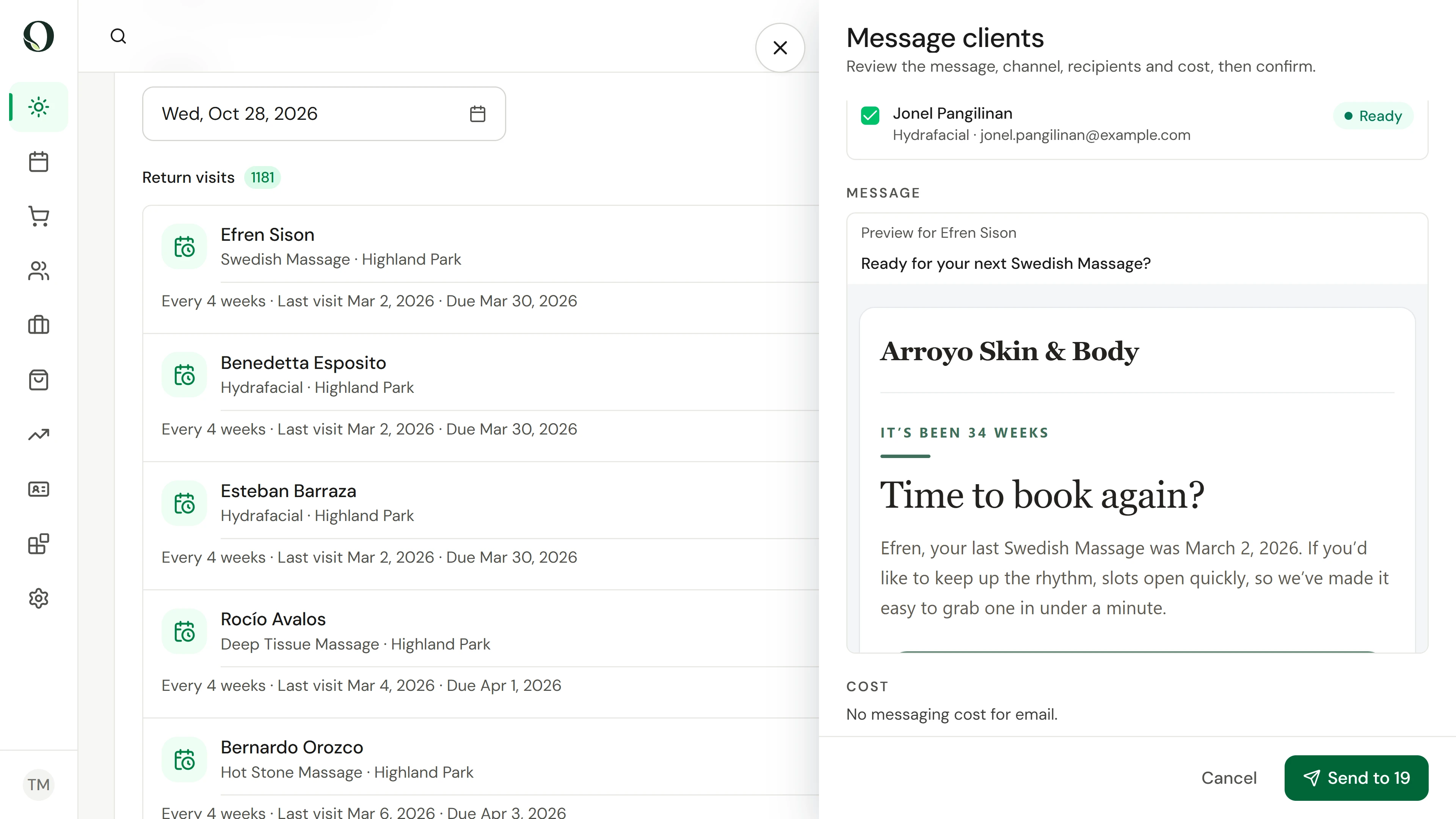
Back on Today, choose Message clients beside Return visits. Check who is ready and who was skipped: anyone messaged recently, opted out or without an address is left out for you. Keep the message short, with one clear way to book. The recording stops before Send.
5. See who came back
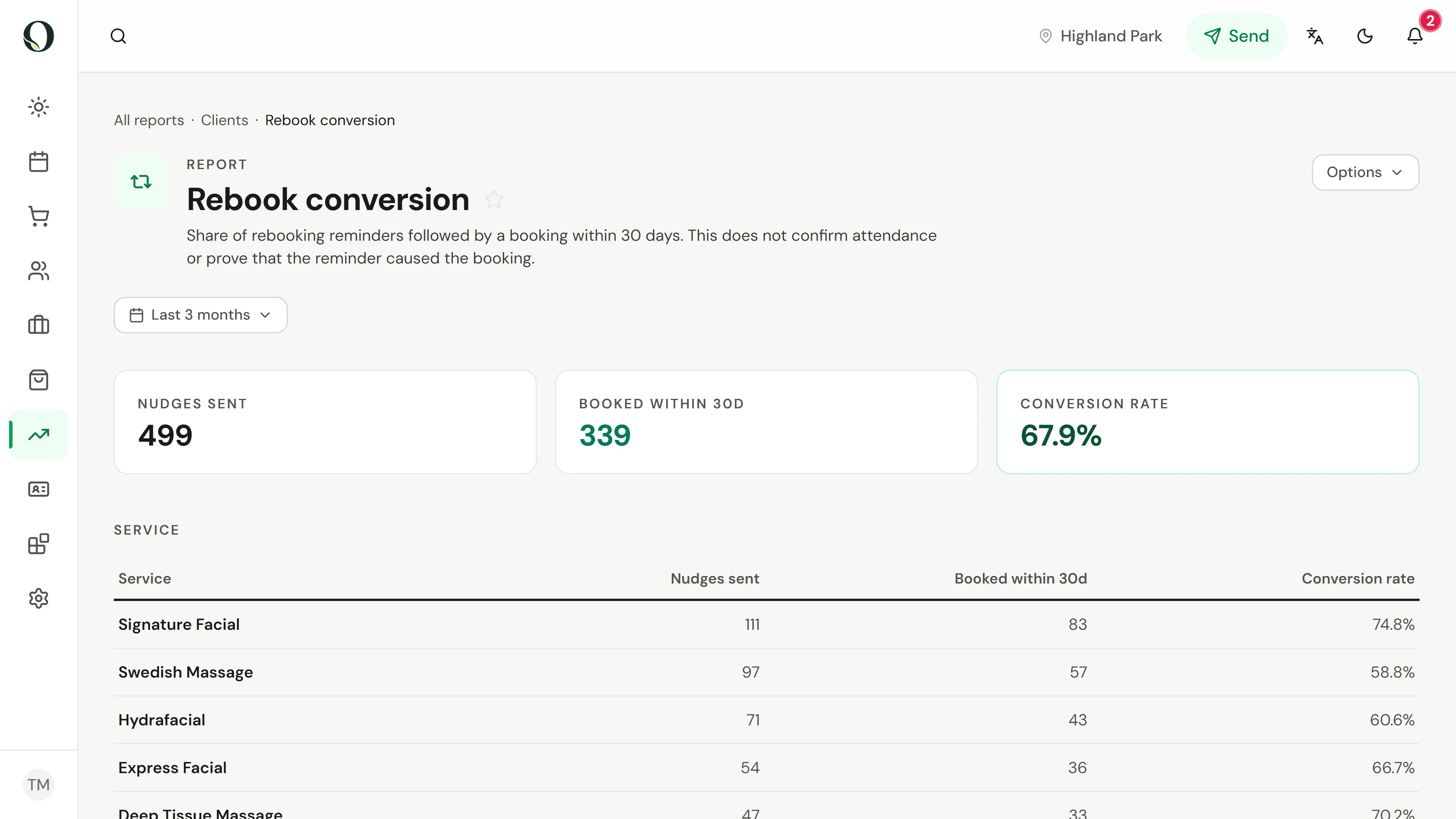
Later, open Rebook conversion in Reports. It counts the reminders sent and how many were followed by a booking within 30 days, service by service. A booking after a reminder does not prove the reminder caused it, so check completed visits and opt-outs too before you change the plan.
Fontes e leituras adicionais
Building Client Loyalty in Your Massage Practice, AMTARetaining Current Clients, AMTAAprofunde-se