

Para parceiros Uma situação real
A client returns a product. Find the sale and refund it.
Find a past sale, open its receipt, and refund one item back to the way it was paid.
Gravado em um espaço de trabalho de demonstração. Narrado, com legendas ativadas.
Esta gravação ainda não está disponível no seu idioma, por isso é reproduzida em inglês.
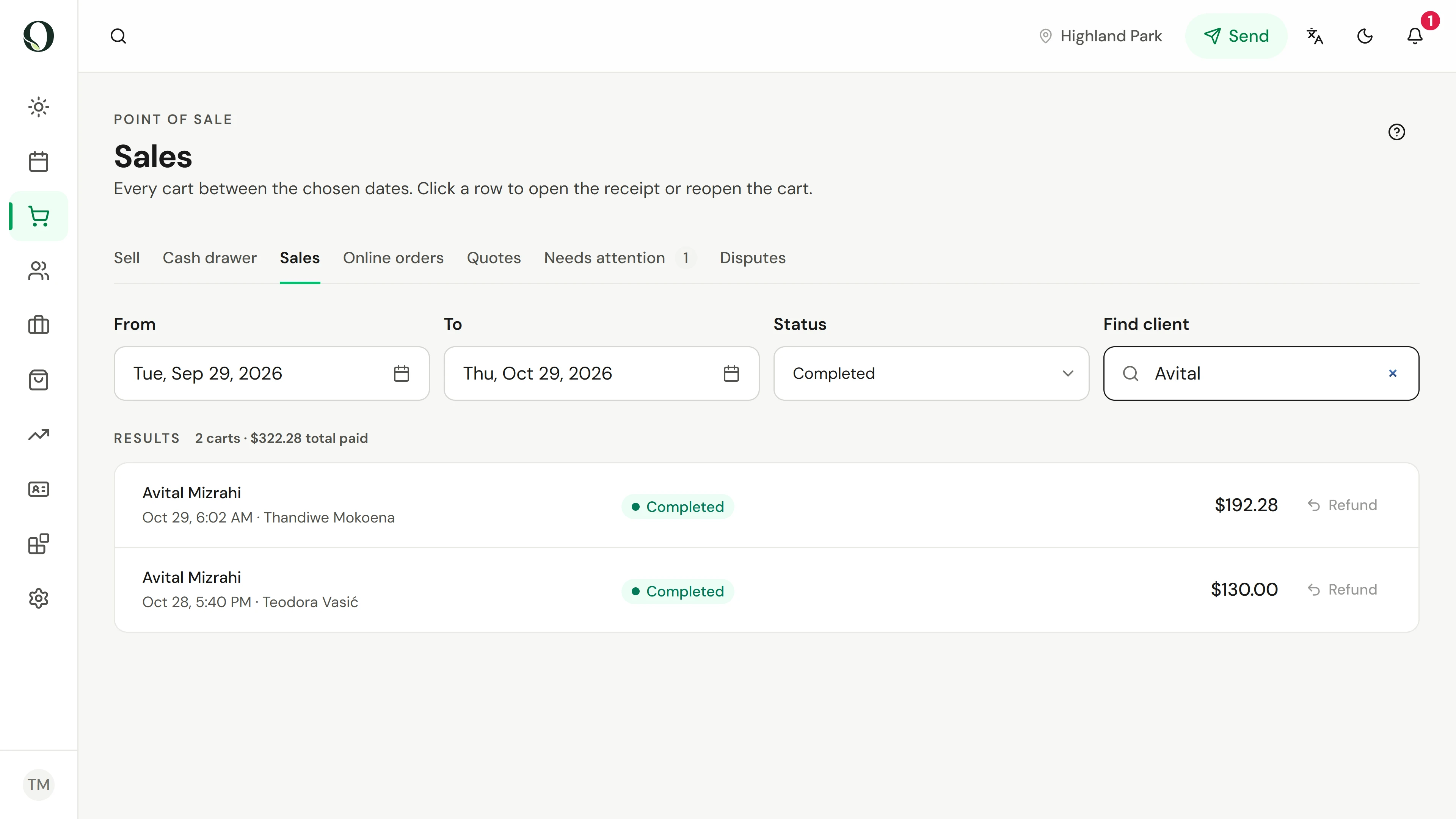
Find the sale
Open Sales. Set the dates and status, or type the client's name in Find client.
A situação
Coloque em prática.
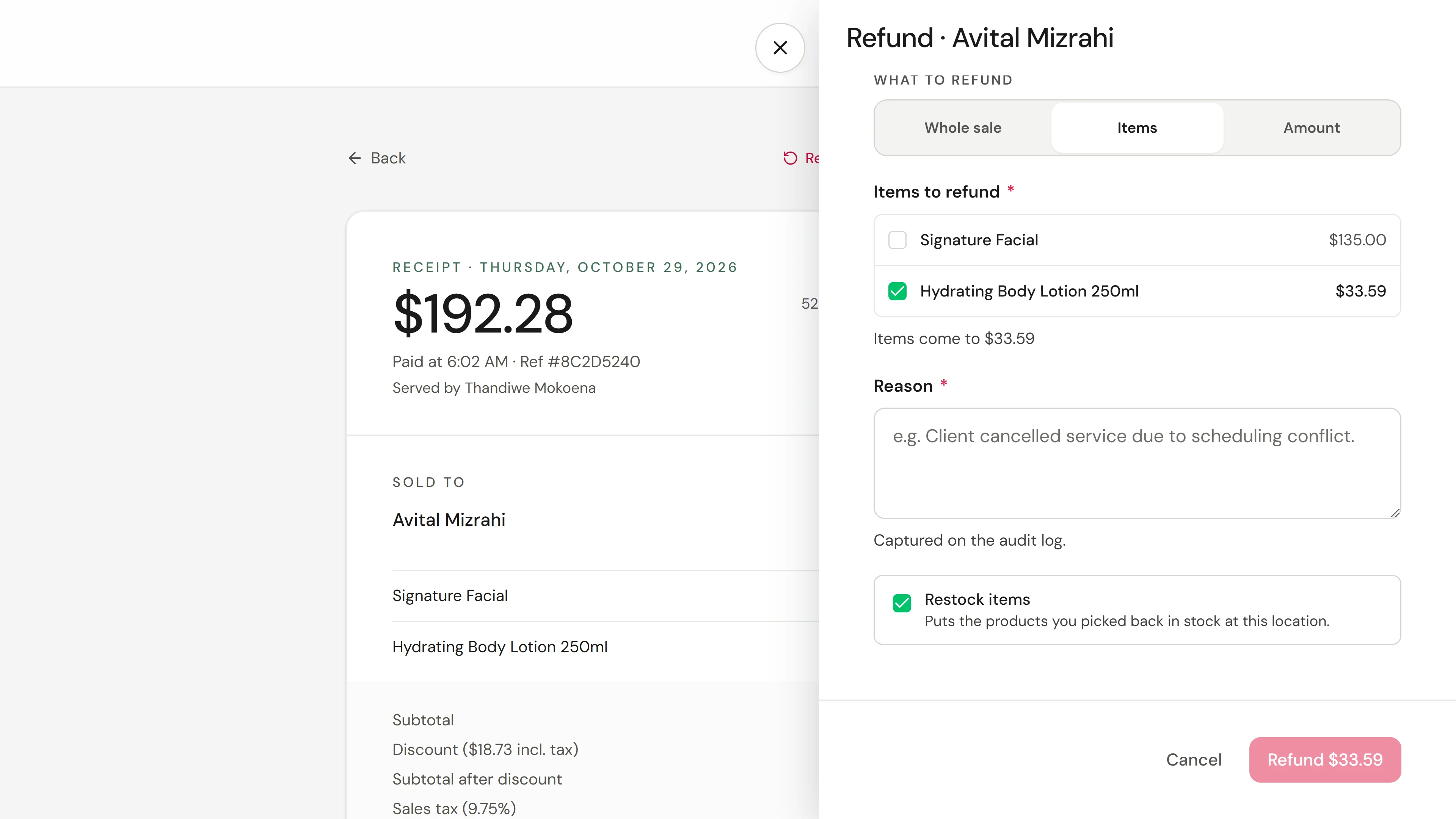
A client brings back the body lotion they bought, unopened. They want their money back for that item; the treatment stays paid.
O que você vai aprender
You can find any sale, open its receipt, and refund the whole sale, chosen items or an amount.
Antes de começar
Refunds need permission to refund sales. A card refund goes back to the card; a cash refund comes out of the open drawer.
Lembre-se
Refunding items takes back the loyalty points they earned, and restocking returns products to inventory. A reason is required and kept on the audit log. A card dispute is answered in Disputes, not with a refund.
Tente a decisão
A client returns one product from a visit that also had a treatment. Which refund fits?
Leia o passo a passo completo
1. Find the sale
Open Sales. Set the dates and status, or type the client's name in Find client.
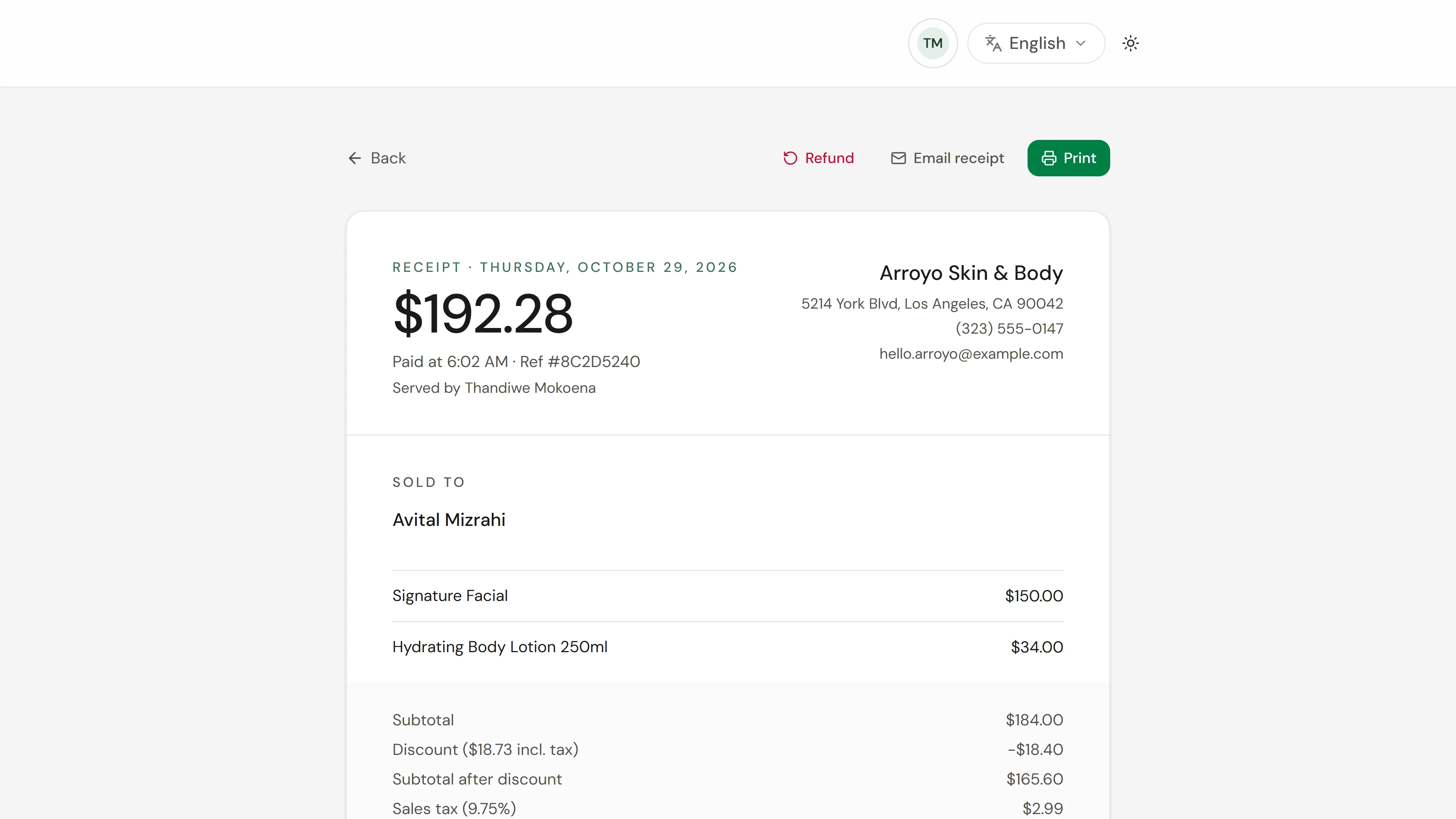
2. Open the receipt
Select the sale to open its receipt: what was sold, the tax, the tip and how it was paid.
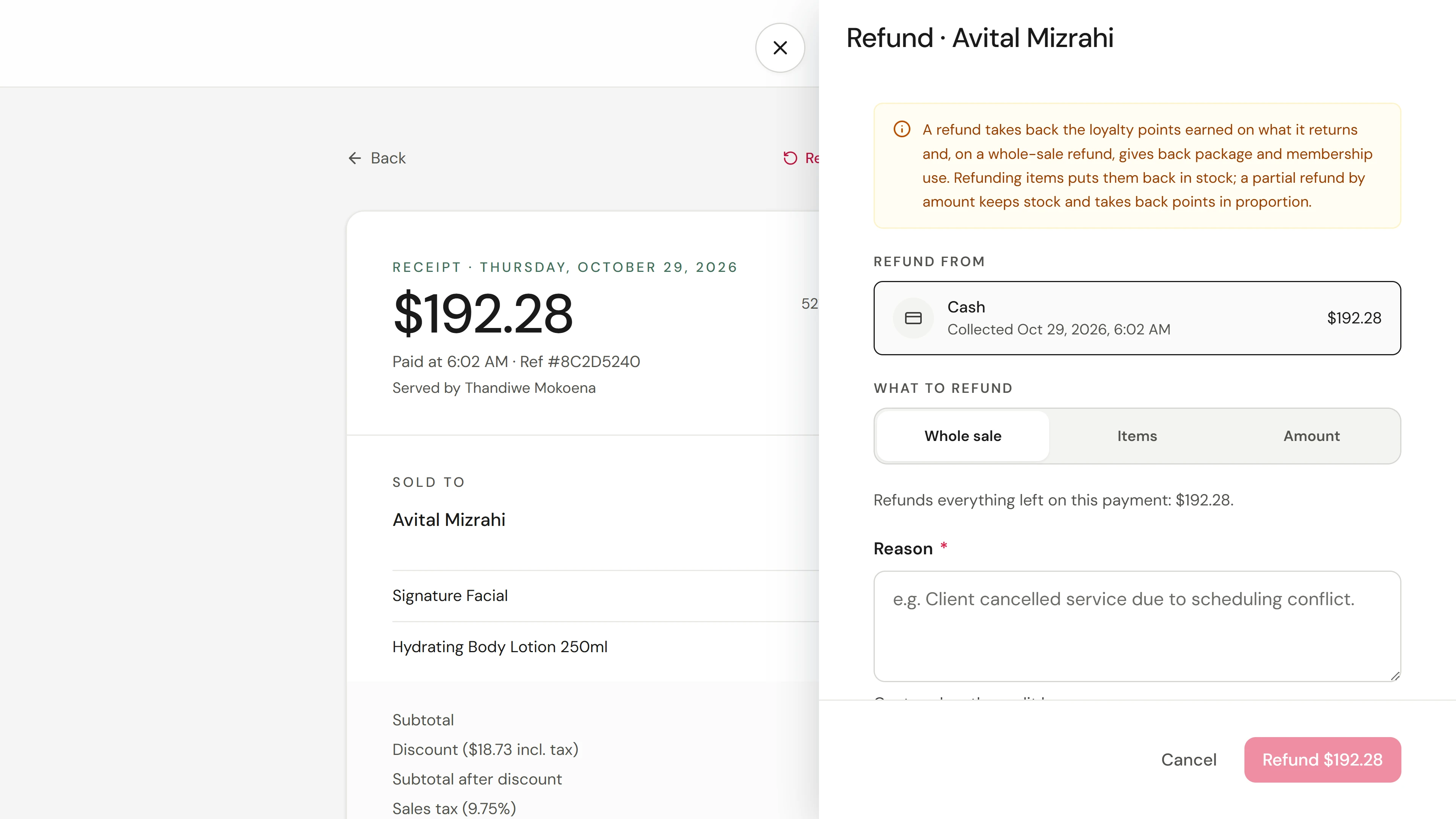
3. Start the refund
Choose Refund. Check which payment the money goes back to; a cash refund comes out of the drawer.
4. Choose the items
Choose Items and select only what is coming back. Whole sale refunds everything left; Amount refunds a set amount. Keep Restock items on for a product that goes back on the shelf.
5. Give a reason and refund
Write the reason, check the amount on the button, and confirm.
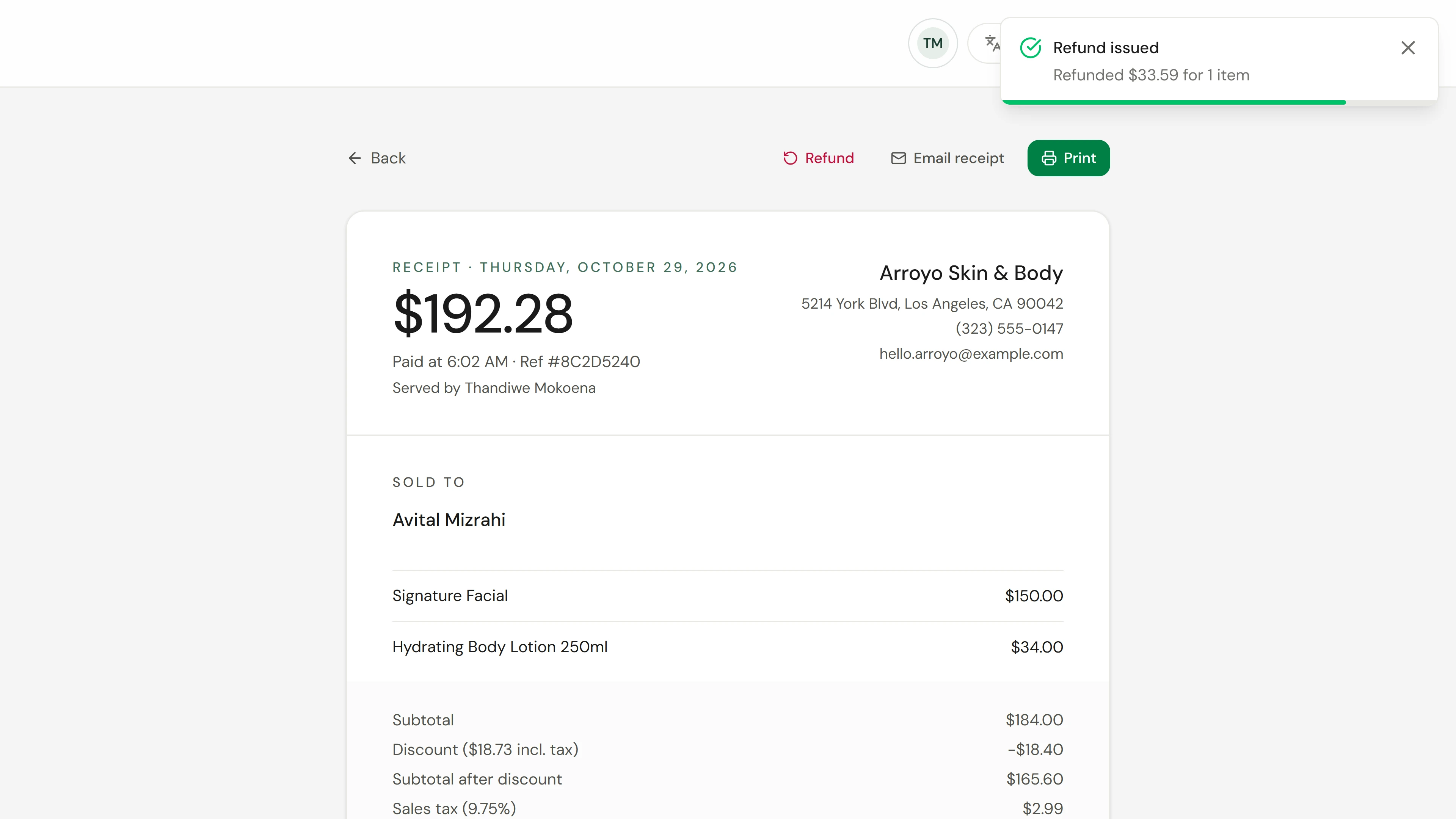
6. Check the result
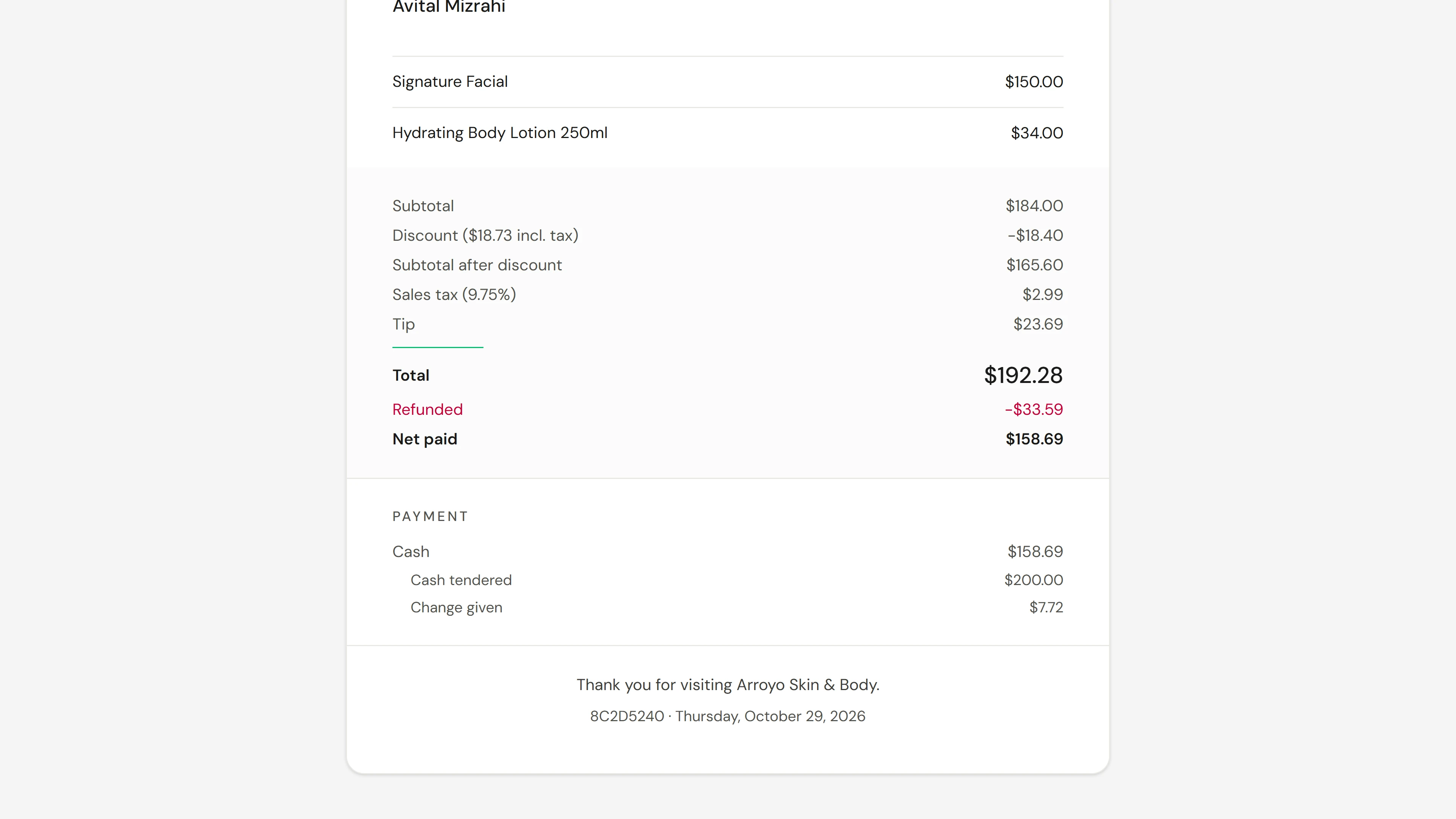
The sale now shows the refund. The treatment stays paid; only the returned item was refunded.
Aprofunde-se