

Para parceiros Uma situação real
A team member was late again. Keep a fair, private record.
Log a factual incident on a team member's record, see who can read it, and how a pattern is flagged.
Gravado num espaço de demonstração. Narrado e com legendas.
Esta gravação ainda não se encontra disponível no seu idioma, pelo que será reproduzida em inglês.
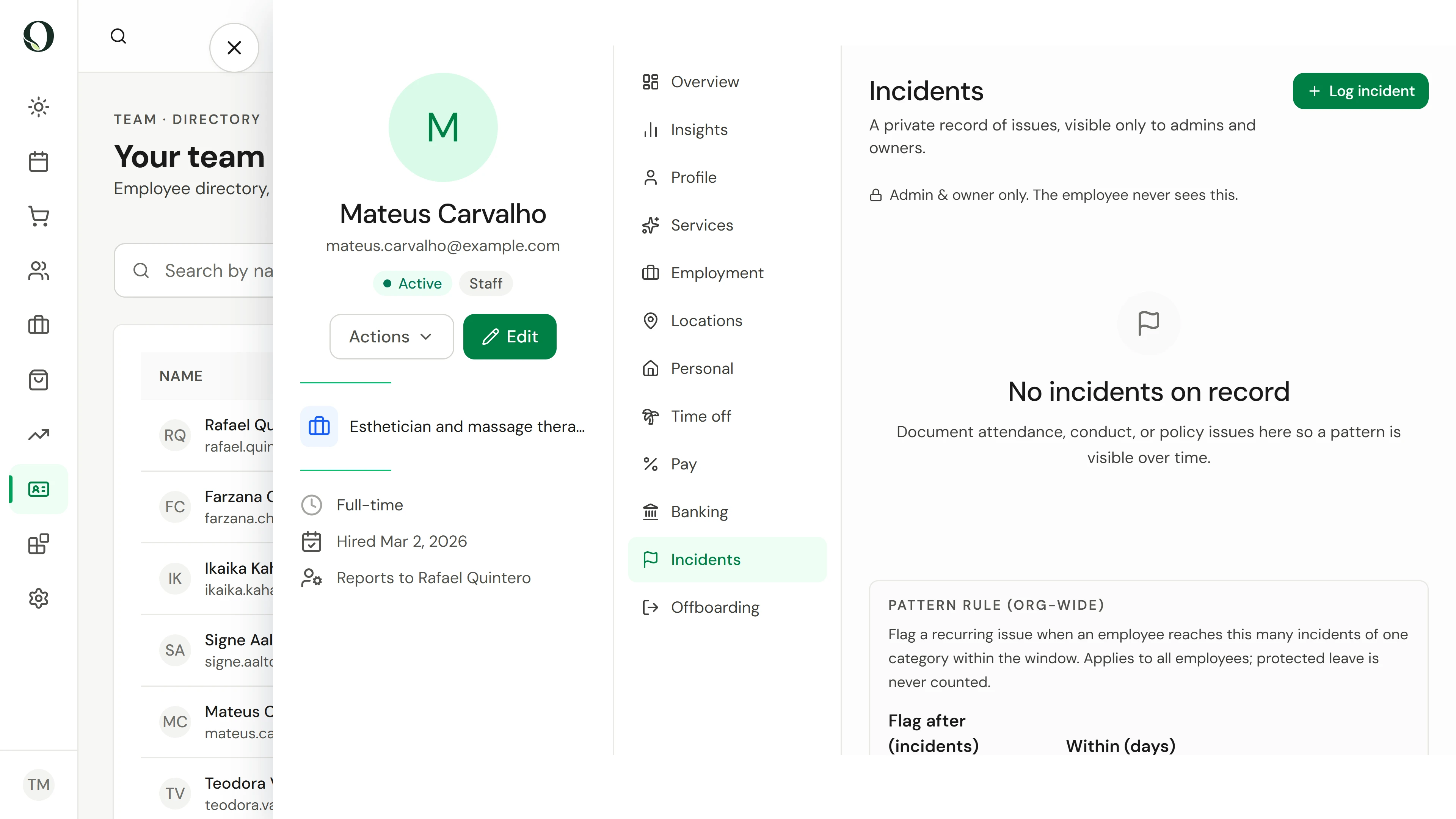
Open their record
Open Team and select the person, then the Incidents tab. The tab only appears for admins and owners, and the team member never sees it.
A situação
Pôr em prática.
A therapist arrived forty minutes late and their first client had to be moved. You want a dated, factual note rather than a judgement, so that if it happens again you can see the pattern and talk about it fairly.
O que vai aprender
A private, factual incident on the team member's record, and an understanding of how patterns are flagged.
Antes de começar
Only admins and owners can see and write the employee incident log. For something involving a client or a visitor, use Incidents under Operations instead.
Tenha em atenção
The person it concerns never sees this log in Owneli; how and when you share it is part of your own HR process. Protected or approved leave stays on record but never counts toward a pattern.
Experimente a decisão
A team member was off sick with a doctor's note. Should it count toward an attendance pattern?
Ler o passo a passo completo
1. Open their record
Open Team and select the person, then the Incidents tab. The tab only appears for admins and owners, and the team member never sees it.
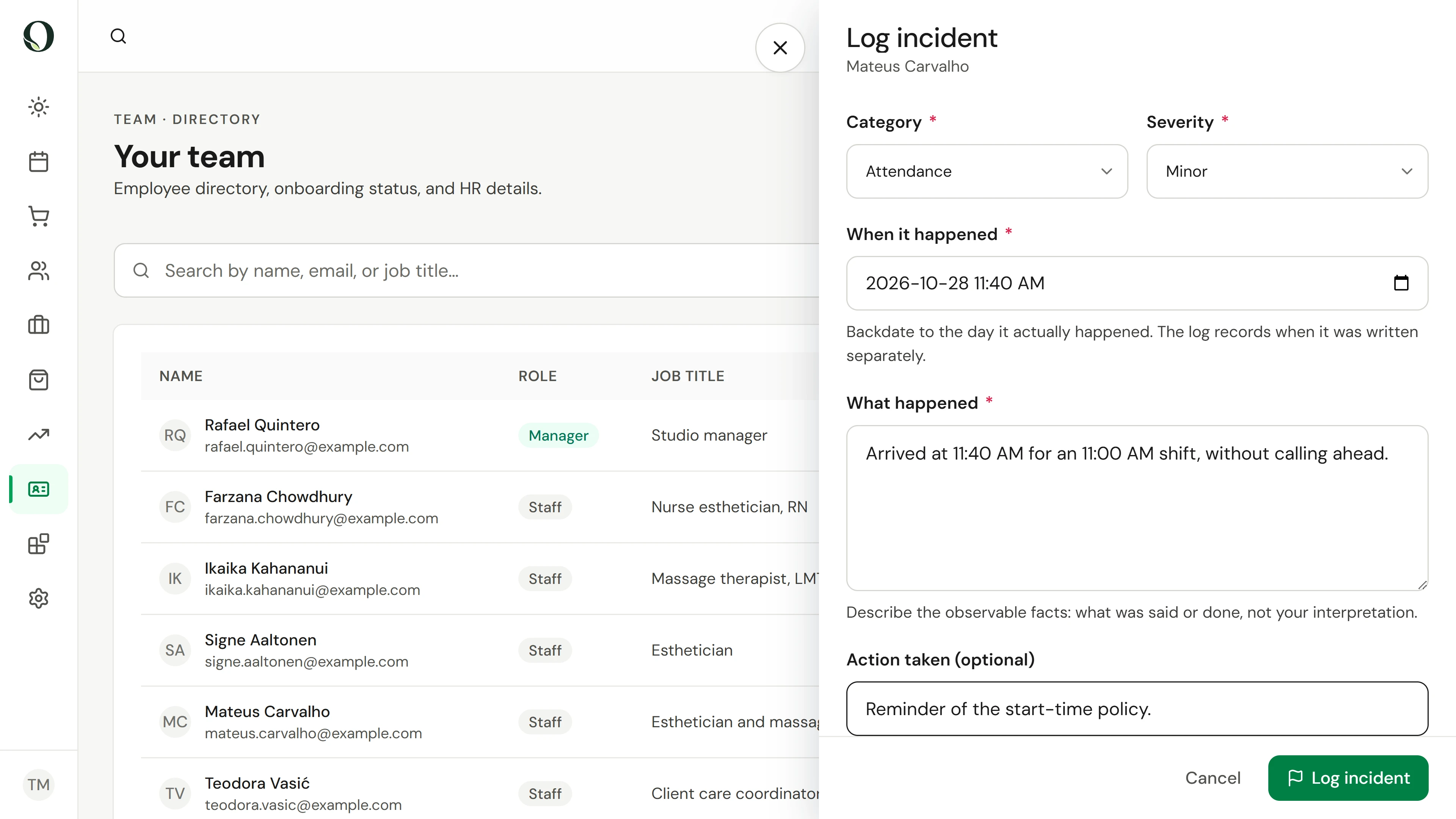
2. Log what happened
Choose Log incident. Pick a category and a severity, set when it happened, and describe the facts: times, what was said and what was done. Add the action you took, such as a reminder of the policy.
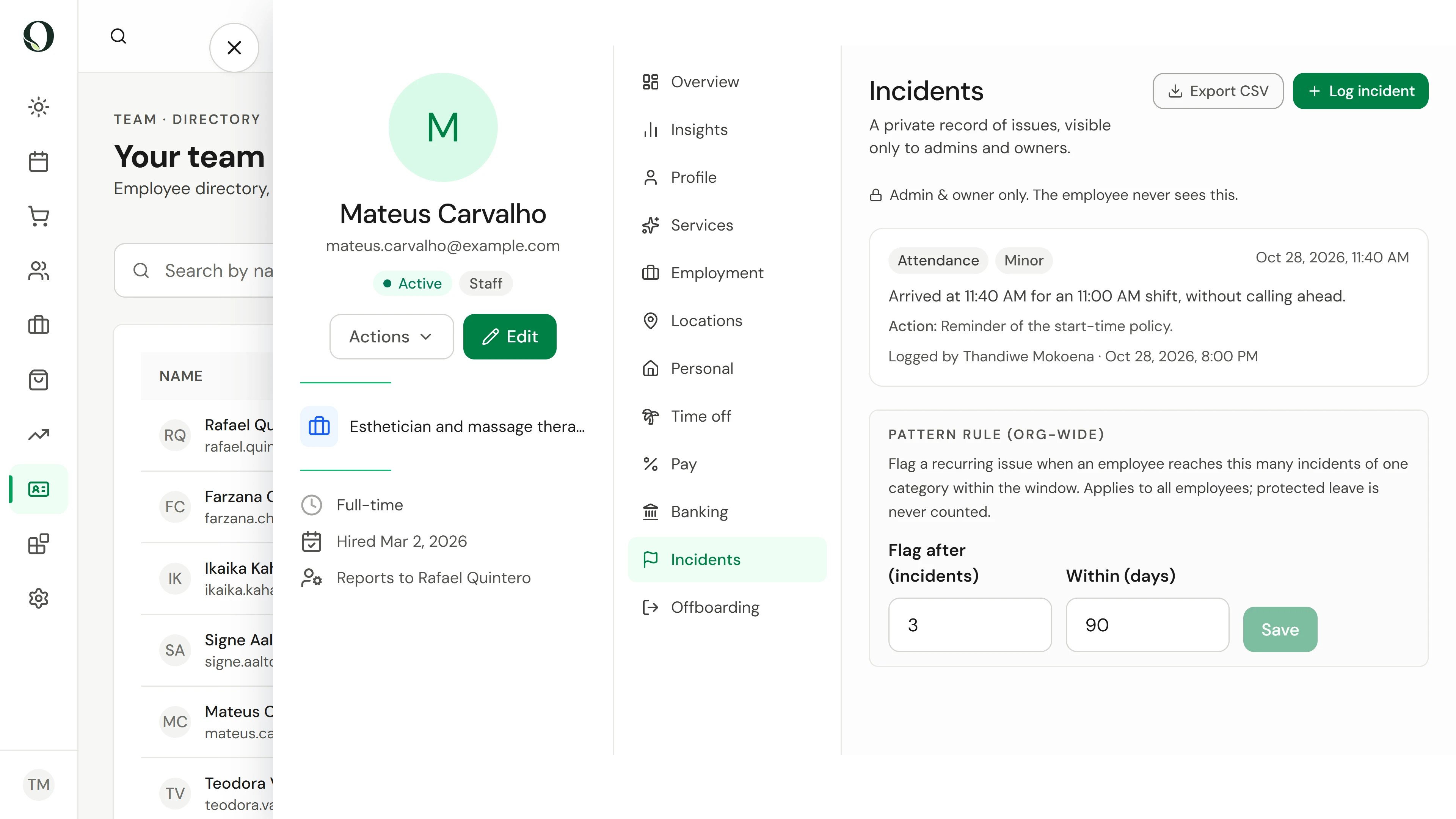
3. Save it and watch for patterns
If the absence was protected or approved leave, switch on Protected before saving; it is kept but never counted. Choose Log incident to save. The entry shows who logged it and when. A flag appears when someone reaches the pattern rule, three incidents of one category in ninety days unless you change it, and Export CSV downloads the log.
Aprofundar