

Para parceiros Uma situação real
Your next client is arriving. Get the visit in view.
Move from the calendar to appointment details and back with the time, services and client context in view.
Gravado num espaço de demonstração. Narrado e com legendas.
Esta gravação ainda não se encontra disponível no seu idioma, pelo que será reproduzida em inglês.
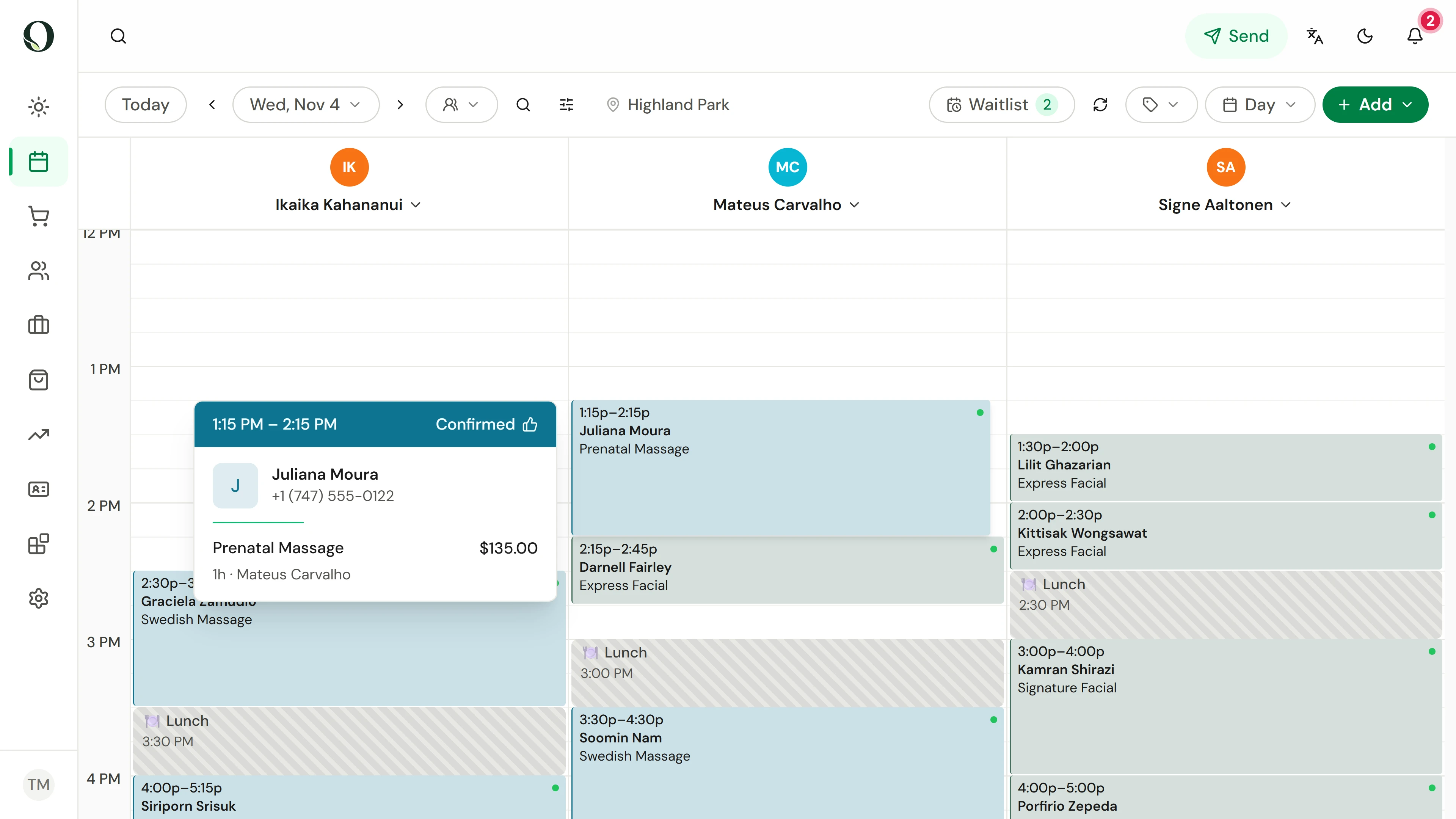
Locate the appointment
Choose the date and location, then find the appointment in the provider's column. Point at it for a quick preview of the client, service and price.
A situação
Pôr em prática.
You are between clients and need to understand the next visit quickly. Start with its scheduled time and services rather than searching through several modules.
O que vai aprender
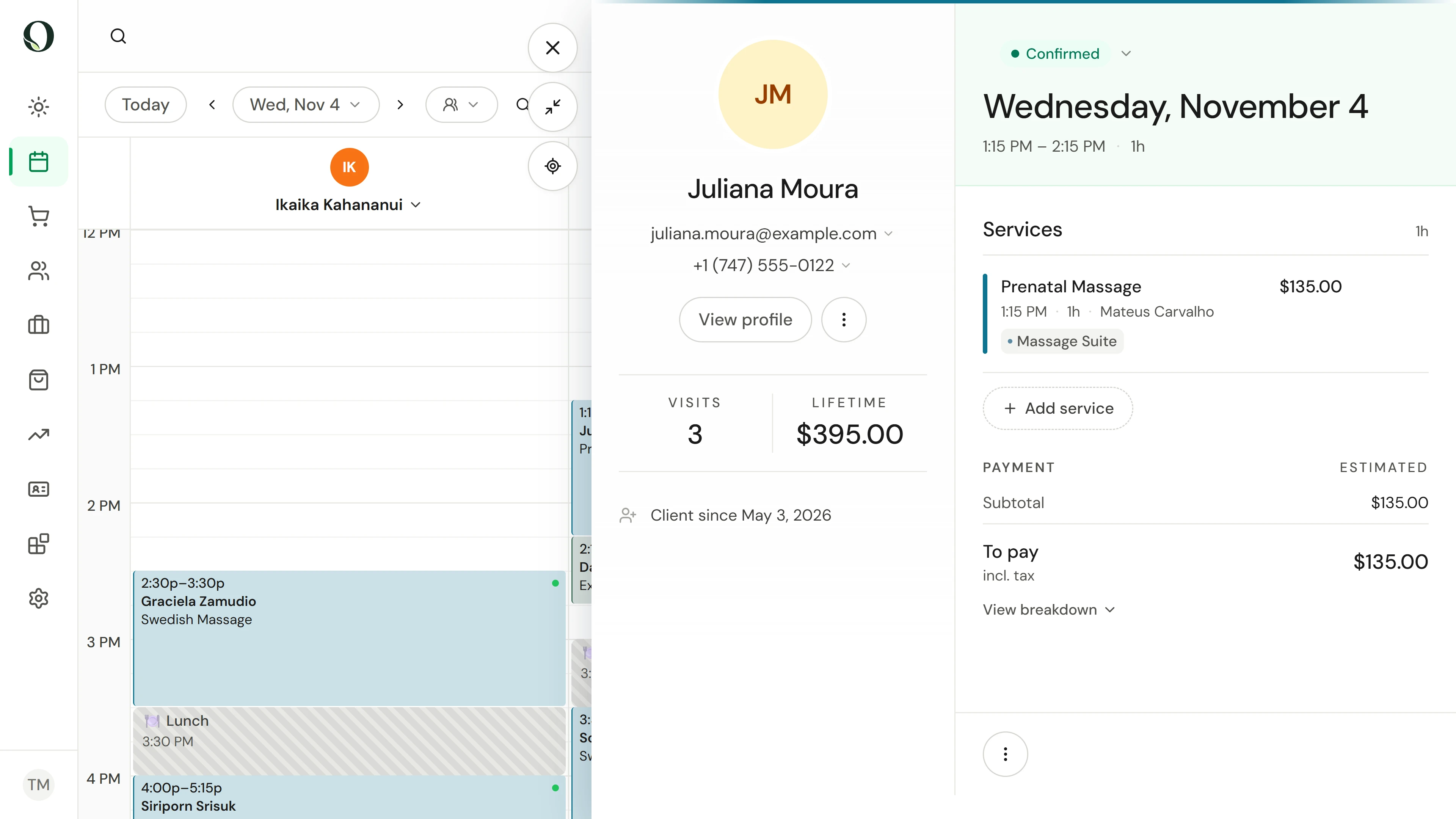
You can open the appointment and find its schedule, services and client details.
Antes de começar
Use your authorised staff account. What you can see or change depends on your role and the business permissions.
Tenha em atenção
An appointment status is not proof of payment. Check checkout or payment records when you need to confirm a balance. Keep client information within the authorised business workflow.
Experimente a decisão
An appointment is marked completed. Does that alone confirm its payment?
Ler o passo a passo completo
1. Locate the appointment
Choose the date and location, then find the appointment in the provider's column. Point at it for a quick preview of the client, service and price.
2. Read the visit details
Open the appointment. Check the date, time and service list, then use the client section for the relevant contact or profile information.
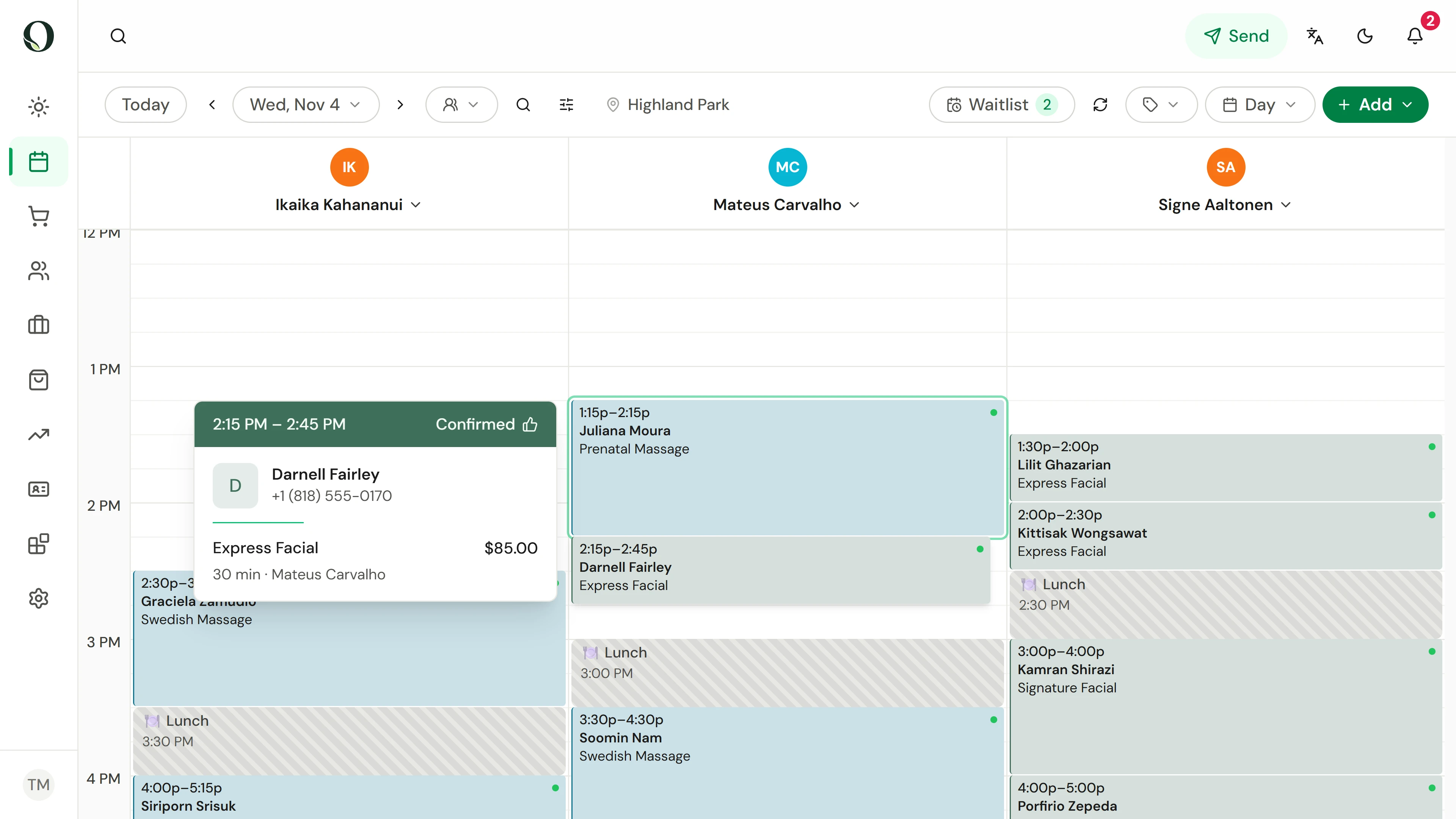
3. Return to the day
Close the panel to see the surrounding appointments. Preview the next visit to see where this one ends and the next one begins.
Aprofundar