

Për partnerët Një situatë reale
Your next client is arriving. Get the visit in view.
Move from the calendar to appointment details and back with the time, services and client context in view.
Regjistruar në një hapësirë pune demo. Me shpjegim me zë dhe titra të aktivizuara.
Ky regjistrim nuk është ende i disponueshëm në gjuhën tuaj, prandaj luhet në anglisht.
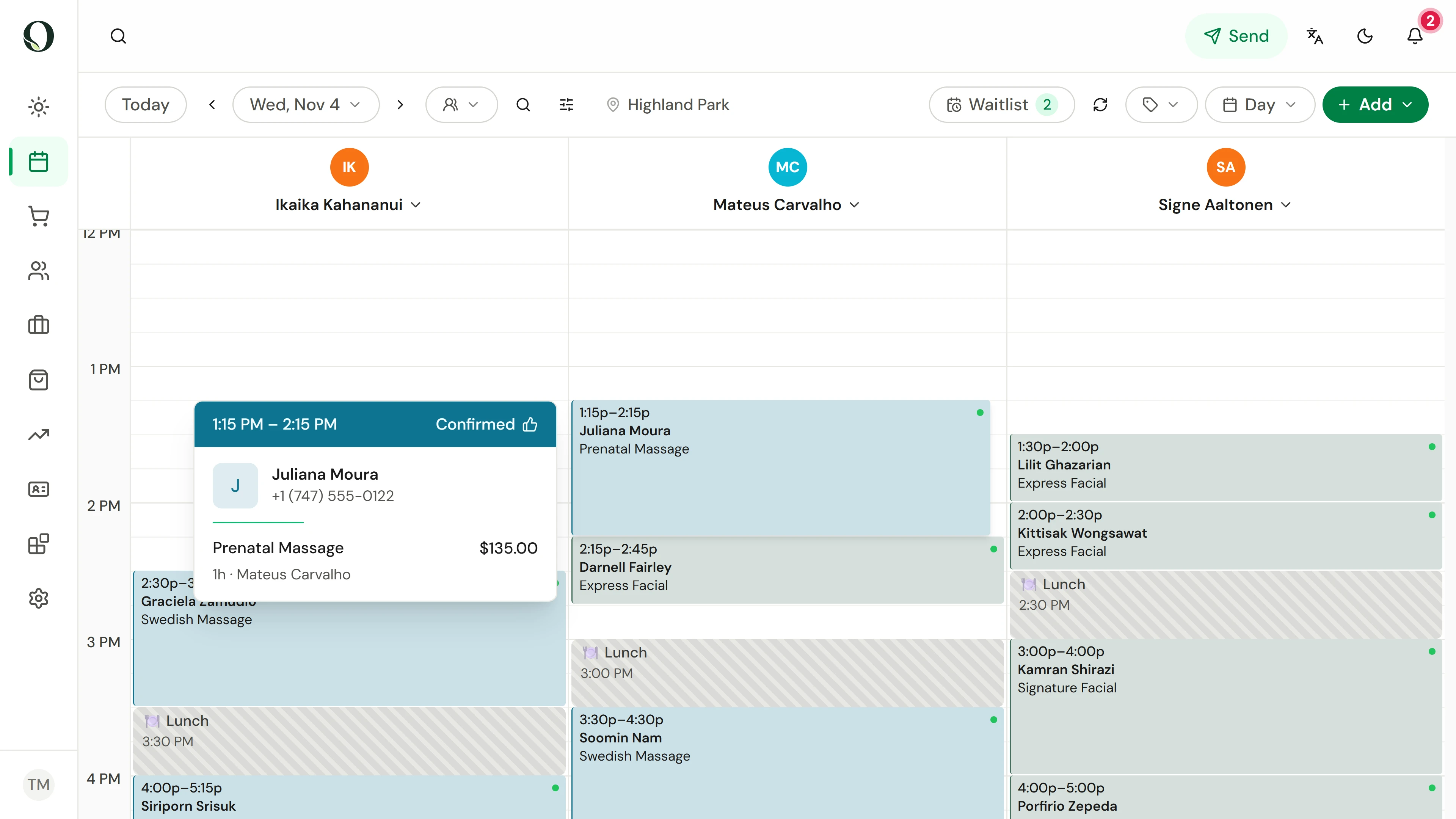
Locate the appointment
Choose the date and location, then find the appointment in the provider's column. Point at it for a quick preview of the client, service and price.
Situata
Zbatojeni në praktikë.
You are between clients and need to understand the next visit quickly. Start with its scheduled time and services rather than searching through several modules.
Çfarë do të mësoni
You can open the appointment and find its schedule, services and client details.
Përpara se të filloni
Use your authorised staff account. What you can see or change depends on your role and the business permissions.
Kini parasysh
An appointment status is not proof of payment. Check checkout or payment records when you need to confirm a balance. Keep client information within the authorised business workflow.
Provoni vendimin
An appointment is marked completed. Does that alone confirm its payment?
Lexoni udhëzuesin e plotë
1. Locate the appointment
Choose the date and location, then find the appointment in the provider's column. Point at it for a quick preview of the client, service and price.
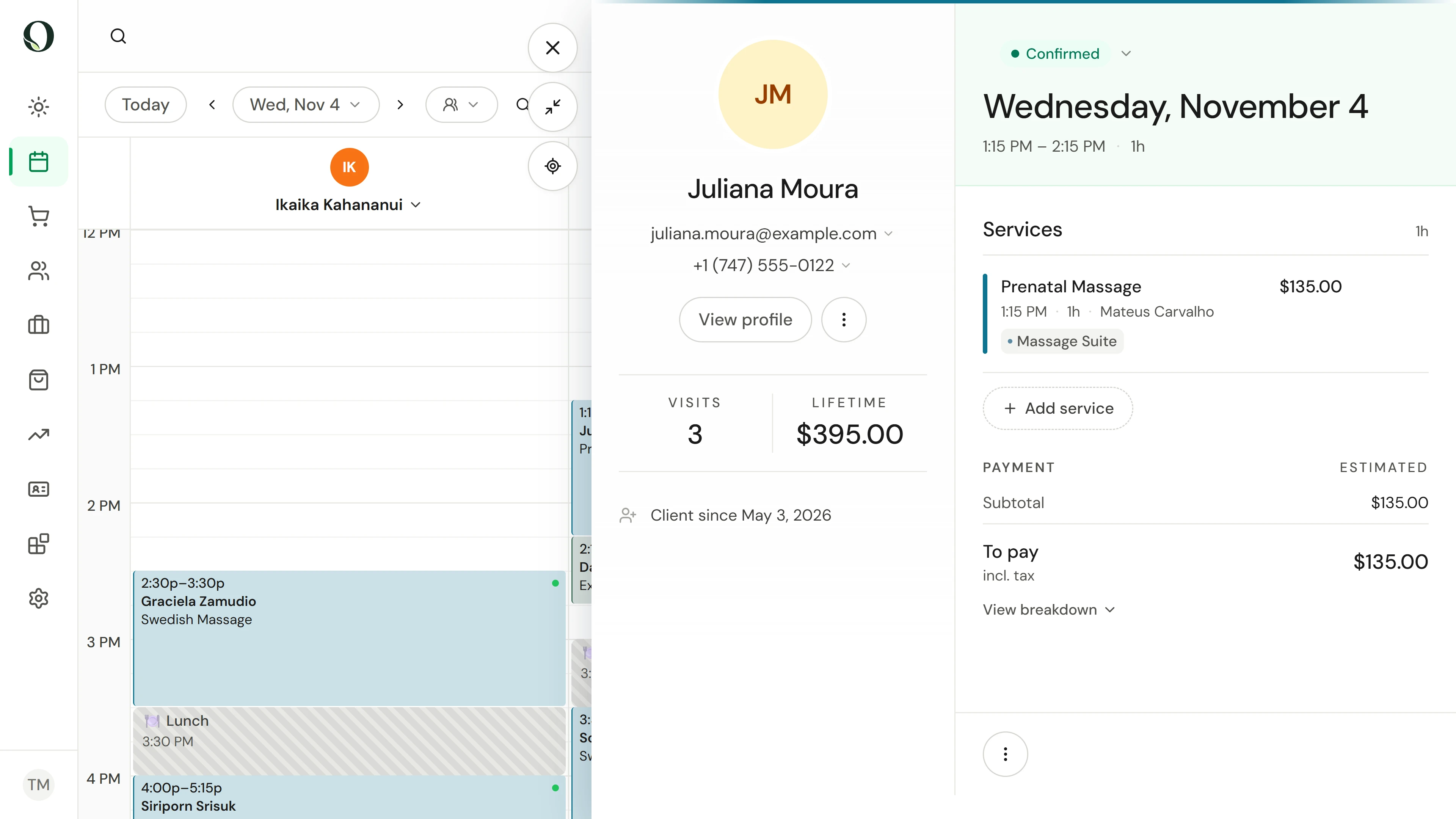
2. Read the visit details
Open the appointment. Check the date, time and service list, then use the client section for the relevant contact or profile information.
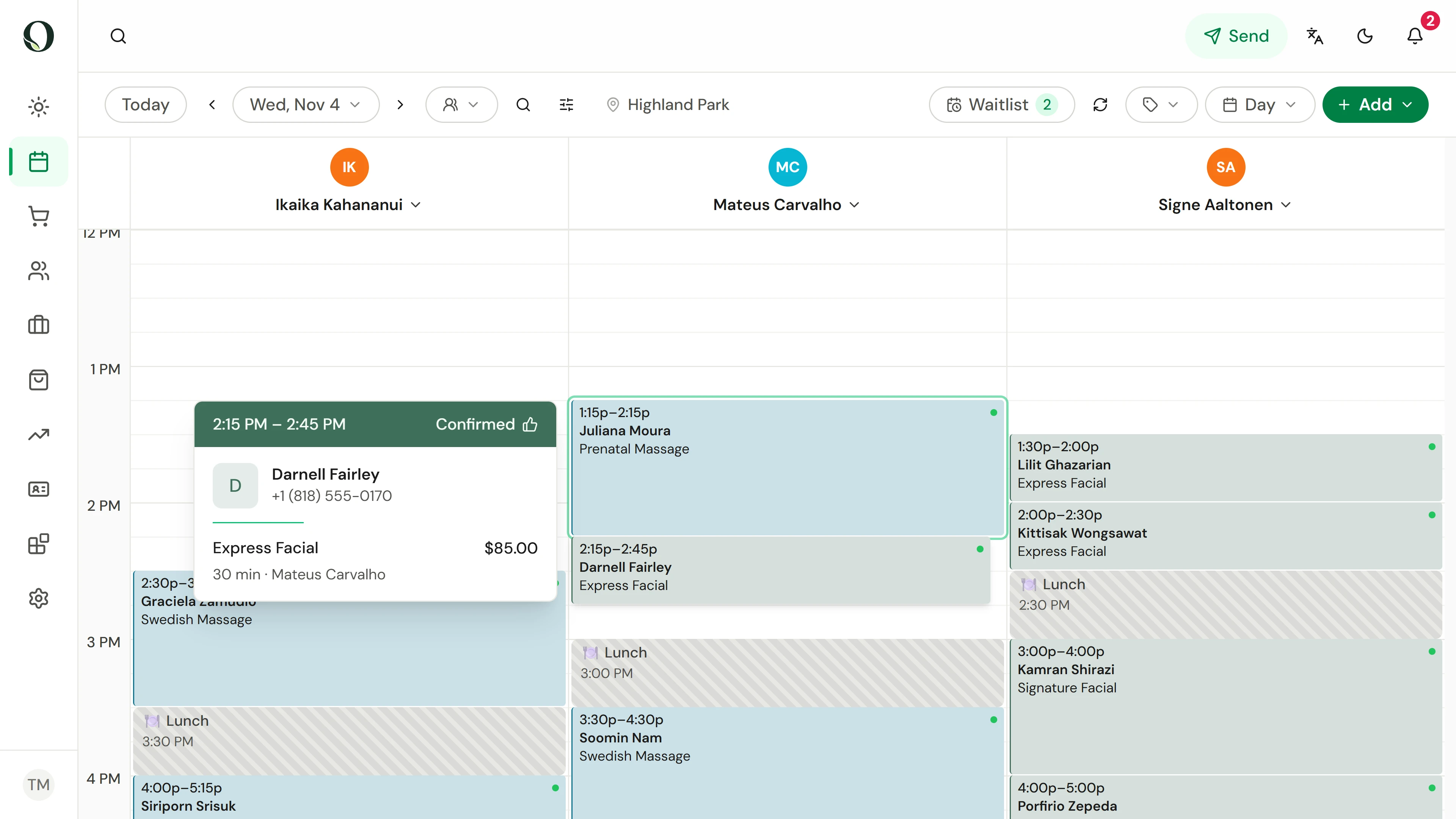
3. Return to the day
Close the panel to see the surrounding appointments. Preview the next visit to see where this one ends and the next one begins.
Mësoni më shumë