

Para parceiros Uma situação real
A client brings a gift card from the rack. Sell it.
Scan a printed card at the till, confirm its value, take the payment and see the card go live.
Gravado num espaço de demonstração. Narrado e com legendas.
Esta gravação ainda não se encontra disponível no seu idioma, pelo que será reproduzida em inglês.
Open the gift card form
In Point of sale, choose Open a cart, then Gift card.
A situação
Pôr em prática.
It is December. A client takes a fifty-dollar gift card from the rack by the desk and wants to buy it for a friend. The card is worth nothing until you sell it.
O que vai aprender
You can activate a printed card at the till and confirm it is live.
Antes de começar
Selling needs point-of-sale permission. Keep the printed cards by the till. A barcode scanner helps, but typing the number works too.
Tenha em atenção
A printed card holds no money until the sale is paid, so an abandoned sale never leaves value on a card, and a card already sold is refused. Nothing is emailed: the client walks out holding the card. The recording pays on the card terminal in a demo business, so no card is charged, and removes the sale afterwards.
Experimente a decisão
You scan a card and the till says it is already active with $50 on it. What do you do?
Ler o passo a passo completo
1. Open the gift card form
In Point of sale, choose Open a cart, then Gift card.
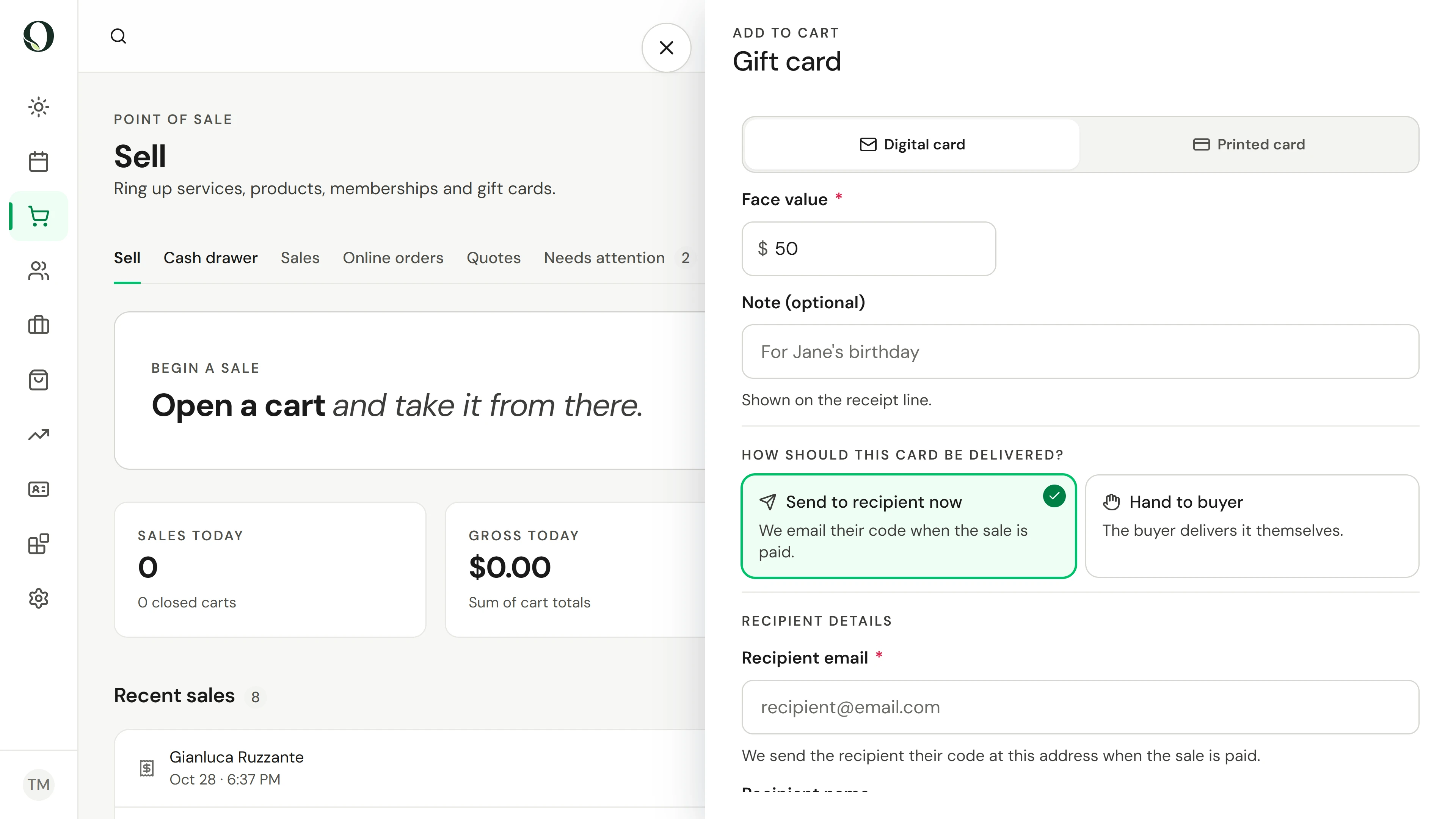
2. Switch to Printed card
Switch to Printed card. Digital card is for a card sent by email or handed over as a code.
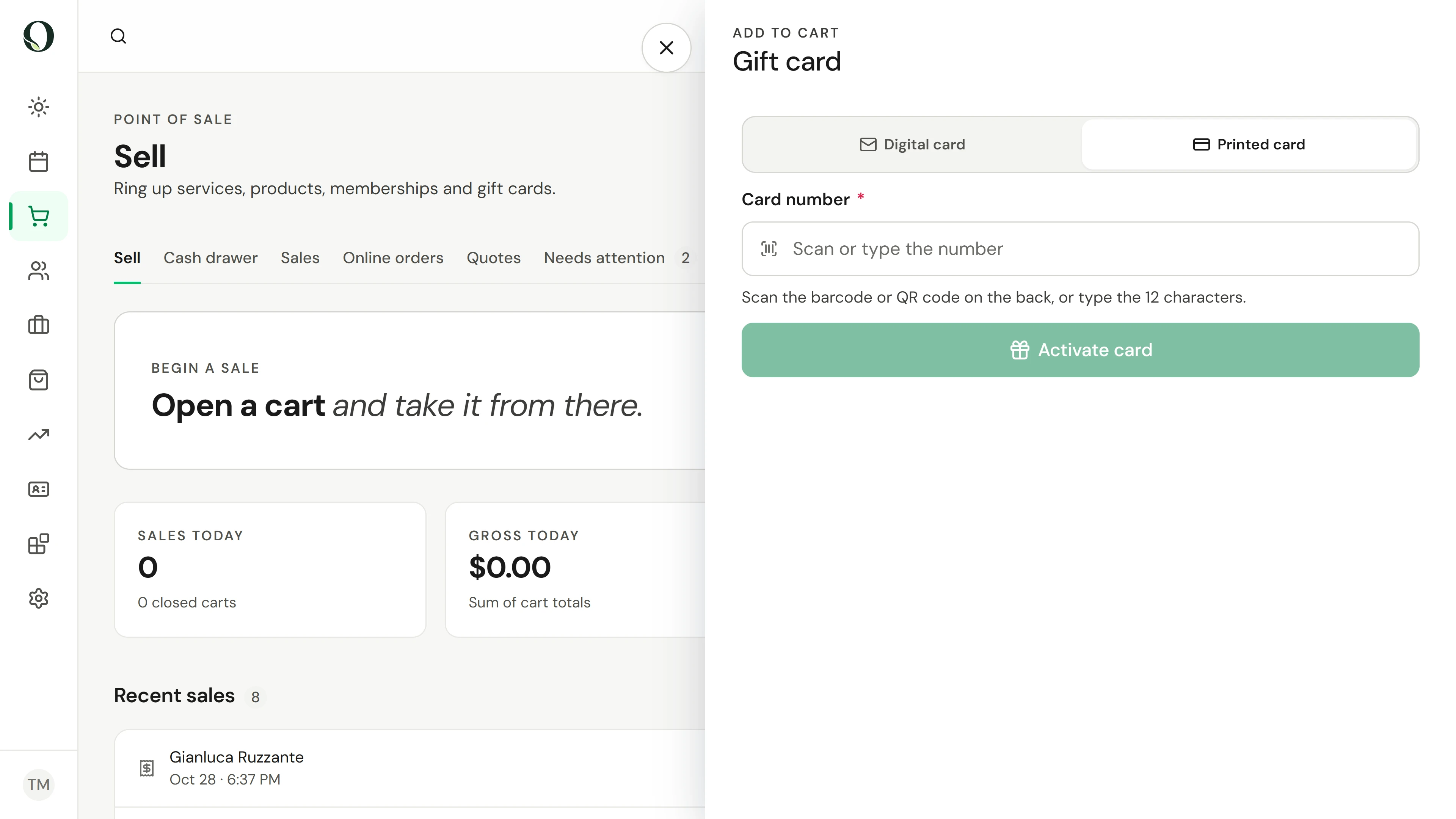
3. Scan the card
Scan the barcode or QR code on the back, or type the 12 characters. Owneli checks the card at once, before any money is taken.
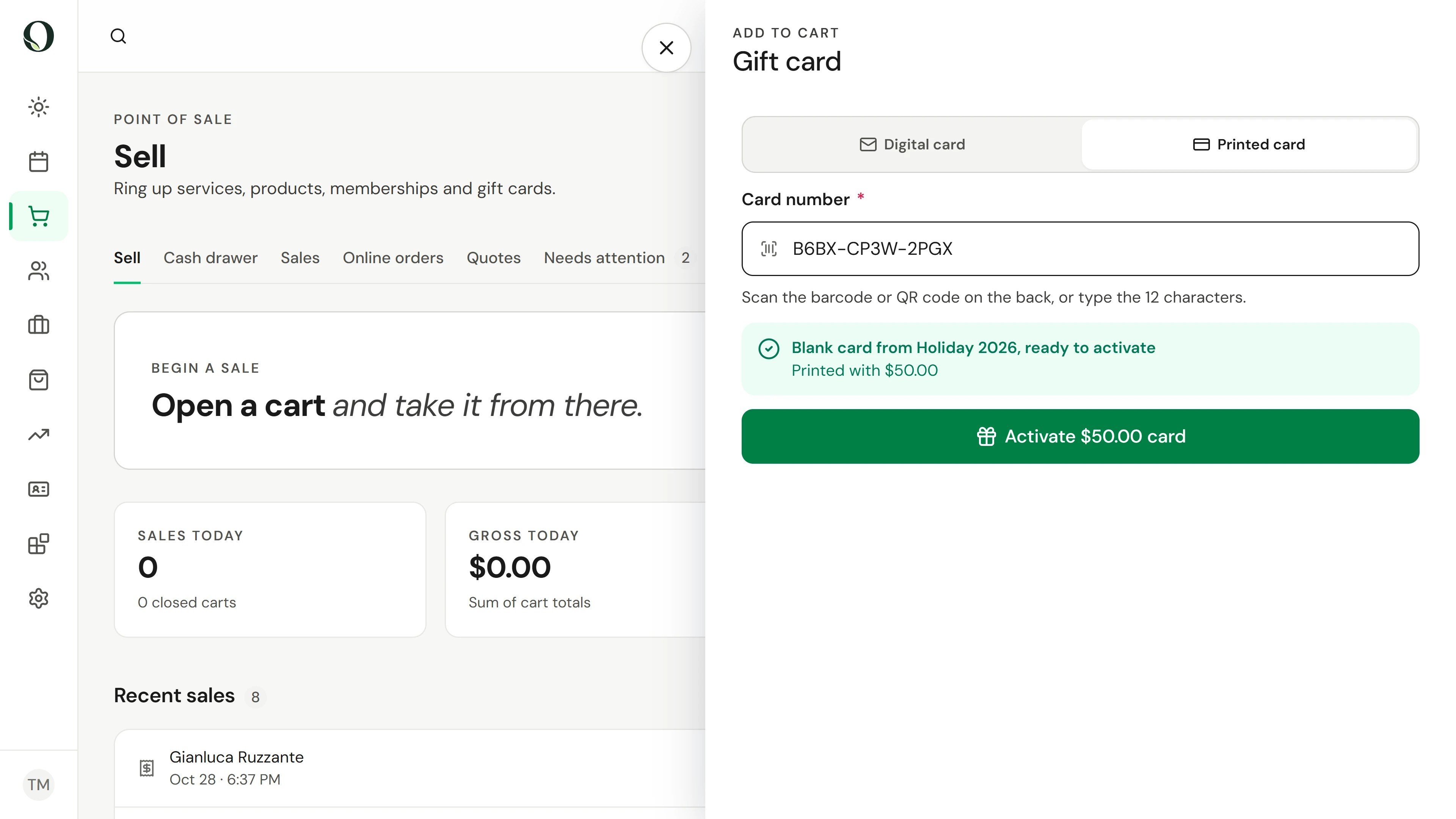
4. Confirm the amount
A blank card shows ready to activate. This one is printed with a value, so the amount is set; for a card without one, type the amount the client chooses.
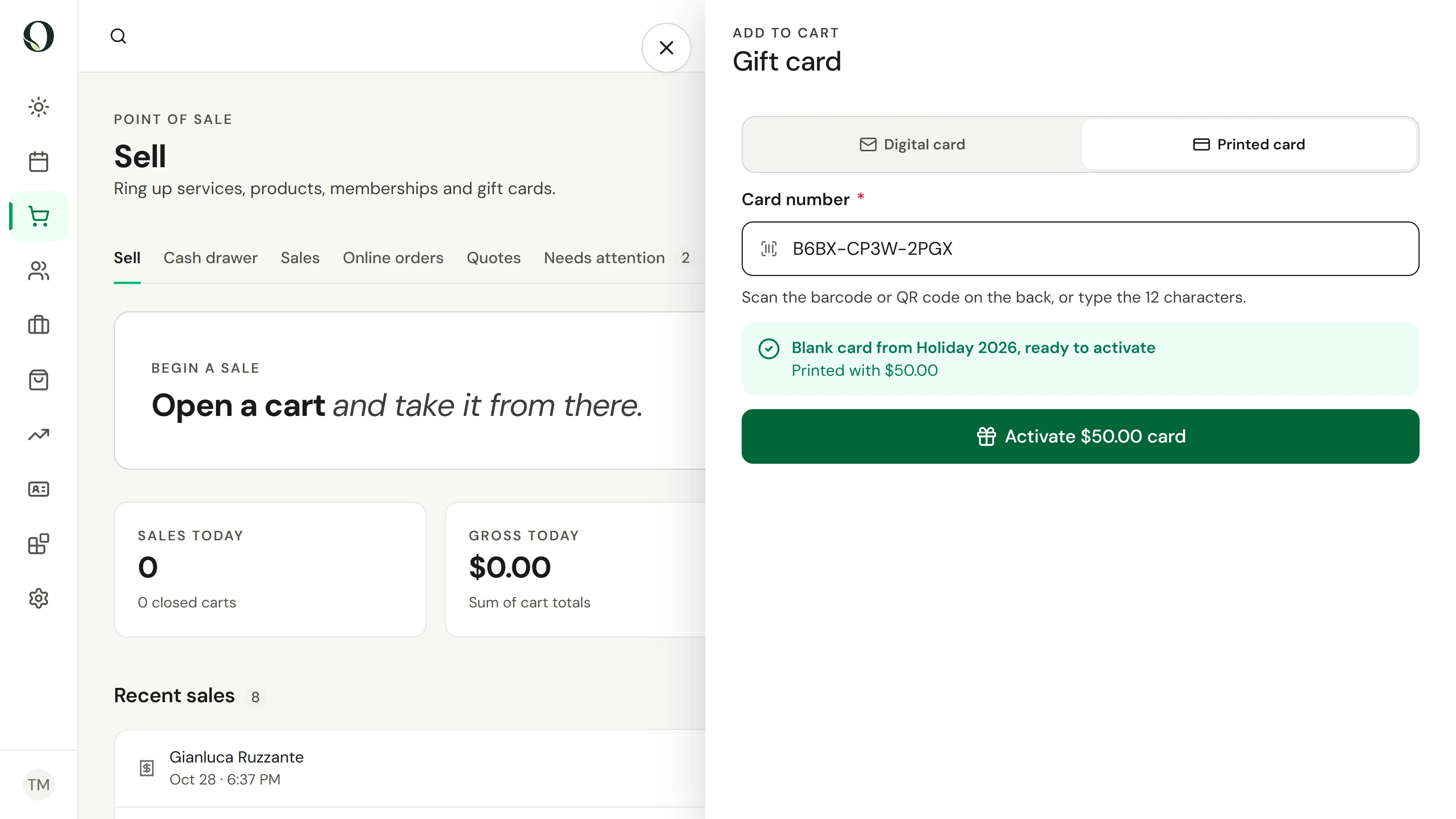
5. Add it to the sale
Select Activate $50.00 card. The card joins the sale with the last four characters of its number, but it holds no money until the sale is paid.
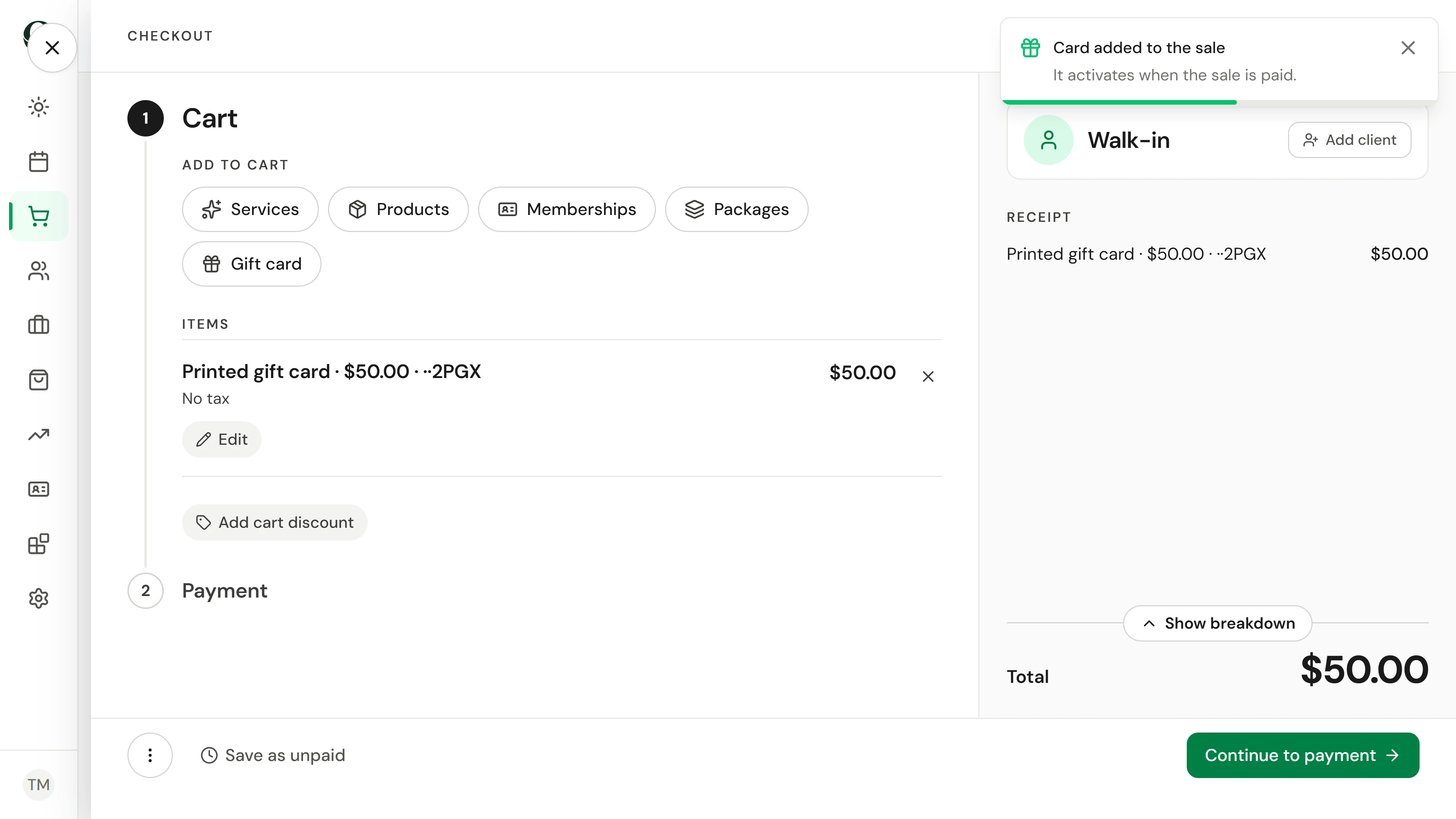
6. Take the payment
Continue to payment and take it as usual, here on the card terminal. The moment the sale is paid, the card holds its value.
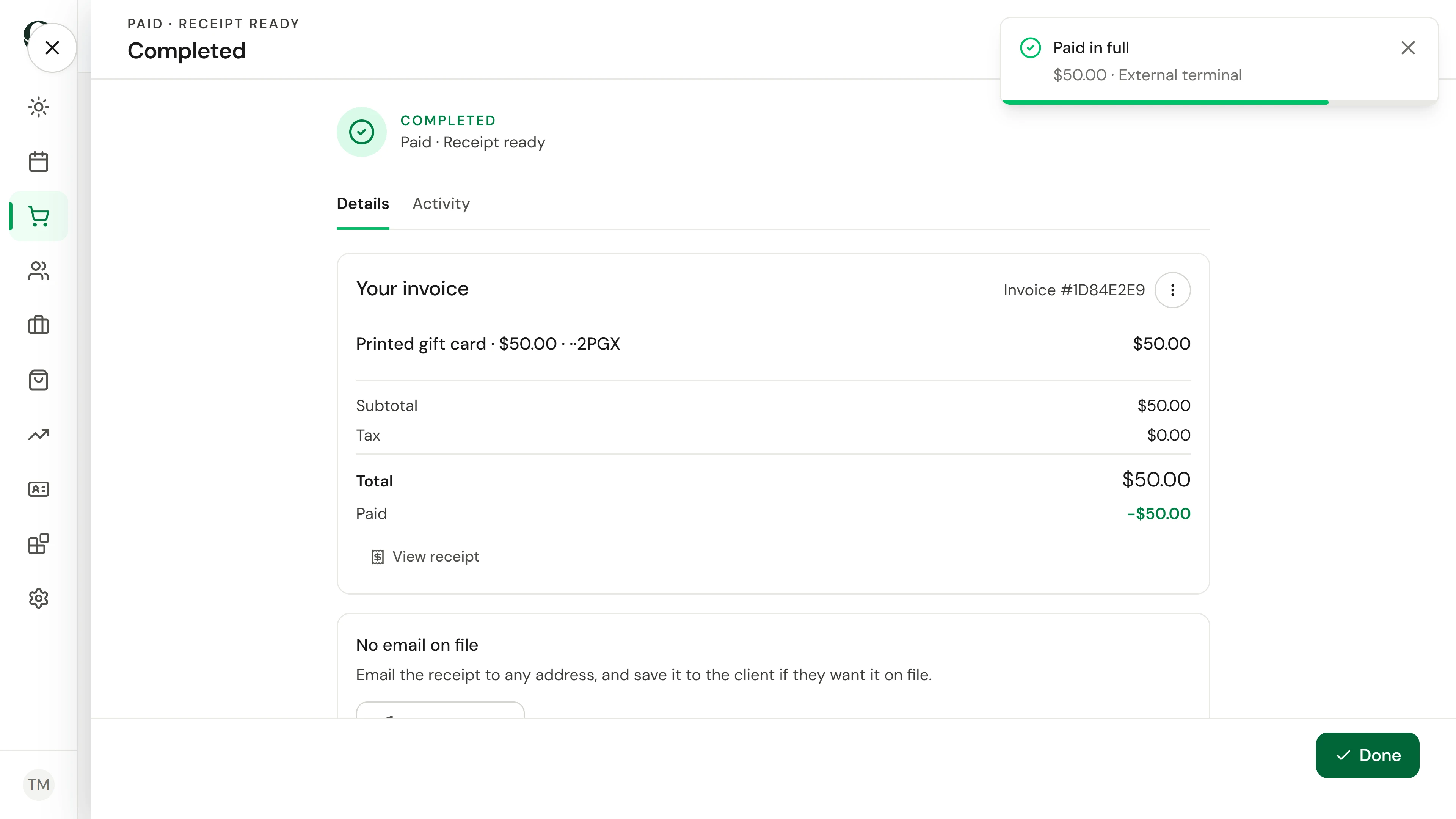
7. See the card become active
In Gift cards sold, search for the card: it is Active, with its full balance. The till now refuses to sell it again.
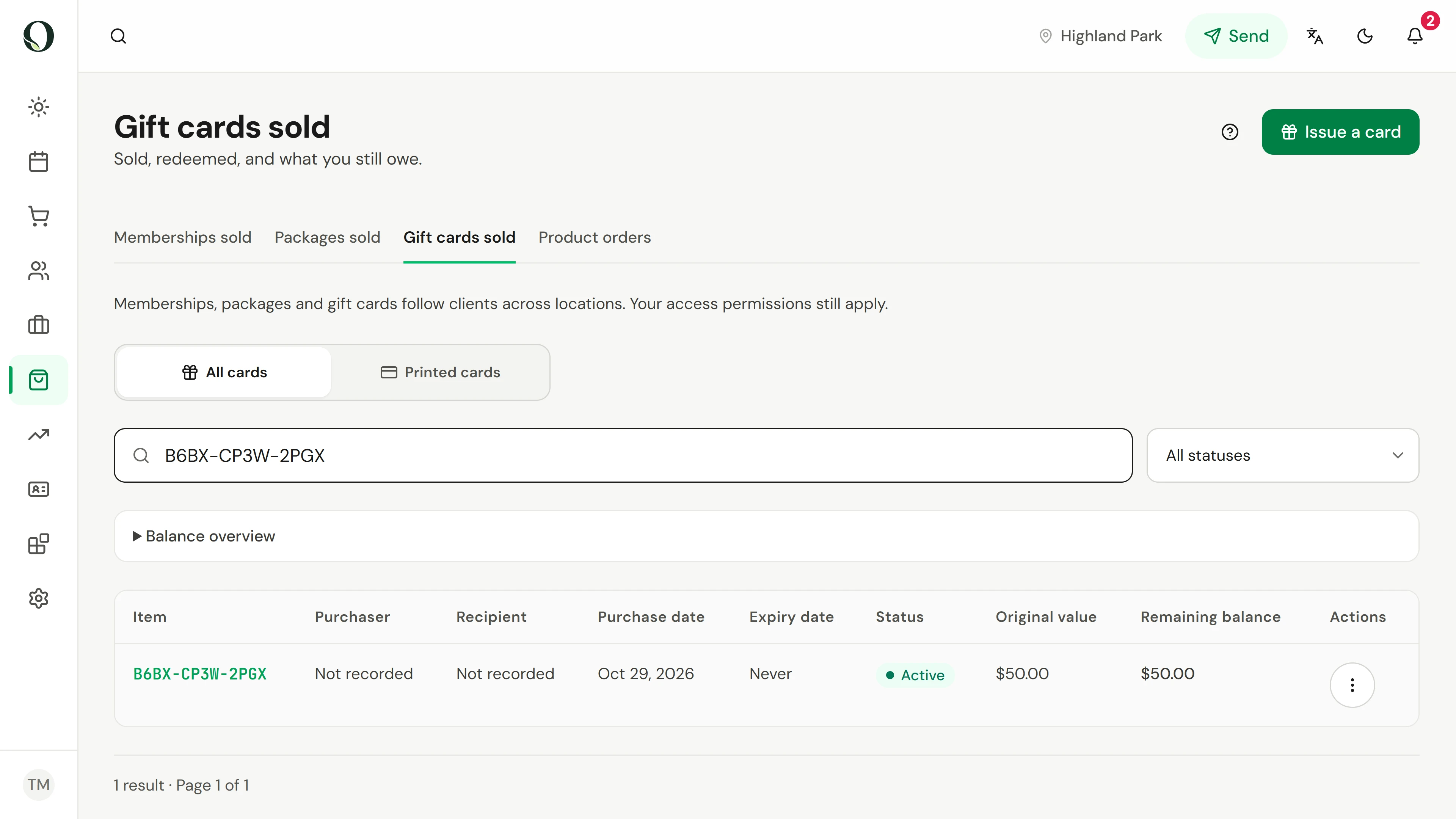
Aprofundar