

Para parceiros Uma situação real
A client wants to commit. Sell a membership, a package and a gift card.
Sell a membership, a package of sessions and a gift card in one sale, go through the membership terms with the client, then pay for the next visit with a package session.
Gravado num espaço de demonstração. Narrado e com legendas.
Esta gravação ainda não se encontra disponível no seu idioma, pelo que será reproduzida em inglês.
Start the sale
Open a cart and attach the client. Memberships and packages belong to a client, so attach them before you add anything.
A situação
Pôr em prática.
A regular loves their facials and wants to commit: the monthly membership, a bundle of four facials, and a gift card for a friend. Sell all three in one go, then show how their next facial is paid from the bundle.
O que vai aprender
You can sell memberships, packages and gift cards at the till, and redeem a package session as payment.
Antes de começar
Selling needs point-of-sale permission. Attach the client first: memberships and packages belong to a client, and the gift card goes on their account.
Tenha em atenção
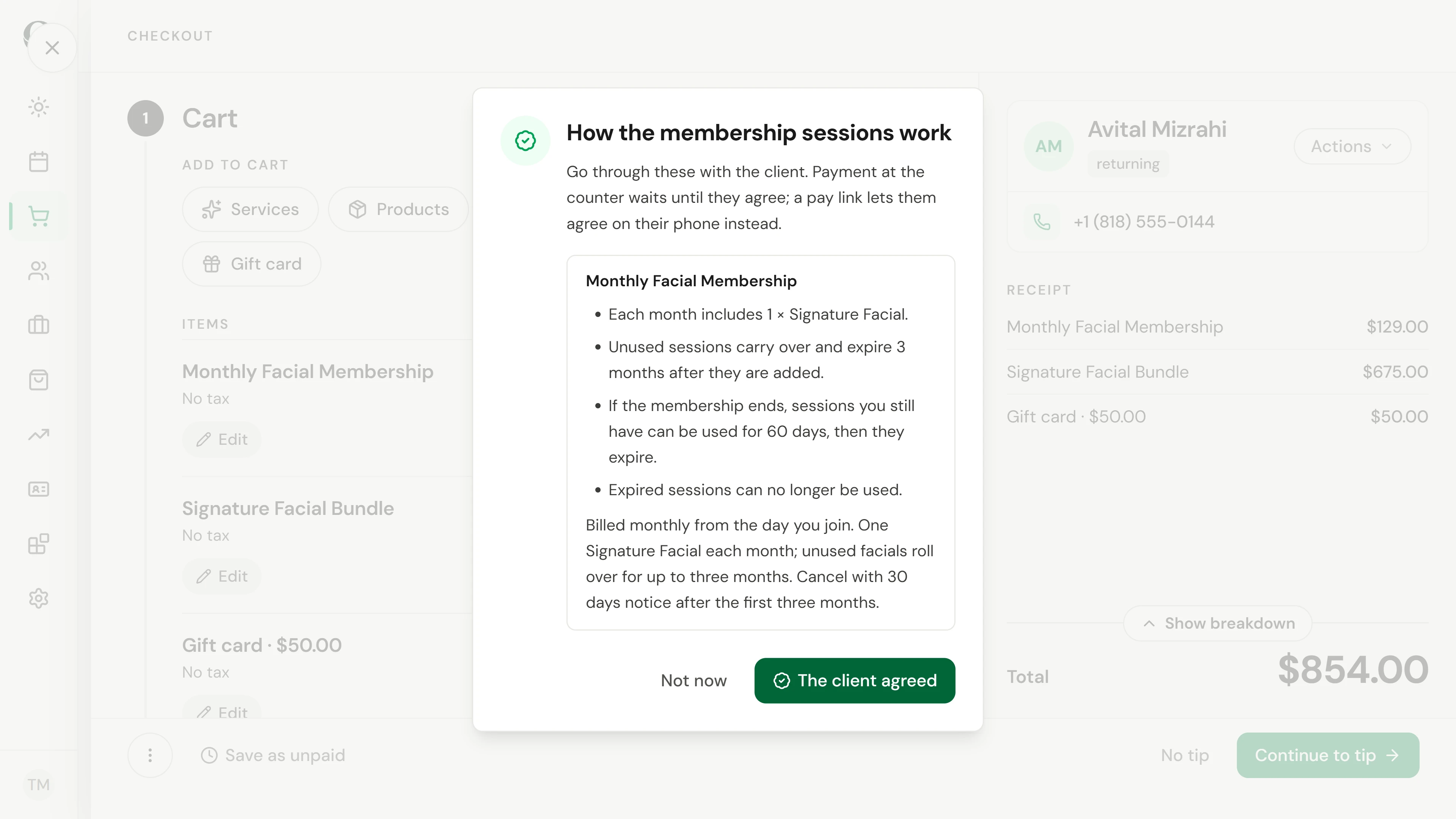
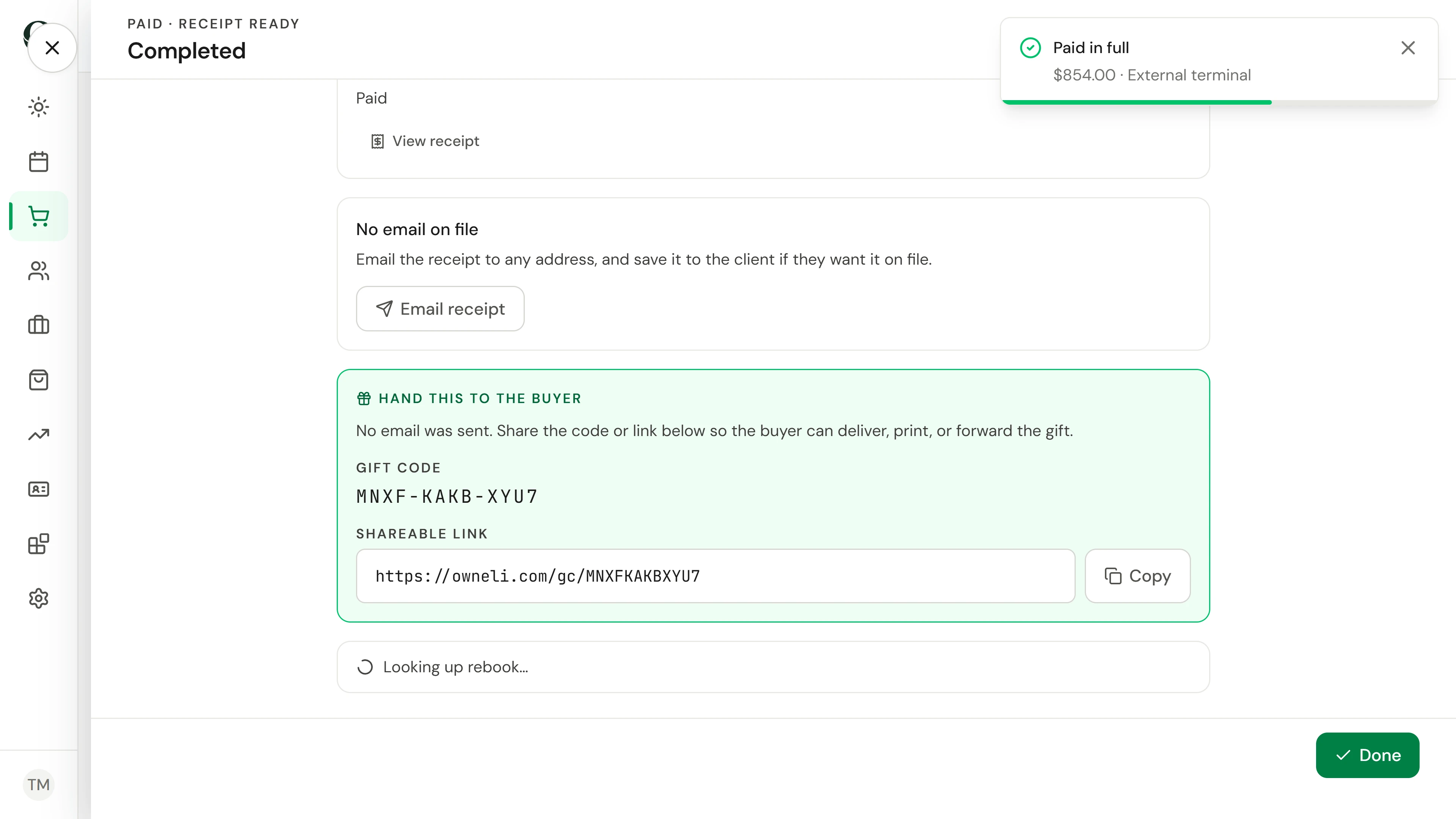
The client agrees to a membership's terms before you take payment; a pay link lets them agree on their phone instead. A gift card handed to the buyer sends no email, and its code shows on the sale. A package session is used by choosing Package as the payment method.
Experimente a decisão
The buyer will give the gift card to their friend themselves. Which delivery do you choose?
Ler o passo a passo completo
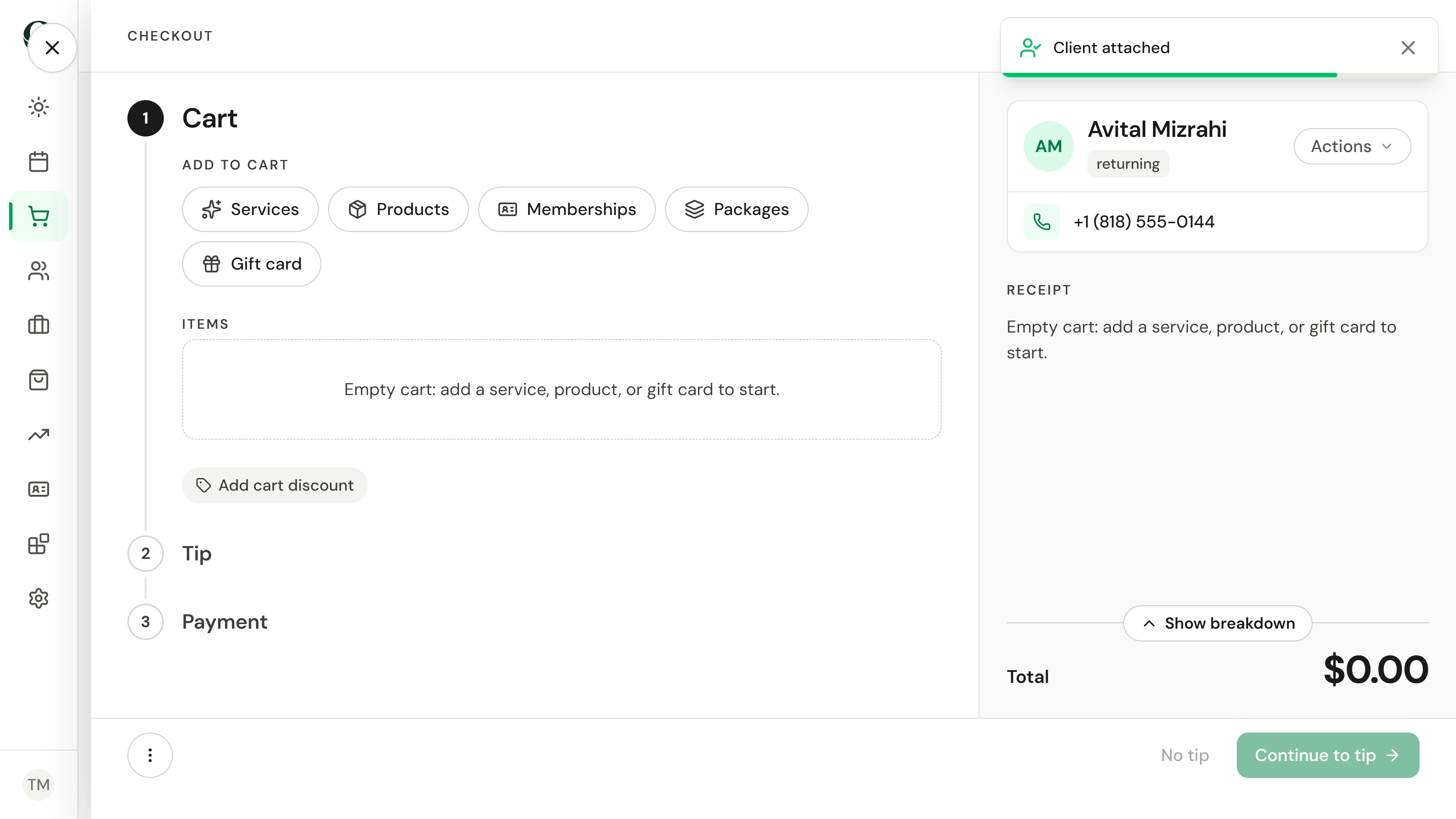
1. Start the sale
Open a cart and attach the client. Memberships and packages belong to a client, so attach them before you add anything.
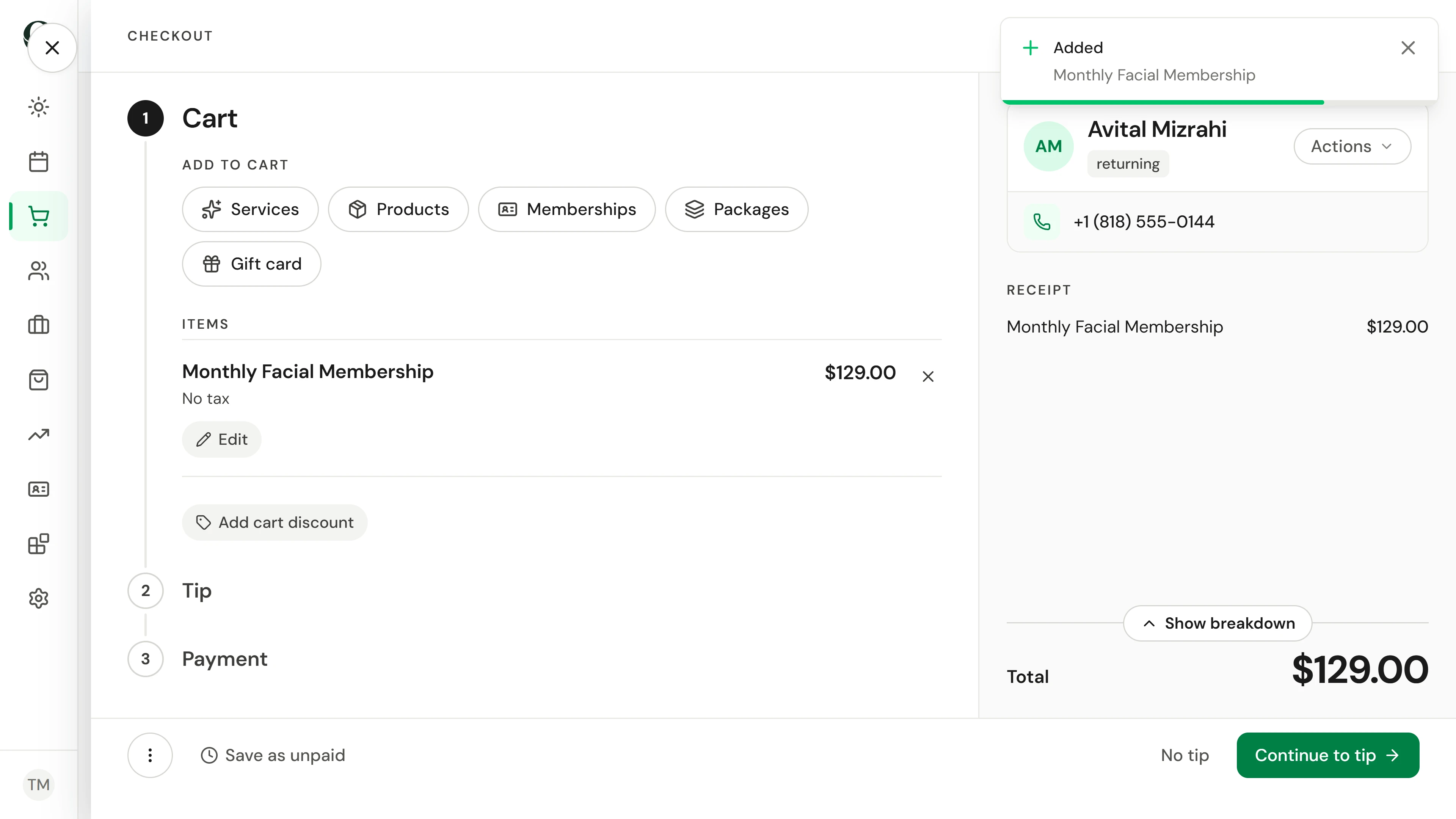
2. Add the membership
Choose Memberships and pick the plan. It joins the cart at its first payment.
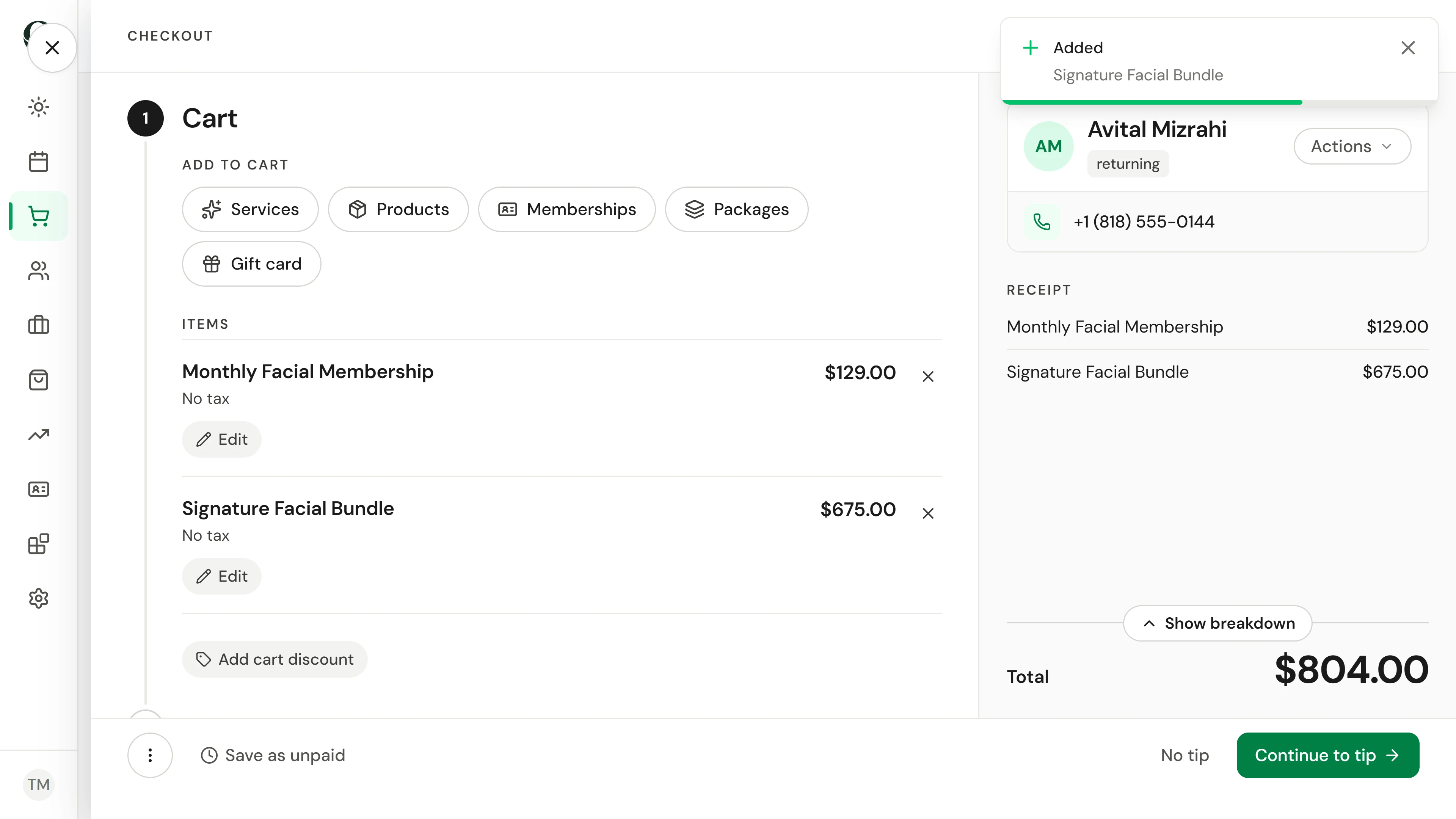
3. Add the package
Switch to Packages and pick the bundle. Its sessions go on the client's account once it is paid.
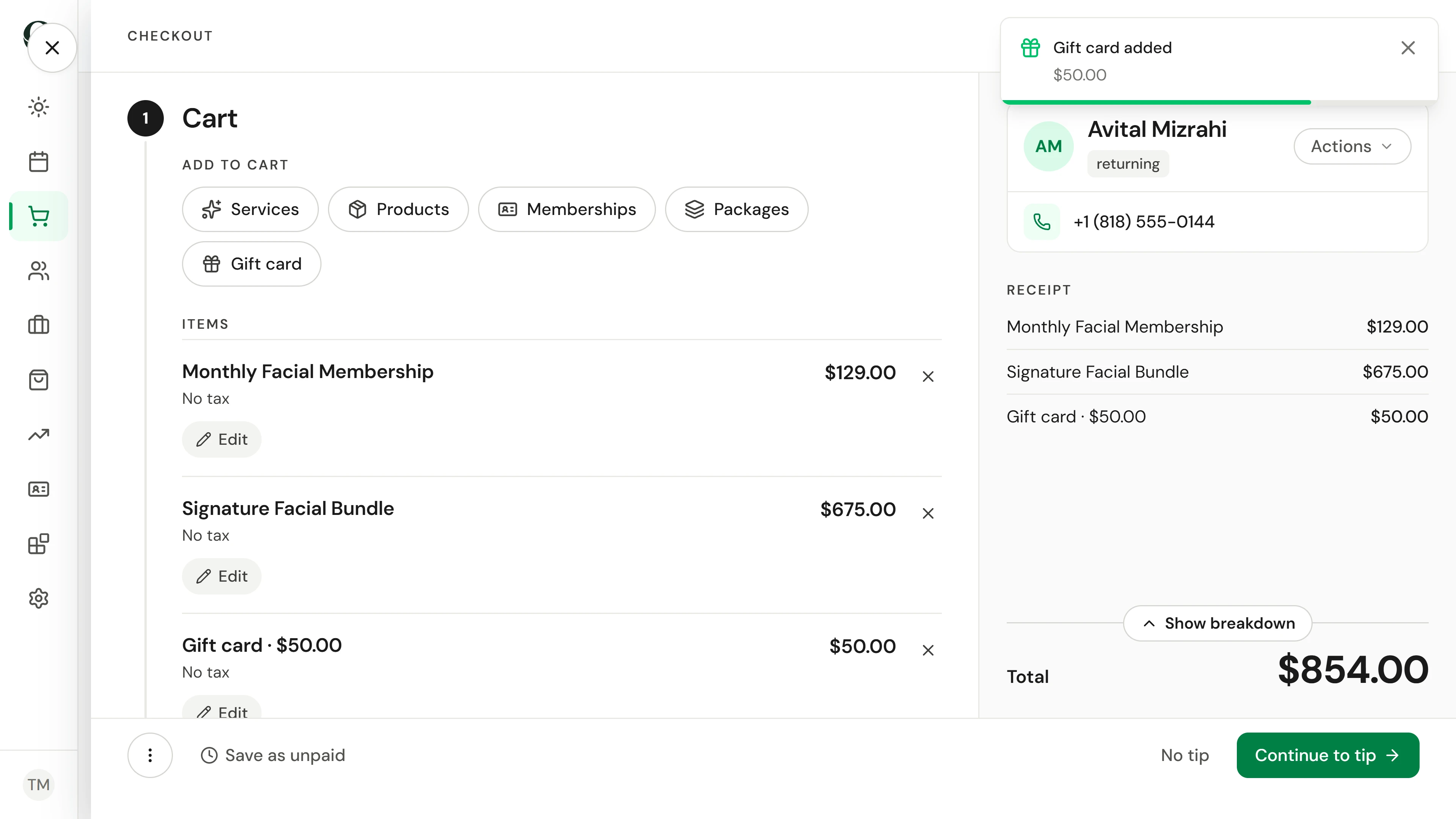
4. Add the gift card
Switch to Gift card and enter the amount. Choose Hand to buyer when they will pass it on themselves; Send to recipient now emails the code to the person you name once the sale is paid.
5. Go through the membership terms
Continue to tip. Before payment, checkout shows how the membership sessions work; go through it with the client and choose The client agreed.
6. Take payment
Choose the client's tip or No tip, continue to payment and take it, here on the card terminal. The completed sale shows the gift card code to hand over.
7. Book the next facial
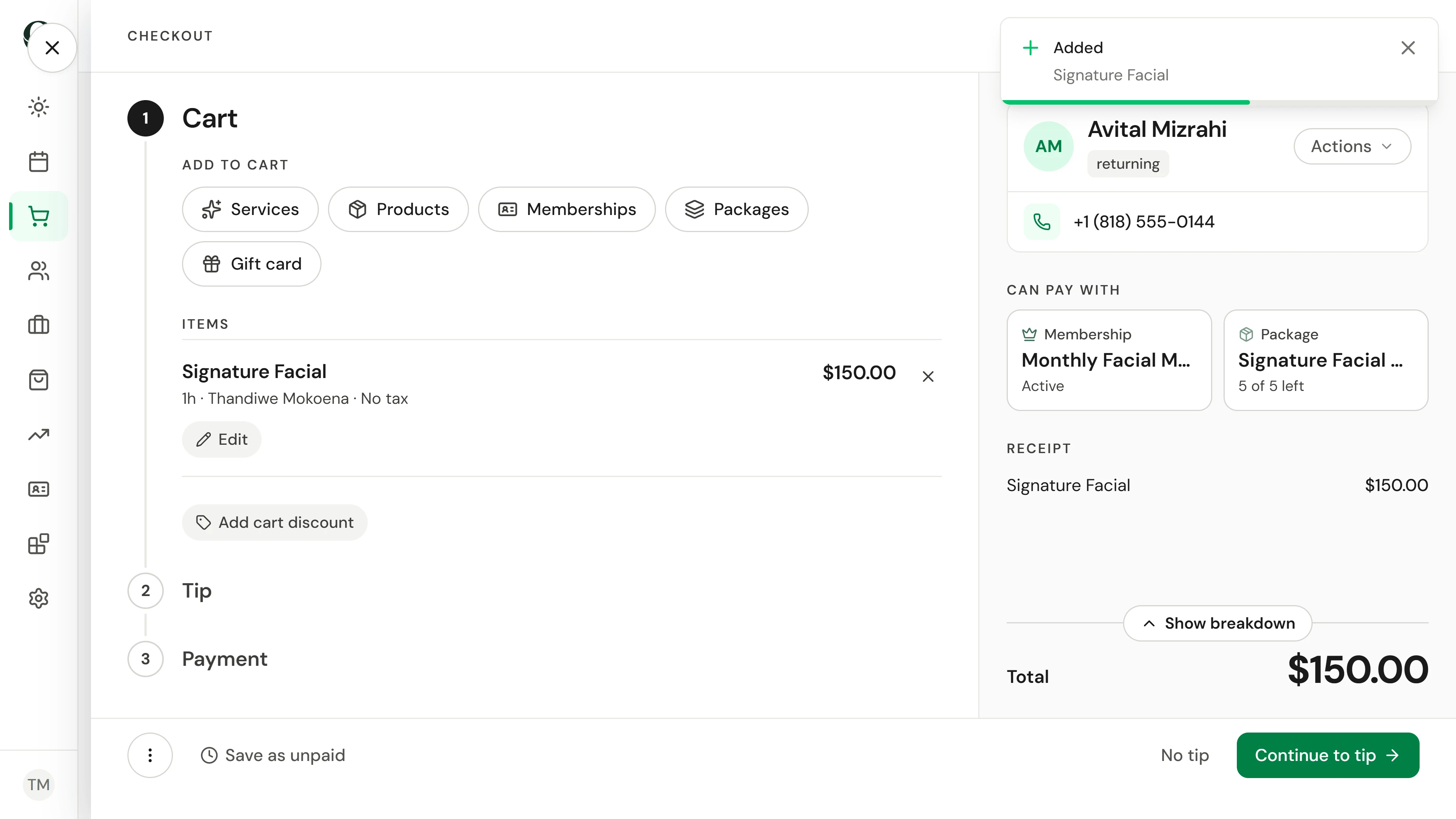
On the next visit, open a cart for the client and add the treatment. Their membership and package show beside the cart.
8. Pay with the package
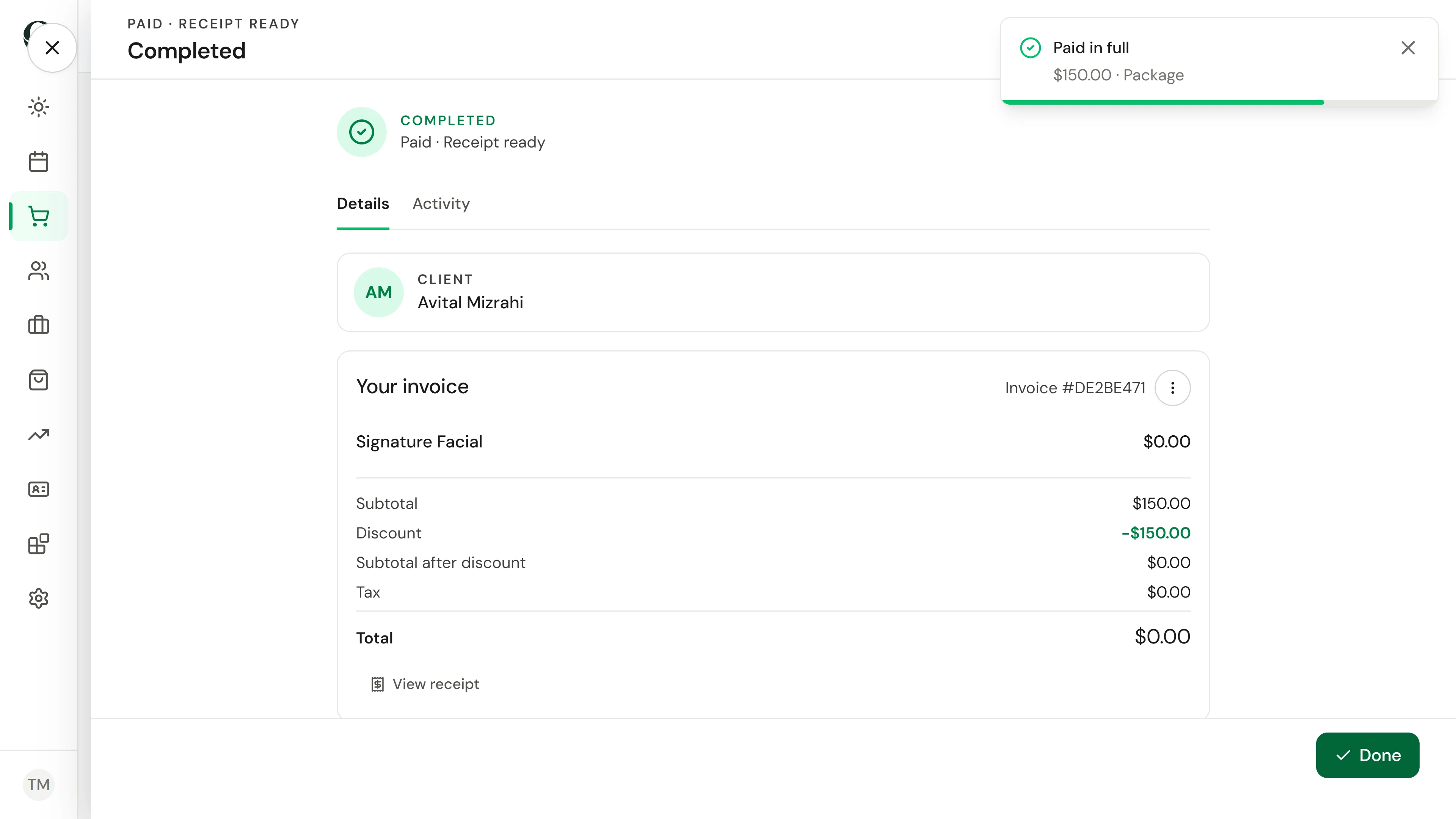
At payment, choose Package. It shows the bundle and the session it uses; Redeem 1 session pays with that session instead of money.
Aprofundar