

With more than one location, a membership or package can be limited to the locations where it can be used. You can still sell it anywhere: the till checks with you first, so the client knows where they can use it.
Before you start
- Who can set it up: anyone who can manage memberships and packages.
- Your business has more than one location. With one location, everything is valid there.
Choose where it can be used
Open the plan
Go to Retail → Memberships or Retail → Packages and open the one to change.
Find Valid at
For a membership, open the Rules tab. For a package, open the Settings tab. Find Valid at.
Choose the locations
Choose All locations, or Selected locations and tick each location where it can be used.
Save
Select Save changes.
Leaving Selected locations with nothing ticked means valid everywhere, so tick at least one.
Sell it at a location where it can't be used
Find it in the cart
In the cart, under Add to cart, select Memberships or Packages. A plan that can't be used here shows where it can, such as Valid at Westside.
Select it
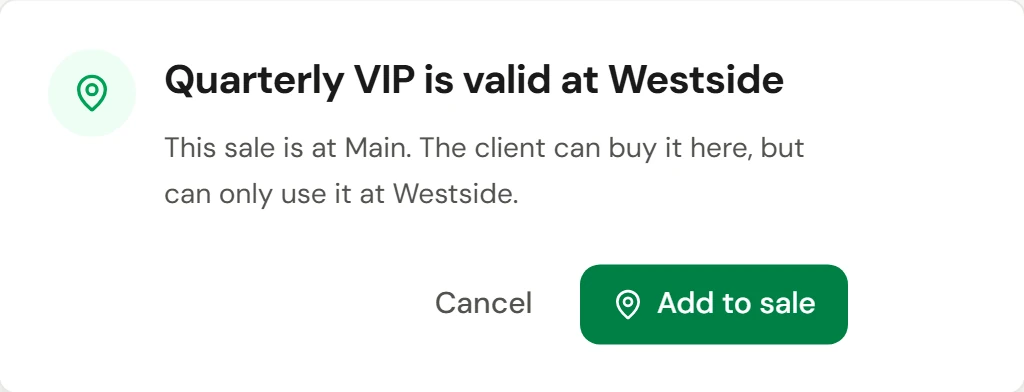
Select the plan. A message checks with you, for example "Quarterly VIP is valid at Westside. This sale is at Main. The client can buy it here, but can only use it at Westside."
Add it
Tell the client where they can use it, then select Add to sale. Select Cancel if they'd rather not.
Quotes work the same way. When you add one to a quote, the button reads Add to quote.
Check it worked
The plan is listed under Items in the cart. After the sale, it appears on the client's profile, and it's only offered at checkout at the locations where it's valid.
If something goes wrong
The client tries to use it here and it isn't offered
It isn't valid at this location. Check Valid at on the plan, or book the visit at a location where it's valid. See Redeem a gift card, package or membership.
I don't see Valid at
Your business has only one location, or your role can't edit memberships and packages.